

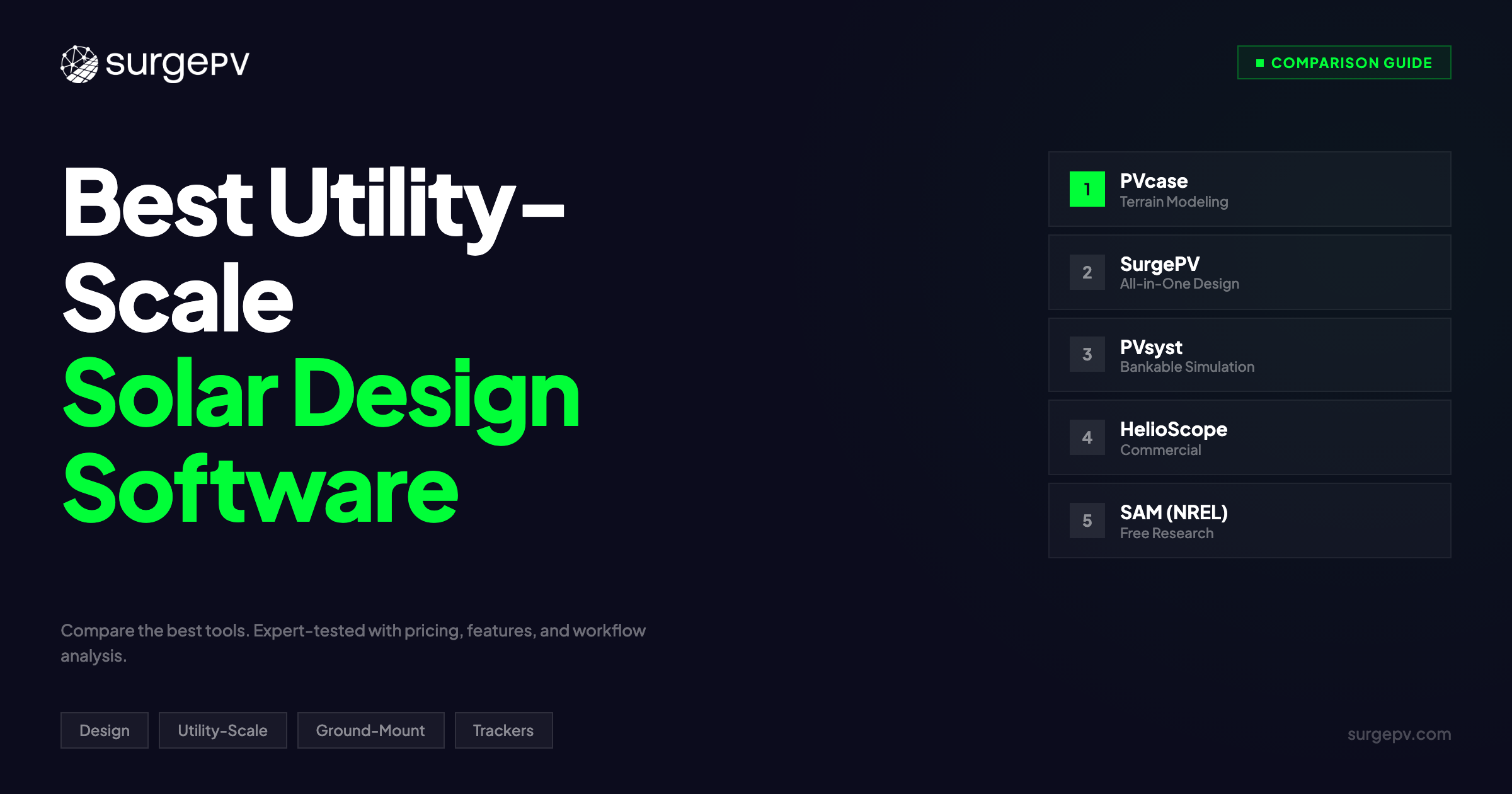
TL;DR: Utility-scale solar projects (10 MW+) demand terrain-aware layout optimization, tracker configuration with backtracking, cable routing, grading analysis, and inverter station placement — all before construction begins. PVcase leads purpose-built utility-scale design with deep AutoCAD/Civil 3D integration. SurgePV delivers the most complete integrated design + engineering workflow for projects scaling from commercial to utility. PVsyst remains the bankability simulation standard. HelioScope handles flat-terrain utility layouts at speed. SAM/NREL provides free, research-grade utility-scale simulation.
The 10 MW Threshold Changes Everything
Residential solar design is a layout puzzle. Commercial solar adds structural and electrical complexity. Utility-scale solar is civil engineering.
When you cross the 10 MW line, every design decision carries six-figure consequences. A 2% improvement in ground coverage ratio (GCR) across a 100 MW site can add $1.2M in lifetime revenue. A grading plan that moves 50,000 fewer cubic yards of earth saves $300,000 in construction costs. Cable routing that reduces DC losses by 0.3% adds $180,000 in energy yield over 25 years.
The tools that work for residential and commercial projects break down at utility scale. Drag-and-drop layout tools cannot handle 500-acre sites with 15 meters of elevation change. Browser-based platforms choke on 200,000+ module arrays. Financial models built for 25 kW systems cannot capture the interconnection costs, land lease structures, and tax equity partnerships that define utility-scale economics.
Utility-scale solar design software must handle terrain modeling with sub-meter accuracy, single-axis and dual-axis tracker configuration with backtracking algorithms, inverter station placement optimized for cable lengths and voltage drop, grading analysis that minimizes earthwork while maintaining drainage, and interconnection studies that satisfy utility requirements.
After designing and reviewing 1+ GW of ground-mount solar across Europe and the Middle East at Heaven Green Energy, I tested the leading solar software platforms on real utility-scale projects. Here is what separates the tools that belong on a 50 MW project from the ones that top out at 5 MW.
In this guide, you’ll find:
- 5 utility-scale solar design tools compared on terrain modeling, tracker support, and electrical infrastructure
- Real workflow analysis: how each tool handles a 50 MW ground-mount from topographic survey to bankable design
- The gap most developers miss — grading analysis and earthwork cost estimation
- Which tool fits your project pipeline (10 MW to 500 MW+)
- Total cost of ownership including CAD licenses, simulation add-ons, and training
Quick Comparison Table
| Software | Best For | Terrain Modeling | Tracker Support | Starting Price |
|---|---|---|---|---|
| PVcase | Purpose-built utility-scale design (10 MW+) | Advanced (Civil 3D integration) | Single + dual-axis with terrain-following backtracking | ~$3,500+/yr (plus AutoCAD) |
| SurgePV | Integrated design + engineering + proposals (1-50 MW) | Cloud-based terrain analysis | Single + dual-axis with backtracking | $1,899/yr (3 users) |
| PVsyst | Bankable utility-scale simulation | Import-based (not native design) | Full tracker simulation models | ~$1,300 one-time license |
| HelioScope | Fast commercial/utility layout on moderate terrain | Basic elevation tools | Limited tracker support | ~$948/yr |
| SAM (NREL) | Free utility-scale simulation and financial modeling | None (simulation only) | Full tracker simulation | Free (open-source) |
Related Comparisons
For commercial-scale ground-mount (100 kW-10 MW), see our best solar plant design software comparison. For tracker-specific features, see best ground-mount solar design software.
What to Look for in Utility-Scale Solar Design Software (Buyer’s Guide)
Not every solar design software platform can handle utility-scale projects. The features that matter at 10 kW are irrelevant at 100 MW, and the features that matter at 100 MW do not exist in most residential tools.
Here is what separates utility-grade design platforms from everything else.
Terrain Modeling and Grading Analysis
Utility-scale sites are rarely flat. A 200-acre project site might span 20 meters of elevation change, include drainage channels, have existing access roads, and contain geotechnical constraints that limit pile depth.
Terrain modeling at utility scale requires:
- Digital Terrain Model (DTM) import: LiDAR point clouds, topographic surveys, or drone photogrammetry data imported at sub-meter resolution
- Slope analysis: Identifying areas where terrain gradient exceeds tracker or fixed-tilt mounting limits (typically 10-15% for single-axis trackers)
- Cut-and-fill analysis: Calculating earthwork volumes for grading plans, with cost estimates per cubic yard
- Drainage modeling: Ensuring grading plans maintain natural water flow to prevent erosion and ponding
- Exclusion zone mapping: Automatically excluding wetlands, setbacks, easements, and geotechnical hazard areas
A tool that treats terrain as flat will produce layouts that fail constructability review. A tool that models terrain accurately saves $200,000-$500,000 in grading costs on a typical 50 MW project by optimizing pile heights and minimizing earthwork.
Tracker Design and Backtracking Optimization
Single-axis trackers account for over 70% of new utility-scale capacity in the United States. Designing tracker arrays at scale requires more than placing rows at a fixed tilt.
Utility-scale tracker design demands:
- Terrain-following trackers: Rows that follow the natural slope of the ground rather than requiring a flat grading plane
- Backtracking algorithms: Automatic adjustment of row angles to prevent row-to-row shading during morning and evening hours, maximizing energy harvest
- GCR optimization: Finding the optimal balance between ground coverage ratio (closer spacing = more capacity but more shading) and energy yield per module
- Torque tube and motor sizing: Mechanical engineering calculations for tracker structural components based on wind loads and terrain
- String sizing per tracker row: Electrical configuration that accounts for temperature variation and voltage limits across tracker positions
The best tools run GCR optimization studies that test 10-20 spacing scenarios and compare annual energy yield, construction cost, and levelized cost of energy (LCOE) for each. This analysis alone can improve project IRR by 0.5-1.5 percentage points.
Inverter Station Placement and Cable Routing
At residential scale, the inverter sits on the wall next to the main panel. At utility scale, inverter stations are multi-million-dollar pieces of infrastructure that must be placed to minimize cable lengths, voltage drop, and construction cost.
Utility-scale electrical design includes:
- Central inverter station placement: Optimizing the location of 2-4 MW inverter stations to minimize total DC cable length across all connected strings
- Combiner box placement: Positioning string-level combiners to reduce home run cable lengths
- DC cable routing: Automatic or semi-automatic routing that follows cable trenches, avoids exclusion zones, and calculates voltage drop per string
- AC collection system: Medium-voltage cable routing from inverter stations to the project substation
- Voltage drop analysis: Ensuring no string exceeds inverter input voltage limits after accounting for temperature, cable length, and connector losses
- Bill of materials: Automatic cable quantity takeoffs by gauge, length, and type
Poor inverter station placement on a 100 MW project can add 15-20% to DC cable costs. That is $400,000-$600,000 in unnecessary copper.
Interconnection and Grid Studies
Utility-scale projects do not connect to a 200A residential panel. They connect to the utility grid through a project substation, and the interconnection process requires detailed engineering studies.
Design software should support:
- Single-line diagram (SLD) generation: Automatic creation of project-level electrical diagrams from inverter stations through the substation to the point of interconnection
- Power flow analysis: Modeling how the project’s output interacts with the local grid
- Reactive power compensation: Sizing capacitor banks or inverter reactive power setpoints to meet utility power factor requirements
- Curtailment modeling: Simulating the financial impact of grid-imposed generation limits
Not all design tools handle interconnection studies natively. Many utility-scale developers export designs to specialized power systems software (ETAP, PSS/E) for detailed grid studies. The best design platforms generate the SLD and basic electrical parameters that feed those analyses.
Bankable Energy Yield Assessment
Lenders and investors require P50/P90 energy yield estimates before financing a utility-scale project. The simulation engine behind those estimates must be accepted by independent engineers.
Bankable simulation requires:
- Hourly or sub-hourly modeling: 8,760+ hour simulations using TMY or satellite-derived weather data
- Loss chain transparency: Itemized losses (soiling, mismatch, clipping, wiring, transformer, availability) that independent engineers can audit
- P50/P90/P99 exceedance probabilities: Statistical confidence intervals that lenders use to size debt
- Bifacial modeling: Albedo-dependent rear-side irradiance calculations for bifacial modules
- Degradation modeling: Year-by-year performance accounting for module degradation rates
PVsyst remains the industry standard for bankable simulation, but several design platforms now include simulation engines that independent engineers accept for preliminary feasibility.
The Real Cost of a Fragmented Utility-Scale Workflow
Most utility-scale developers use 3-5 separate tools to take a project from site assessment to construction-ready design.
A typical fragmented workflow looks like this:
- Site assessment: Google Earth Pro or drone survey for initial terrain review
- Layout design: PVcase or AutoCAD for module placement and tracker configuration
- Simulation: PVsyst for bankable energy yield estimates
- Electrical design: AutoCAD Electrical or ETAP for SLD, cable sizing, and protection coordination
- Financial modeling: Excel for LCOE, IRR, and debt sizing
- Proposals and permitting: PowerPoint or InDesign for investor presentations
Each tool transition introduces data transfer errors, version control problems, and 2-4 hours of rework. A 50 MW project that passes through six tools accumulates 30-50 hours of integration overhead per design iteration.
When the land owner changes the site boundary, you restart at Step 1. When the module supplier switches from 580W to 600W panels, you restart at Step 2. When the lender requests P90 instead of P50, you restart at Step 3. Each change ripples through the entire chain.
Integrated platforms that combine layout, simulation, electrical design, and reporting in one environment eliminate this cascade. A module change propagates automatically from layout through simulation to financial model. A site boundary update reflows the entire design without manual data transfer.
The time savings are real: integrated workflows reduce per-project design time by 40-60% compared to fragmented tool chains, based on our project experience across commercial and utility-scale ground-mount installations.
Pro Tip
Before committing to a utility-scale design platform, map your current workflow end-to-end. Count every tool transition, every manual data export, and every spreadsheet that bridges two systems. That is your integration tax — and it compounds with every design revision.
Top 5 Utility-Scale Solar Design Software (2026)
1. PVcase — Best Purpose-Built Utility-Scale Design
Rating: 9.1/10 | Price: ~$3,500+/yr (plus AutoCAD license) | PVcase | PVcase review
PVcase is the tool that utility-scale developers reach for when terrain complexity demands serious engineering. Built as an AutoCAD and Civil 3D plugin, PVcase turns Autodesk’s CAD environment into a purpose-built solar plant design platform.
Why PVcase dominates utility-scale:
The terrain modeling depth is unmatched. PVcase imports LiDAR point clouds and topographic survey data directly into Civil 3D, builds a digital terrain model, and designs tracker rows that follow the natural ground contour. Where other tools flatten the site and calculate a theoretical layout, PVcase designs rows that follow every ridge, valley, and drainage channel.
Grading analysis is where PVcase separates from the field. The platform calculates cut-and-fill volumes for any grading scenario, estimates earthwork costs, and optimizes pile heights to minimize grading while maintaining tracker clearance. On a 100 MW project with 12 meters of elevation change, this analysis routinely saves $300,000-$500,000 in earthwork costs compared to designs produced in flat-terrain tools.
Single-axis tracker design includes terrain-following algorithms, backtracking optimization, and GCR studies that test dozens of row spacing scenarios. PVcase generates tracker motor placement, torque tube specifications, and structural loading calculations that go directly to the tracker manufacturer for review.
Cable routing is semi-automated: you define trench paths and PVcase routes DC strings from each tracker row to combiner boxes and then to inverter stations, calculating voltage drop and cable losses at each segment. The bill of materials export includes cable quantities by gauge and length.
Workflow timing (50 MW ground-mount with trackers):
- Terrain import and DTM: 2-3 hours
- Layout optimization with GCR studies: 4-6 hours
- Grading analysis and earthwork: 2-3 hours
- Cable routing and electrical: 3-4 hours
- Total: 11-16 hours (not including PVsyst simulation)
Pros:
- Deepest terrain modeling through Civil 3D integration
- Cut-and-fill grading analysis with earthwork cost estimates
- Terrain-following single-axis tracker design
- Semi-automated cable routing with voltage drop calculations
- Handles 500 MW+ projects without performance issues
- Direct export to PVsyst for bankable simulation
- Professional-grade CAD deliverables for construction
Cons:
- Requires AutoCAD/Civil 3D license ($2,000+/yr additional)
- Steep learning curve (2-4 weeks for proficient use)
- No integrated simulation — requires PVsyst or equivalent for energy yield
- No proposal generation or financial modeling
- No SLD generation (requires separate electrical CAD)
- Desktop-only (no cloud collaboration)
Best for: Utility-scale developers and EPCs designing projects over 10 MW on complex terrain. If your sites have significant elevation change, multiple drainage channels, or geotechnical constraints, PVcase’s terrain modeling is worth the AutoCAD dependency.
2. SurgePV — Best Integrated Design + Engineering Platform
Rating: 8.8/10 | Price: $1,899/yr (3 users) | SurgePV | Book a demo
SurgePV takes a different approach to large-scale solar: instead of bolting design features onto a CAD platform, it builds layout optimization, shadow analysis, electrical engineering, simulation, and proposals into one cloud-based environment.
Why SurgePV works for utility-scale projects:
The integrated workflow eliminates the tool-switching overhead that plagues utility-scale design. You import a site boundary, generate a terrain model, place tracker rows, configure inverter stations, run P50/P90 simulation, and produce a bankable proposal without leaving the platform. A module change propagates from layout through simulation to financial model automatically.
Tracker design supports single-axis and dual-axis configurations with backtracking algorithms. GCR optimization runs multiple spacing scenarios and compares energy yield, capacity, and LCOE for each. The terrain analysis identifies slope constraints and adjusts row placement to maintain tracker operating limits.
The electrical design module generates single-line diagrams, sizes cables and protection devices, places combiner boxes and inverter stations, and calculates voltage drop across the DC and AC collection system. This is where SurgePV saves the most time compared to fragmented workflows: the SLD updates automatically when you modify the layout.
Shadow analysis runs hourly simulations across the full year, accounting for terrain-induced shading, inter-row shading, and nearby obstructions. The bifacial gain model calculates rear-side irradiance based on ground albedo and row height.
Financial modeling handles utility-scale economics: LCOE calculation, degradation-adjusted 25-year cash flows, and investor-ready reporting.
Workflow timing (50 MW ground-mount with trackers):
- Site import and terrain: 1-2 hours
- Layout with GCR optimization: 3-4 hours
- Electrical design and SLD: 2-3 hours
- Simulation and financial model: 1-2 hours
- Total: 7-11 hours (fully integrated, no tool switching)
Pros:
- Complete design-to-proposal workflow in one platform
- Cloud-based with real-time collaboration (3 users included)
- Automatic SLD generation from layout
- Single and dual-axis tracker with backtracking
- Bankable P50/P75/P90 simulation
- Bifacial module modeling
- Financial modeling with LCOE and 25-year cash flows
- Fastest total workflow for projects under 50 MW
- $1,899/yr for 3 users — lowest total cost of ownership
Cons:
- Terrain modeling depth does not match PVcase + Civil 3D for extreme topography
- Projects over 50 MW may require design segmentation
- Newer to the utility-scale segment (less track record with independent engineers than PVsyst)
- No grading/earthwork cost analysis
Best for: EPCs and developers handling projects from 1 MW to 50 MW who want one platform for layout, electrical, simulation, and proposals. The integrated workflow saves 40-60% design time compared to PVcase + PVsyst + AutoCAD Electrical.
Design Utility-Scale Projects in One Platform
SurgePV combines layout optimization, tracker design, electrical engineering, shadow analysis, and bankable proposals. No AutoCAD license. No tool switching.
Book a DemoNo commitment required · 20 minutes · Live project walkthrough
3. PVsyst — Best Bankable Utility-Scale Simulation
Rating: 8.7/10 | Price: ~$1,300 one-time license | PVsyst | PVsyst review
PVsyst is not a design tool. It is a simulation engine. And for utility-scale solar, it is the simulation engine that lenders, independent engineers, and tax equity investors trust.
Why PVsyst remains the bankability standard:
Every major solar lender requires a PVsyst report as part of their due diligence package. When DNV, Black and Veatch, or Leidos reviews your energy yield estimate, they expect PVsyst. They know the loss chain, understand the modeling assumptions, and can audit every parameter. This institutional trust took 30 years to build and no competitor has replicated it.
The loss chain transparency is what makes PVsyst bankable. Every loss factor is itemized: soiling, mismatch, wiring, inverter efficiency, transformer losses, clipping, availability, degradation, and spectral correction. Independent engineers can adjust individual loss assumptions without rebuilding the entire model.
Tracker simulation models single-axis and dual-axis configurations with backtracking. The bifacial modeling engine calculates rear-side irradiance using view factor methods that account for ground albedo, row height, and row spacing. PVsyst’s bifacial model has been validated against field measurements at utility-scale sites across multiple climate zones.
P50/P90/P99 exceedance probabilities are calculated using inter-annual variability data from satellite-derived irradiance datasets. These confidence intervals directly determine how much debt a lender will extend — a P90 estimate that is 2% higher can unlock $5M-$10M in additional financing on a 100 MW project.
What PVsyst does NOT do:
PVsyst does not design layouts. It does not place modules on terrain. It does not route cables or generate SLDs. It does not produce construction drawings. You must design in PVcase, SurgePV, HelioScope, or AutoCAD, then export the layout parameters to PVsyst for simulation.
This is a feature, not a limitation. PVsyst’s sole focus on simulation accuracy is what maintains its bankability reputation. The moment PVsyst starts compromising simulation depth to add design features, independent engineers will question the results.
Pros:
- Accepted by every major lender and independent engineer globally
- 30+ years of validation data and industry trust
- Transparent loss chain that auditors can inspect line by line
- Validated bifacial modeling with rear-side irradiance calculations
- P50/P90/P99 exceedance probabilities for debt sizing
- Comprehensive tracker simulation with backtracking
- Spectral correction and soiling models
- Extensive module and inverter database (15,000+ components)
Cons:
- NOT a design tool — requires layout from separate software
- Desktop-only with dated interface
- One-time license but annual database updates cost extra
- Steep learning curve for advanced features (bifacial, spectral)
- No collaboration features (single-user license)
- Import/export workflow adds 2-4 hours per project
Best for: Every utility-scale project that requires bank-grade energy yield estimates. PVsyst is not optional for financed projects — it is a requirement. Use it alongside your design tool of choice for the simulation and bankability layer.
Further Reading
Understand what P50/P90 means and why lenders require it in our P50/P90 glossary entry. For a full review of PVsyst’s capabilities and limitations, see our PVsyst review. For tracker-specific layout tools, see our best solar tracker design software guide.
4. HelioScope — Best for Fast Commercial/Utility Layout
Rating: 8.0/10 | Price: ~$948/yr | HelioScope | HelioScope review
HelioScope built its reputation on speed. For commercial rooftop and flat-terrain ground-mount projects, it is the fastest path from site boundary to preliminary design. That speed extends to utility-scale — with caveats.
Why HelioScope works for utility-scale feasibility:
The browser-based interface handles projects up to 50 MW without desktop software installation. You draw a site boundary on satellite imagery, define module and inverter specifications, set row spacing parameters, and HelioScope auto-fills the layout in minutes. For flat or near-flat sites, this produces a reasonable preliminary layout faster than any other tool on this list.
The simulation engine runs hourly energy yield calculations with shading analysis, soiling losses, and basic electrical modeling. Reports are clean and professional, suitable for early-stage investor presentations and feasibility studies.
String sizing is automated: HelioScope calculates the optimal number of modules per string based on temperature extremes and inverter voltage windows. Inverter clipping analysis shows how much energy is lost when DC array output exceeds inverter AC capacity — a key design parameter for utility-scale projects where DC/AC ratios of 1.3-1.5 are common.
Where HelioScope falls short at utility scale:
Terrain modeling is limited to basic elevation inputs. HelioScope does not import LiDAR data, does not generate digital terrain models, and does not calculate cut-and-fill volumes. For sites with significant topography, the layout will not reflect real-world constructability constraints.
Tracker support is basic compared to PVcase and SurgePV. HelioScope models single-axis trackers but lacks terrain-following algorithms, advanced backtracking optimization, and GCR study tools.
No cable routing, no inverter station placement optimization, no SLD generation, and no grading analysis. For utility-scale projects, HelioScope produces a layout and energy estimate — everything else requires separate tools.
Aurora Solar’s acquisition of HelioScope in 2023 has created uncertainty about the platform’s future direction. Aurora’s focus is residential solar, and some commercial/utility users report concern about continued investment in HelioScope’s large-scale features.
Pros:
- Fastest preliminary layout for flat-terrain utility projects
- Browser-based (no desktop software or CAD license)
- Clean professional reports for feasibility presentations
- Automated string sizing and inverter clipping analysis
- Low price point at ~$948/yr
Cons:
- No terrain modeling (LiDAR, DTM, grading)
- Limited tracker support (no terrain-following, basic backtracking)
- No cable routing or inverter station optimization
- No SLD generation
- No GCR optimization studies
- Aurora acquisition creates platform direction uncertainty
- Not accepted as bankable simulation by most independent engineers
Best for: Developers who need fast preliminary layouts for flat-terrain utility projects during the feasibility and land acquisition phase. Use HelioScope to quickly assess whether a site is viable, then move to PVcase or SurgePV for detailed engineering.
5. SAM (System Advisor Model) by NREL — Best Free Utility-Scale Simulation
Rating: 7.5/10 | Price: Free (open-source) | SAM
SAM is NREL’s open-source simulation and financial modeling tool for renewable energy projects. For utility-scale solar, it provides research-grade simulation capabilities that no commercial tool matches in transparency — and it costs nothing.
Why SAM matters for utility-scale:
The simulation engine models detailed PV system performance using hourly weather data from the National Solar Radiation Database (NSRDB) or imported TMY files. Every calculation is documented in NREL technical reports and peer-reviewed publications. The source code is publicly available for audit. This transparency makes SAM the reference standard against which commercial simulation tools validate their own models.
Single-axis and dual-axis tracker models include backtracking and ground coverage ratio optimization. The bifacial module model uses view factor calculations validated against field data from NREL’s bifacial test facilities. SAM was among the first tools to implement the Perez rear-side irradiance model used by most commercial simulators today.
Financial modeling is where SAM outperforms most design-focused tools. The utility-scale financial model includes:
- LCOE calculation with real or nominal discount rates
- Project cash flow with tax equity, debt, and sponsor equity structures
- Investment Tax Credit (ITC) and Production Tax Credit (PTC) modeling
- MACRS depreciation schedules
- Curtailment and grid interconnection cost scenarios
- Sensitivity analysis across weather, cost, and financing variables
SAM also includes detailed battery storage modeling for solar-plus-storage projects, which is increasingly relevant as utility-scale projects co-locate storage to capture time-of-use revenue.
What SAM does NOT do:
SAM is a simulation and financial modeling tool. It does not design layouts, place modules on terrain, route cables, or generate construction drawings. You input system parameters manually (array size, tilt, azimuth, GCR, losses) and SAM calculates performance and financial metrics.
The interface is functional but not polished. Learning SAM requires reading NREL documentation. There is no drag-and-drop layout, no satellite imagery, and no visual feedback. If you cannot define your system parameters numerically, SAM is not the right starting point.
Pros:
- Completely free and open-source
- Research-grade simulation validated by NREL
- Full source code available for audit and customization
- Detailed utility-scale financial modeling (tax equity, PTC, ITC, MACRS)
- Single-axis and dual-axis tracker models with backtracking
- Validated bifacial modeling
- Battery storage simulation for solar-plus-storage
- Sensitivity and parametric analysis tools
- Extensive NREL documentation and peer-reviewed validation
Cons:
- NOT a design tool — no layout, no cable routing, no SLD
- Manual system parameter input (no visual design)
- Steep learning curve for financial models
- Desktop-only (Windows, Mac, Linux)
- No collaboration features
- Not typically accepted as standalone bankable simulation (lenders still require PVsyst)
- Interface dated compared to commercial tools
Best for: Developers, academics, and policy analysts who need free, transparent utility-scale simulation and financial modeling. Ideal for early-stage feasibility, sensitivity analysis, and validating results from commercial tools. Pair with PVcase or SurgePV for design and PVsyst for bankable reporting.
Detailed Feature Comparison
| Feature | PVcase | SurgePV | PVsyst | HelioScope | SAM (NREL) |
|---|---|---|---|---|---|
| Layout Design | Yes (CAD-based) | Yes (cloud) | No | Yes (browser) | No |
| Terrain Modeling (LiDAR/DTM) | Advanced | Moderate | Import only | Basic | None |
| Grading Analysis | Yes | No | No | No | No |
| Single-Axis Trackers | Advanced | Yes | Simulation | Basic | Simulation |
| Dual-Axis Trackers | Yes | Yes | Simulation | No | Simulation |
| Backtracking Optimization | Terrain-following | Yes | Yes | Basic | Yes |
| GCR Optimization Studies | Yes | Yes | Manual | No | Manual |
| Cable Routing | Semi-automated | Yes | No | No | No |
| Inverter Station Placement | Yes | Yes | No | No | No |
| SLD Generation | No | Yes | No | No | No |
| Bankable P50/P90 | No (needs PVsyst) | Yes | Yes (standard) | Limited | Yes (not bankable) |
| Bifacial Modeling | Limited | Yes | Advanced | Basic | Advanced |
| Financial Modeling | No | Yes (LCOE, IRR) | Basic | Basic | Advanced |
| Battery/Storage | No | No | Limited | No | Yes |
| Collaboration | No (desktop) | Yes (cloud, 3 users) | No (desktop) | Yes (browser) | No (desktop) |
| Proposal Generation | No | Yes | No | No | No |
Cost Comparison: Total Cost of Ownership
The sticker price of utility-scale design software is misleading. The real cost includes every tool in your workflow chain.
Scenario: Design a 50 MW Ground-Mount Tracker Project
Option A: PVcase + PVsyst + AutoCAD Electrical
| Item | Annual Cost |
|---|---|
| PVcase license | ~$3,500 |
| AutoCAD/Civil 3D license | ~$2,500 |
| PVsyst license (amortized) | ~$400 |
| AutoCAD Electrical (SLD) | ~$2,200 |
| Total | ~$8,600/yr |
Option B: SurgePV (integrated)
| Item | Annual Cost |
|---|---|
| SurgePV (3 users, all features) | $1,899 |
| PVsyst license (for bank-grade simulation) | ~$400 |
| Total | ~$2,299/yr |
Option C: HelioScope + PVsyst + AutoCAD Electrical
| Item | Annual Cost |
|---|---|
| HelioScope license | ~$948 |
| PVsyst license (amortized) | ~$400 |
| AutoCAD Electrical (SLD) | ~$2,200 |
| Total | ~$3,548/yr |
Option D: SAM + PVcase (design only)
| Item | Annual Cost |
|---|---|
| SAM | Free |
| PVcase + AutoCAD | ~$6,000 |
| Total | ~$6,000/yr |
The cost gap widens when you add training time. PVcase + Civil 3D requires 2-4 weeks of CAD training. SurgePV’s cloud interface requires 2-3 days. HelioScope requires 1-2 days. SAM requires 1-2 weeks of reading NREL documentation.
Pro Tip
If your utility-scale projects always require PVsyst for bankable simulation, budget for it as a fixed cost in every workflow. The real comparison is the design and electrical layer: PVcase + AutoCAD ($6,000+/yr) vs. SurgePV ($1,899/yr) vs. HelioScope ($948/yr, but no electrical).
Which Tool Should You Choose?
The right utility-scale design software depends on three factors: your typical project scale, terrain complexity, and how many separate tools you want to manage.
Choose PVcase if:
- Your projects are consistently over 50 MW
- Sites have complex terrain with significant elevation change
- You need grading analysis and earthwork cost estimation
- Your team already uses AutoCAD/Civil 3D
- You have budget for the full Autodesk + PVcase + PVsyst stack
Choose SurgePV if:
- You design projects from 1 MW to 50 MW
- You want layout, electrical, simulation, and proposals in one platform
- You need automatic SLD generation
- You want cloud-based collaboration without CAD licenses
- Budget efficiency matters (one tool vs. three)
Choose PVsyst if:
- You need bankable P50/P90 simulation that lenders accept
- You already have a design tool and need the simulation layer
- Your independent engineer requires PVsyst reports
Choose HelioScope if:
- You need fast preliminary layouts for flat-terrain feasibility studies
- You are evaluating multiple sites and need quick comparisons
- You will move to PVcase or SurgePV for detailed engineering
Choose SAM if:
- You need free simulation for early-stage feasibility
- You want research-grade transparency in modeling assumptions
- You are comparing utility-scale financial structures (tax equity vs. PTC)
- You need battery storage co-location modeling
Frequently Asked Questions
What makes utility-scale solar design different from commercial solar design?
Utility-scale projects (10 MW+) introduce terrain modeling, grading analysis, inverter station placement, cable routing optimization, and interconnection studies that do not exist at commercial scale. A 5 MW commercial project might have 50 string inverters on a flat pad. A 50 MW utility project has terrain-following tracker rows across hundreds of acres, 15-20 central inverter stations, miles of DC and AC cable, and a dedicated project substation. The design software must handle civil engineering (grading, drainage), mechanical engineering (tracker structures), and power systems engineering (grid interconnection) in addition to PV layout.
Do I need PVsyst if my design tool includes simulation?
For financed utility-scale projects, yes. Lenders and independent engineers (DNV, Black and Veatch, Leidos) require PVsyst reports as part of due diligence. Tools like SurgePV and SAM produce accurate energy yield estimates that are useful for feasibility and preliminary design, but the final bankable report for financing typically requires PVsyst. For unfinanced or internally funded projects, SurgePV’s integrated simulation may be sufficient.
Can HelioScope handle utility-scale projects?
HelioScope can generate preliminary layouts for utility-scale projects up to approximately 50 MW, but with significant limitations. It lacks terrain modeling (no LiDAR import, no grading analysis), has basic tracker support (no terrain-following), and does not include cable routing, inverter station optimization, or SLD generation. Use HelioScope for quick feasibility on flat sites, then move to PVcase or SurgePV for detailed engineering.
What is the typical design timeline for a 50 MW utility-scale project?
Using a fragmented workflow (PVcase + PVsyst + AutoCAD Electrical + Excel), expect 20-30 hours from topographic survey data to bankable design package. Using an integrated platform like SurgePV, the same project takes 7-11 hours because there is no data transfer between tools and layout changes propagate automatically to electrical and simulation models. Add 2-4 weeks for independent engineer review regardless of the design tool.
How important is GCR optimization for utility-scale projects?
Ground coverage ratio optimization is one of the highest-value analyses in utility-scale design. GCR determines the balance between installed capacity (closer row spacing) and energy yield per module (wider spacing reduces inter-row shading). A 2% improvement in GCR optimization across a 100 MW project can add $1M+ in lifetime revenue. PVcase and SurgePV include GCR study tools that test multiple spacing scenarios. PVsyst and SAM can model individual GCR values but do not automate the optimization process.
Sources
- PVcase — Product documentation and feature specifications
- PVsyst — Software documentation and validation reports
- HelioScope by Aurora Solar — Product feature pages
- SAM (System Advisor Model) — NREL documentation and technical reports
- IRENA Renewable Capacity Statistics 2024 — Global solar capacity data
- NREL Utility-Scale Solar 2024 Data Update — U.S. utility-scale cost and performance benchmarks
- IEC 61724 — PV system performance monitoring standard