

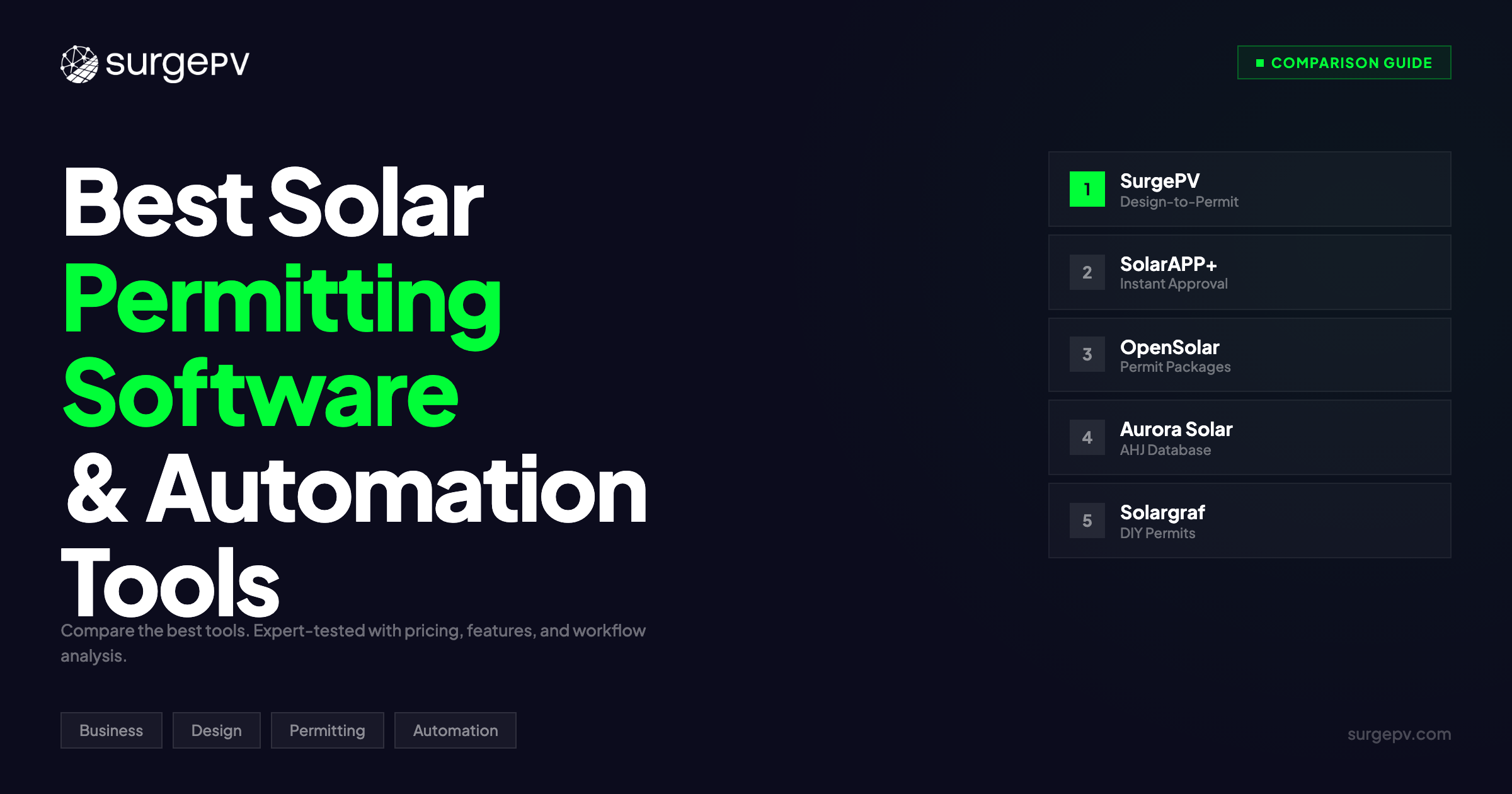
TL;DR: Permitting is the bottleneck that turns a 2-day solar installation into a 2-month project. SurgePV generates permit-ready plan sets, SLDs, and structural calculations from the same design file — no re-drawing in CAD. SolarAPP+ delivers instant AHJ approval for qualifying residential systems. OpenSolar bundles permit packages with proposals. Aurora Solar produces engineering-grade plan sets at scale. Solargraf automates residential permit workflows end-to-end. SurgePV costs $1,899/year for 3 users.
The Permitting Problem No One Talks About
You designed the system. The customer signed the contract. The equipment is on order. The crew is scheduled.
Now you wait.
Not for panels. Not for an electrician. For a permit. The local Authority Having Jurisdiction (AHJ) needs a complete permit package: site plan, electrical diagram, single-line diagram (SLD), structural attachment details, load calculations, and fire setback compliance documentation. Every AHJ has different requirements. Some want three copies of the SLD. Others require a wet-stamped structural letter. A few still demand hand-delivered paper applications.
The average residential solar permit takes 1-4 weeks to approve in the United States. In jurisdictions without streamlined processes, it can take 6-8 weeks. Commercial permits routinely exceed 60 days. Every week of delay costs you carrying costs on equipment, crew scheduling disruptions, and customer frustration.
Here is the real cost: NREL estimates that permitting and inspection account for $0.10-$0.30 per watt of installed solar capacity in soft costs. On a 10 kW residential system, that is $1,000-$3,000 in administrative overhead before a single panel touches the roof.
The right permitting software compresses that timeline from weeks to days — or in some cases, minutes.
We tested the top solar permitting software platforms for professional installers and EPCs. We evaluated permit package completeness, AHJ database coverage, code compliance automation (NEC 2023, IBC 2021, IRC 2021), structural calculation accuracy, SLD generation, and integration with upstream design workflows.
In this guide, you’ll learn:
- Which 5 solar permitting tools installers trust for AHJ compliance
- Why permit rejections happen and how software prevents them
- How automated SLD generation eliminates the CAD redraw bottleneck
- What NEC, IBC, and IRC code compliance checks the best tools perform
- How instant-approval platforms like SolarAPP+ work with AHJs
- Our recommendation by project type: residential, commercial, and multi-jurisdiction
What to Look for in Solar Permitting Software (Buyer’s Guide)
Not all solar software handles permitting the same way. Some platforms generate permit packages as an afterthought. Others build the entire workflow around getting designs approved on the first submission.
Here is what separates permit automation from permit headaches.
AHJ Database and Requirement Mapping
The United States has over 26,000 AHJs, each with its own permit requirements. Some require full electrical diagrams. Others accept simplified SLDs. Fire setback rules vary by jurisdiction — California Title 24 requirements differ from New York City fire code.
The best permitting software maintains a database of AHJ-specific requirements and pre-populates permit packages with the correct documents for each jurisdiction. When you enter the project address, the software identifies the AHJ, pulls its specific requirements, and generates only the documents that jurisdiction demands.
Without AHJ mapping, you guess at requirements. You submit a permit package missing the structural attachment detail that this particular AHJ requires. The package gets rejected. You redraw the detail, resubmit, and wait another 2 weeks. One missing document costs you a month.
Automated SLD and Electrical Diagram Generation
Single-line diagrams are the most common reason for permit rejections. AHJs reject SLDs that show incorrect wire sizing, missing overcurrent protection devices, wrong conductor ampacity calculations, or non-compliant grounding configurations.
Manual SLD creation in AutoCAD or Visio takes 30-60 minutes per project. An experienced designer catches code violations. An inexperienced one submits an SLD with 10 AWG wire on a 40A circuit and gets rejected.
Automated SLD generation pulls component specifications from the design file (inverter model, module count, string configuration, battery specs) and generates a code-compliant single-line diagram. Wire sizes are calculated based on NEC Article 310 ampacity tables. Overcurrent protection is sized per NEC 240. Grounding follows NEC 250. The SLD updates automatically when the design changes.
For a deeper look at SLD tools specifically, see our best SLD software comparison.
Structural Calculations and Attachment Details
AHJs require proof that the roof can support the additional load of solar panels, racking, and mounting hardware. This means structural calculations: dead load (weight of panels and racking), live load (snow, wind), and point load (force on each attachment point).
Some permitting platforms generate structural calculations automatically based on the design layout, local wind speed (ASCE 7-22), snow load data, and roof type. Others require you to export the design to a separate structural engineering tool.
Automated structural calculations save $150-$300 per project compared to hiring a third-party PE (Professional Engineer) for stamped structural letters.
NEC, IBC, and IRC Code Compliance
Solar permit packages must comply with multiple building codes:
- NEC (National Electrical Code): Wire sizing, overcurrent protection, grounding, rapid shutdown (NEC 690.12), arc-fault detection (NEC 690.11)
- IBC (International Building Code): Structural loading, fire classification, means of egress
- IRC (International Residential Code): Residential roof loading, fire setbacks, access pathways
The best permitting software runs automated compliance checks against current code editions before you submit the permit package. If your design violates NEC rapid shutdown requirements or IBC fire setback rules, the software flags the violation and suggests corrections.
This pre-submission compliance checking eliminates the most common rejection reasons: incorrect wire sizing (22% of rejections), missing rapid shutdown documentation (18%), and fire setback violations (15%).
Inspection Scheduling and Status Tracking
Permitting does not end at approval. After installation, you need to schedule inspections: rough electrical, final electrical, structural, and fire department (in some jurisdictions). Each inspection has its own scheduling queue, and missing an inspection window delays interconnection.
Advanced permitting platforms track permit status from submission through approval, schedule inspections, send reminders, and log inspection results. This visibility prevents the common problem of a permit sitting “approved” for three weeks because nobody noticed the approval email.
The Real Cost of Permit Rejections
A rejected permit is not just a delay. It is a compounding cost that affects every downstream activity.
When an AHJ rejects your permit package, here is what happens:
- Your designer reviews the rejection comments (30-60 minutes)
- They redraw or correct the flagged documents (1-3 hours)
- You resubmit the package (15-30 minutes, plus any resubmission fees)
- The AHJ re-reviews from scratch (1-4 weeks in the queue)
- Your crew sits idle or gets reassigned (lost productivity)
- The customer calls asking why installation hasn’t started (relationship damage)
Industry data from NREL’s solar soft cost analysis shows that the average residential permit rejection adds 3-4 weeks to project timelines and $500-$1,200 in direct costs (designer time, resubmission fees, crew rescheduling).
For a company installing 200 residential systems per year with a 15% rejection rate, that is 30 rejected permits costing $15,000-$36,000 annually. Automated compliance checking that reduces rejections to under 3% saves $12,000-$30,000 per year — more than covering the cost of permitting software.
Further Reading
Permitting overlaps heavily with electrical design. For tools focused on electrical diagrams and SLDs specifically, see our best electrical design software comparison. For SLD-specific tools, see best SLD software.
Top 5 Solar Permitting Software Tools (2026)
1. SurgePV — Best Integrated Design-to-Permit Platform
Rating: 9.1/10 | Price: $1,899/year (3 users) | SurgePV
SurgePV eliminates the gap between solar design and permitting by generating permit-ready documentation from the same 3D model you used to design the system. There is no export step, no CAD redraw, no separate permitting tool.
Why SurgePV leads for design-to-permit workflows:
You design a 8.4 kW residential system in SurgePV’s 3D environment. You finalize panel placement, string configuration, and inverter selection. You click “Generate Permit Package.” SurgePV produces a complete permit submission: site plan with dimensions, roof plan with panel layout, electrical single-line diagram, string sizing calculations, structural attachment details, and fire setback compliance documentation.
The SLD pulls directly from your design data. If you specified a SolarEdge SE7600H inverter with 21 REC Alpha Pure 400W modules in two strings, the SLD shows the correct wire sizing for those specific strings, the correct overcurrent protection for that inverter’s maximum input current, and the correct grounding configuration per NEC 250.
Change the design — swap the inverter, add two panels, reconfigure a string — and the permit documents update automatically. No manual redrawing. No version control issues between the design file and the permit package.
SurgePV’s AHJ database covers major US jurisdictions and maps specific document requirements to each. When you generate a permit package for a project in San Jose, the software includes the Title 24 compliance documentation that San Jose requires. A project in Austin gets the standard IRC-based package.
Structural calculations use ASCE 7-22 wind and snow load data, automatically pulled from the project location. The software calculates dead load, live load, and point load for each attachment, and generates a structural letter that many AHJs accept without requiring a separate PE stamp.
Pros:
- Permit documents generate from the same design file — no redrawing
- Automated SLD generation with NEC-compliant wire sizing and overcurrent protection
- Structural calculations with ASCE 7-22 wind and snow load data
- AHJ requirement mapping for major US jurisdictions
- Fire setback compliance checking (NEC 690.12, IBC, IRC)
- Design changes automatically propagate to all permit documents
- Integrated shadow analysis feeds accurate production data into permit documentation
Cons:
- AHJ database does not cover every rural or small-town jurisdiction
- No direct electronic submission to AHJ portals (you download the package and submit manually)
- Commercial projects with complex multi-inverter configurations may require manual SLD adjustments
- PE stamp integration requires coordination with third-party engineering firms
Best for: Installers who want one platform for design, simulation, proposals, and permitting. The $1,899/year price point makes it the most cost-effective option for companies doing 50+ residential installations per year, where the time saved on permit package generation (30-45 minutes per project) pays for the subscription within the first two months.
2. SolarAPP+ — Best for Instant Residential Permit Approval
Rating: 8.7/10 | Price: Free for AHJs; installers pay per-permit fees (varies by jurisdiction) | SolarAPP+
SolarAPP+ is not a design tool. It is a permit automation platform developed by NREL (National Renewable Energy Laboratory) that enables instant, automated permit approval for qualifying residential solar and storage systems.
Why SolarAPP+ changes the permitting timeline:
Traditional permitting requires a human plan reviewer at the AHJ to examine your permit package. That reviewer has a queue of 20-50 applications. Your permit sits in that queue for 1-4 weeks before anyone looks at it.
SolarAPP+ replaces the human review with an automated compliance engine. You enter system specifications (module type, inverter model, string configuration, mounting type, structural details), and SolarAPP+ runs the design against NEC 2020/2023, IRC 2021, and ASCE 7-22 requirements in real time. If the system passes all compliance checks, the permit is approved instantly — within minutes, not weeks.
As of early 2026, over 450 AHJs across the United States have adopted SolarAPP+ for residential solar permits. Jurisdictions in California, Colorado, New York, and several other states have integrated SolarAPP+ into their permitting workflows.
The platform supports standard residential PV systems (up to 38.4 kW DC), battery energy storage systems (ESS), and combined PV-plus-storage installations. It checks structural loading, electrical code compliance, fire setbacks, rapid shutdown, and arc-fault detection.
Pros:
- Instant permit approval (minutes instead of weeks)
- Free for AHJs — funded by DOE and NREL
- NEC 2020/2023, IRC 2021, and ASCE 7-22 compliance checking
- Supports PV, battery storage, and PV-plus-storage systems
- Backed by NREL engineering validation
- Reduces AHJ workload, which benefits the entire installer community
- Growing adoption — 450+ jurisdictions and expanding
Cons:
- Only works in jurisdictions that have adopted SolarAPP+ (not available everywhere)
- Limited to residential and small commercial systems (up to 38.4 kW DC)
- Does not generate the permit package itself — you still need design software to create plan sets and SLDs
- Cannot handle non-standard installations (ground-mount, carport, commercial rooftop)
- Per-permit fees vary by jurisdiction and can add up for high-volume installers
- No design or proposal capabilities — purely a compliance and approval engine
Best for: High-volume residential installers operating in SolarAPP+ jurisdictions. If your AHJ supports SolarAPP+, use it. Combine it with a design platform like SurgePV that generates the plan sets and SLDs, then submit through SolarAPP+ for instant approval.
3. OpenSolar — Best Free Permit Package Generation
Rating: 8.2/10 | Price: Free (revenue from financing marketplace) | OpenSolar
OpenSolar bundles permit package generation into its free solar design and proposal platform. For installers who need basic permit documentation without a separate software subscription, OpenSolar delivers site plans, roof plans, electrical diagrams, and permit cover sheets from the design file.
Why OpenSolar works for budget-conscious installers:
You design a residential system in OpenSolar, generate a customer proposal, and then export the permit package from the same project. The package includes a site plan with property boundaries and setbacks, a roof plan with panel layout and dimensions, an electrical single-line diagram, and a permit application cover sheet.
OpenSolar’s permit documents pull from the design data, so panel counts, string configurations, and inverter specifications are consistent between the proposal and the permit package. This eliminates the common error of submitting a permit package that does not match the contracted system design.
The platform’s AHJ database is more limited than dedicated permitting tools, but covers the major US jurisdictions where most residential solar gets installed. For standard residential systems with common inverter and module combinations, the auto-generated SLD and structural documentation are adequate for permit submission.
The catch: OpenSolar monetizes through its financing marketplace. The platform is free because OpenSolar earns revenue when installers offer customer financing through integrated lending partners. If you don’t use the financing marketplace, you still get the free design and permitting tools.
Pros:
- Completely free — no subscription fees
- Permit packages generate from the design file
- Site plans, roof plans, SLDs, and cover sheets included
- Consistent documentation between proposal and permit package
- Financing marketplace integration (optional, not required)
- Web-based — no software installation needed
Cons:
- SLD generation is basic — may need manual edits for complex systems
- Structural calculations are limited (often need third-party PE stamp)
- AHJ database is less comprehensive than paid alternatives
- No automated NEC compliance checking before submission
- Limited commercial project support
- Permit documents are adequate but not engineering-grade for complex jurisdictions
Best for: Small to mid-size residential installers (under 100 installs/year) who want permit package generation included in a free design platform. If your projects are standard residential systems in major jurisdictions, OpenSolar’s permit output gets the job done without additional cost.
Pro Tip
Pair OpenSolar’s free permit packages with SolarAPP+ in supported jurisdictions. Design in OpenSolar, generate the permit package, then submit through SolarAPP+ for instant approval. You get free design, free permitting, and instant approval.
4. Aurora Solar — Best for Engineering-Grade Plan Sets
Rating: 8.4/10 | Price: Custom (typically $200-$400/user/month) | Aurora Solar
Aurora Solar produces the most detailed engineering-grade plan sets of any solar design platform. For installers and EPCs that operate in strict AHJ jurisdictions — New York City, parts of California, Hawaii — where plan reviewers scrutinize every wire run and conduit path, Aurora’s permit documentation meets the highest standards.
Why Aurora Solar excels for complex permitting:
Aurora generates CAD-quality plan sets that include detailed electrical one-line diagrams with wire run paths, conduit sizing and fill calculations, equipment schedules with full manufacturer specifications, structural attachment details with engineering calculations, fire access pathway documentation (IFC compliance), and three-line diagrams for commercial systems.
The platform’s NEC compliance engine checks designs against current code requirements before you generate the permit package. If your string configuration results in a voltage exceeding the inverter’s maximum input voltage (a common NEC 690.7 violation), Aurora flags it during design, not after the AHJ rejects your permit.
Aurora’s plan sets include the level of detail that PE firms typically charge $200-$500 per project to produce. For companies submitting 20+ permits per month, the cost savings on outsourced engineering is substantial.
The platform also supports permit package customization by AHJ. Different jurisdictions require different document formats, title block layouts, and included calculations. Aurora’s templates can be configured per AHJ so that each submission matches local expectations.
Pros:
- Engineering-grade plan sets with CAD-quality detail
- NEC compliance checking during design (pre-submission validation)
- Conduit sizing, wire run paths, and fill calculations
- Customizable templates by AHJ
- Three-line diagrams for commercial systems
- Equipment schedules with full manufacturer specs
- Strong integration with PE stamping services
Cons:
- Expensive — custom pricing puts it out of reach for small installers
- Learning curve is steeper than competitors (2-4 weeks for full proficiency)
- Plan set generation can be slow for large commercial projects
- Overkill for simple residential permits in lenient jurisdictions
- No instant-approval integration (SolarAPP+ submission is manual)
- Annual contract required for most plans
Best for: Mid-to-large EPCs and installers operating in strict AHJ jurisdictions where permit packages are scrutinized line-by-line. If you work in NYC, San Francisco, Honolulu, or other high-scrutiny markets, Aurora’s engineering-grade plan sets reduce rejections in jurisdictions where other tools’ auto-generated documents fall short.
5. Solargraf — Best for Residential Permit Automation
Rating: 7.9/10 | Price: Subscription (contact for pricing) | Solargraf
Solargraf, a subsidiary of Enphase Energy, focuses on streamlining the residential solar workflow from lead to permit. Its permitting features target high-volume residential installers who need fast, repeatable permit package generation without engineering complexity.
Why Solargraf works for residential volume:
Solargraf’s workflow is built for speed. You import a lead, design a residential system on the satellite image, generate a proposal, and produce a permit package — all within the same session. For installers processing 20-30 residential permits per week, this end-to-end workflow eliminates context switching between design, proposal, and permitting tools.
The platform generates standard residential permit documents: site plan, roof layout, electrical SLD, and structural attachment details. Solargraf’s SLD templates cover common residential configurations (string inverter, microinverter, hybrid with battery) and auto-populate based on the selected equipment.
Solargraf integrates with Enphase’s equipment ecosystem, which means microinverter configurations are particularly well-supported. If you are an Enphase-heavy installer, Solargraf’s SLD templates for IQ8 microinverter systems are pre-validated for NEC compliance.
The platform also offers a permit concierge service: for an additional fee, Solargraf’s team reviews your permit package, makes corrections, and submits it to the AHJ on your behalf. This is useful for installers who don’t have a dedicated permit coordinator on staff.
Pros:
- Fast residential workflow from lead to permit
- SLD templates for common residential configurations
- Strong Enphase microinverter integration
- Permit concierge service (additional fee) handles submission for you
- Satellite-based design with auto roof detection
- Proposal and permit generation in one session
Cons:
- Limited commercial project support
- SLD customization is restricted compared to Aurora or SurgePV
- Structural calculations are basic — complex roofs may need PE review
- AHJ database is focused on major US markets
- Enphase-centric design (string inverter support is less refined)
- Pricing is not transparent — requires sales contact
Best for: High-volume residential installers, particularly those using Enphase microinverters, who want the fastest path from design to permit submission. The permit concierge service is a strong differentiator for small teams without a dedicated permitting specialist.
Side-by-Side Comparison
| Feature | SurgePV | SolarAPP+ | OpenSolar | Aurora Solar | Solargraf |
|---|---|---|---|---|---|
| Price | $1,899/yr (3 users) | Per-permit fee | Free | Custom ($200-400/user/mo) | Contact sales |
| Permit package generation | Yes (from design) | No (approval only) | Yes (from design) | Yes (from design) | Yes (from design) |
| SLD generation | Automated | N/A | Basic | Engineering-grade | Template-based |
| Structural calculations | Automated (ASCE 7-22) | Validates only | Limited | Detailed | Basic |
| NEC compliance checking | Yes | Yes (automated) | Limited | Yes (pre-design) | Partial |
| AHJ database | Major US markets | 450+ jurisdictions | Major US markets | Extensive | Major US markets |
| Instant approval | No | Yes (qualifying systems) | No | No | No |
| Commercial support | Yes | No (residential only) | Limited | Yes | Limited |
| Integrated design | Yes | No | Yes | Yes | Yes |
| PE stamp integration | Third-party | N/A | Third-party | Built-in partnerships | Concierge service |
How Permitting Software Fits into the Solar Workflow
Permitting is not an isolated step. It connects to everything before and after it. Understanding where permitting software fits in the full project lifecycle helps you choose the right tool.
Design → Permit → Install → Inspect
The ideal workflow looks like this:
- Design the system in solar design software with accurate 3D modeling, shade analysis, and string configuration
- Generate the permit package from the design file — plan sets, SLDs, structural calcs, and compliance documentation
- Submit to the AHJ (electronically or manually, depending on jurisdiction)
- Receive approval (instant via SolarAPP+ or 1-4 weeks via traditional review)
- Install the system per the approved plans
- Schedule inspections through the permitting platform or directly with the AHJ
- Pass inspection and proceed to interconnection
The bottleneck is between steps 2 and 4. Software that compresses this gap — either through better permit packages that avoid rejections or through instant-approval platforms — directly reduces project timelines.
The Design-Permit Disconnect
The most common workflow problem: the designer creates the system in one tool, then a permit coordinator recreates the documentation in another tool. The designer uses SurgePV or Aurora for the 3D model. The permit coordinator opens AutoCAD to draw the SLD from scratch, referencing the design specs on a printout.
This disconnect introduces errors. The designer specified 12 modules in two strings of 6. The permit coordinator draws the SLD with 14 modules in two strings of 7 because they misread the spec sheet. The AHJ approves the permit based on the SLD. The crew installs 12 modules per the original design. The inspector sees a mismatch between the approved plans and the installed system. Failed inspection.
Integrated design-to-permit platforms eliminate this disconnect. When the permit package generates from the design file, module counts, string configurations, wire sizes, and equipment specs are always consistent.
Design to Permit in One Click
SurgePV generates permit-ready SLDs, structural calculations, and plan sets from your 3D design — no CAD redraw needed.
Book a DemoNo commitment required · 20 minutes · Live project walkthrough
How to Choose the Right Permitting Tool for Your Business
The best permitting tool depends on your project volume, jurisdiction complexity, and team structure.
High-Volume Residential Installer (100+ Installs/Year)
You need speed and consistency. Every permit package should generate in under 10 minutes with zero manual redrawing. Your rejection rate needs to stay below 5%.
Recommendation: SurgePV for integrated design-to-permit workflows. If your AHJs support SolarAPP+, submit through SolarAPP+ for instant approval. This combination — SurgePV for the permit package, SolarAPP+ for the approval — is the fastest path from design to installation.
Small Residential Installer (Under 50 Installs/Year)
Budget matters more than speed. You need adequate permit documentation without a $5,000+/year software subscription.
Recommendation: OpenSolar for free permit package generation. Supplement with SolarAPP+ where available. For jurisdictions that require more detailed documentation, consider Solargraf’s permit concierge service.
Commercial and Industrial EPC
Your permits are complex: multi-inverter configurations, three-line diagrams, conduit runs across large rooftops, structural calculations for ballasted racking. Standard residential permit templates do not work.
Recommendation: Aurora Solar for engineering-grade plan sets, or SurgePV if you want design and permitting in one platform. Commercial permitting often requires PE stamps regardless of software, so factor in third-party engineering costs.
Multi-State Installer
You operate in 5-10 states with different AHJ requirements. California Title 24, New York City DOB, Florida FBC — each demands different documentation.
Recommendation: A platform with a comprehensive AHJ database. Aurora Solar has the broadest AHJ coverage. SurgePV covers major markets. Pair with SolarAPP+ in jurisdictions that support it for instant approvals.
Enphase-Focused Installer
You install Enphase microinverters on 80%+ of your projects. You want SLD templates pre-validated for Enphase equipment.
Recommendation: Solargraf for Enphase-optimized permit workflows. The SLD templates for IQ8 configurations are pre-validated, reducing the chance of electrical diagram rejections.
Common Permit Rejection Reasons and How Software Prevents Them
Understanding why permits get rejected helps you evaluate which software features matter most.
Incorrect Wire Sizing (22% of Rejections)
NEC Article 310 specifies conductor ampacity based on wire gauge, insulation type, ambient temperature, and conduit fill. The most common error: undersizing conductors for the circuit’s maximum current.
Software fix: Automated wire sizing calculations pull the inverter’s maximum output current, apply NEC 310 ampacity tables with temperature correction factors, and select the minimum wire gauge. SurgePV and Aurora both perform this calculation automatically.
Missing Rapid Shutdown Documentation (18% of Rejections)
NEC 690.12 requires rapid shutdown for PV systems on buildings. The permit package must document how the system achieves rapid shutdown — whether through module-level power electronics (SolarEdge optimizers, Enphase microinverters) or dedicated rapid shutdown devices.
Software fix: Permitting platforms that check NEC 690.12 compliance flag systems that lack rapid shutdown capability and include the rapid shutdown method in the SLD and system documentation.
Fire Setback Violations (15% of Rejections)
IBC and local fire codes require clear access pathways on roofs for firefighter access. The specific setback dimensions vary by jurisdiction, roof type, and building occupancy.
Software fix: Design platforms with fire setback overlays show the restricted zones on the roof plan. If you place panels in a fire setback zone, the software flags the violation before you generate the permit package. SurgePV’s shadow analysis view includes setback visualization.
Structural Load Exceedance (12% of Rejections)
The roof cannot support the combined dead load (panels, racking) and live load (snow, wind) at the proposed attachment points. This is common on older roofs with marginal structural capacity.
Software fix: Automated structural calculations using ASCE 7-22 wind and snow load data, combined with the specific equipment weights from the design, flag roofs that exceed load limits. The software suggests reducing panel count or changing attachment spacing.
SLD Does Not Match Design (10% of Rejections)
The single-line diagram shows a different system configuration than the site plan. Different module count, different inverter, different string layout. This happens when the SLD is drawn manually in a separate tool.
Software fix: Integrated design-to-permit platforms generate the SLD from the design file. The SLD always matches the site plan because both documents pull from the same data source.
Further Reading
For a detailed comparison of SLD generation tools, see our best SLD software comparison. For broader electrical design tools, see best electrical design software. For the complete solar software landscape, see our best solar software guide.
Frequently Asked Questions
What is the best solar permitting software in 2026?
For integrated design-to-permit workflows, SurgePV generates permit-ready plan sets, SLDs, and structural calculations from the same design file at $1,899/year for 3 users. For instant permit approval in supported jurisdictions, SolarAPP+ delivers automated AHJ approval within minutes. For free permit package generation, OpenSolar bundles permitting with its design platform. For engineering-grade plan sets in strict jurisdictions, Aurora Solar produces the most detailed documentation. For high-volume residential Enphase installations, Solargraf offers streamlined permit automation with a concierge service.
What is SolarAPP+ and how does it work?
SolarAPP+ is a free permit automation platform developed by NREL (National Renewable Energy Laboratory) and funded by the DOE. It replaces manual AHJ plan review with automated compliance checking. Installers enter system specifications, and SolarAPP+ validates the design against NEC, IRC, and ASCE 7 requirements in real time. If the system passes all checks, the permit is approved instantly. Over 450 AHJs have adopted SolarAPP+ as of early 2026. It supports residential PV systems up to 38.4 kW DC, battery storage, and combined PV-plus-storage installations.
How long does a solar permit take to get approved?
Traditional solar permits take 1-4 weeks for residential systems and 4-12 weeks for commercial systems, depending on the AHJ’s review queue and workload. In jurisdictions that use SolarAPP+, qualifying residential permits are approved instantly (within minutes). Software that generates complete, code-compliant permit packages on the first submission avoids the 3-4 week delay caused by rejections and resubmissions.
What documents are included in a solar permit package?
A standard residential solar permit package includes: site plan with property boundaries and setbacks, roof plan with panel layout and dimensions, electrical single-line diagram (SLD), structural attachment details with load calculations, equipment specifications (modules, inverters, racking), fire setback compliance documentation, and rapid shutdown system description. Commercial permits additionally require three-line diagrams, conduit routing plans, equipment schedules, and often a PE-stamped structural letter.
How does permitting software reduce soft costs?
NREL estimates that permitting and inspection account for $0.10-$0.30 per watt in solar soft costs. On a 10 kW system, that is $1,000-$3,000 in administrative overhead. Permitting software reduces these costs by automating permit package generation (saving 30-60 minutes per project in manual drawing time), running pre-submission compliance checks (reducing rejection rates from 15% to under 3%), maintaining AHJ requirement databases (preventing missing document rejections), and enabling instant approval through platforms like SolarAPP+ (eliminating 1-4 week review queues).
Transparency Note
SurgePV publishes this content. We are transparent about this relationship. This comparison recognizes SolarAPP+, OpenSolar, Aurora Solar, and Solargraf as strong tools for their respective use cases. SurgePV is positioned as the integrated design-to-permit solution, not a replacement for specialized tools like SolarAPP+ for instant approval or Aurora Solar for engineering-grade plan sets. See our editorial standards.
Sources
Pricing and feature data verified against official product pages and documentation as of March 2026. NREL solar soft cost data from NREL Solar Installed System Cost Analysis. SolarAPP+ adoption data from SolarAPP+ official site. NEC code references from NFPA 70 (2023 edition). IBC and IRC references from ICC 2021 editions. ASCE 7-22 wind and snow load standards from ASCE.