

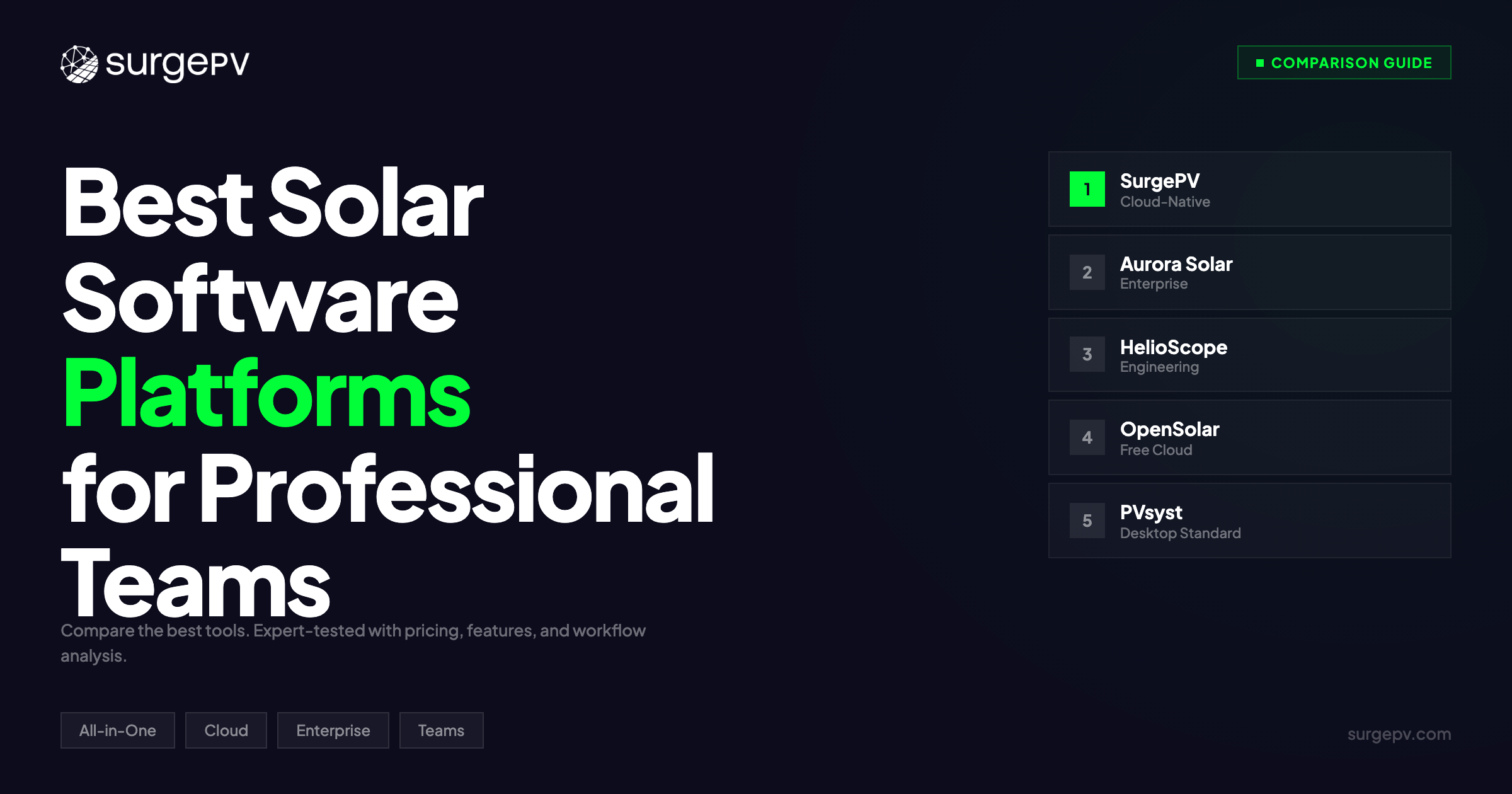
TL;DR: Most solar software is built for solo designers. Once your team grows beyond two people, you hit walls — no shared project libraries, no role-based permissions, no way to see who changed what. SurgePV is the strongest cloud-native platform for teams of 3-10 with real-time collaboration at $1,899/year for 3 users. Aurora Solar offers the deepest enterprise features for large organizations. HelioScope delivers clean browser-based teamwork. OpenSolar provides free multi-user access for budget-conscious teams. PVsyst remains the simulation gold standard but lacks meaningful collaboration.
Solo Software Breaks When Teams Scale
You start as a solo designer. One laptop, one license, one workflow. You know where every file lives. You build your own templates, save your own component libraries, and export proposals your way.
Then your company hires a second designer. And a third. And suddenly you’re emailing PVsyst project files back and forth, overwriting each other’s work, and losing track of which version the customer approved. Your sales team needs access to proposals but can’t open the design software. Your operations manager wants project status updates but has no dashboard to check.
This is the breaking point where individual solar software becomes a liability. Professional teams need platforms, not tools. A platform handles multi-user access, role-based permissions, shared project libraries, version control, admin dashboards, and API integrations with your CRM, ERP, and accounting systems.
The difference matters financially. A 5-person solar team using individual licenses across disconnected tools wastes 8-12 hours per week on file management, version conflicts, and manual handoffs. At $75/hour loaded labor cost, that is $31,200-$46,800 per year in coordination overhead. A team platform eliminates most of that.
We evaluated the top solar software platforms specifically for professional team use. We tested multi-user workflows, permission systems, collaboration features, API capabilities, admin controls, and pricing at team scale. This comparison focuses on platform capabilities — not individual design or simulation features. For tool-level comparisons, see our best all-in-one solar software guide.
In this guide, you’ll learn:
- Which 5 solar software platforms support professional team workflows
- Why single-user tools fail when teams grow beyond 2-3 people
- What platform features separate team software from individual tools
- How role-based access, shared libraries, and audit trails reduce errors
- Pricing at team scale (3-user, 5-user, and enterprise tiers)
- Our recommendation by team size and business type
What to Look for in a Solar Team Platform (Buyer’s Guide)
Not every solar software platform is built for teams. Many products bolt multi-user access onto single-user architectures as an afterthought. Here is what separates genuine team platforms from individual tools with shared logins.
Cloud-Native Architecture
The foundation question: is the software cloud-native, or is it a desktop application with cloud sync added later?
Cloud-native platforms store all project data on servers. Every team member accesses the same data in real time through a browser or thin client. Changes sync instantly. There is no emailing project files, no version conflicts, no “which file is the latest?” confusion.
Desktop software with cloud sync (like PVsyst with Dropbox) creates version control problems. Two designers open the same project file. Both make changes. Both save. One overwrites the other’s work. This is not a theoretical risk — it happens weekly in teams that rely on file-based workflows.
Cloud-native architecture also enables remote work. Your designer in Munich and your sales rep in Berlin access the same project simultaneously. Desktop software requires VPN tunnels, remote desktop sessions, or physical access to the same machine.
Role-Based Access Control
Who can do what? In a 5-person team, not everyone needs the same permissions.
A well-designed permission system includes:
- Admin: Full access to all projects, billing, user management, and company settings
- Designer: Create and edit designs, run simulations, but cannot modify billing or user accounts
- Sales: View completed designs, generate proposals, send to customers, but cannot modify designs
- Viewer: Read-only access to project dashboards and reports (for operations managers, investors, or partners)
Without role-based access, every team member has full permissions. Your sales rep accidentally modifies a design. Your junior designer changes company-wide component settings. Your intern exports a proposal with incorrect pricing. Role-based access prevents these mistakes.
Shared Project Libraries
Design teams reuse components constantly. Module specifications, inverter profiles, racking configurations, rate structures, financing terms, and proposal templates should live in a shared library that every team member accesses.
Without shared libraries, each designer maintains their own component database. Designer A uses LONGi Hi-MO 6 specs from January. Designer B uses the same module but with updated specs from March. Their designs produce different simulation results for identical systems because they’re working from different data.
Shared libraries ensure consistency. When the admin updates the LONGi Hi-MO 6 spec sheet, every designer’s next project uses the updated data automatically.
Admin Dashboard and Reporting
Team leads need visibility into project pipelines without opening individual projects.
An admin dashboard shows:
- Active projects by designer (who is working on what)
- Project stages (design, proposal, signed, installed)
- Win rates by designer and project type
- Average design-to-proposal turnaround time
- Revenue pipeline by stage
This data helps managers allocate workload, identify bottlenecks, and forecast revenue. Without it, the team lead asks each designer for status updates in daily standups — a manual process that wastes 30-60 minutes daily.
API and Integration Ecosystem
Professional teams don’t use solar software in isolation. Projects flow through CRM systems, accounting software, project management tools, and ERP platforms.
API integrations connect solar software with:
- CRM (best solar CRM): Lead comes in, project auto-creates in the design platform
- Accounting: Signed proposal triggers invoicing
- Project management: Design completion moves the project to the installation queue
- ERP: Component quantities from the design feed procurement and inventory
Without APIs, your team manually re-enters data across systems. The address from the CRM gets typed into the design tool. The component list from the design gets typed into the procurement system. Every manual handoff introduces errors and wastes time.
White-Labeling and Brand Control
Teams that send customer-facing proposals need consistent branding. White-labeling lets you replace the software vendor’s logo with your company’s logo on proposals, reports, and customer portals.
Brand control goes beyond logos. It includes custom color schemes, company-specific disclaimer text, branded email templates for proposal delivery, and custom domain names for customer-facing portals.
For EPCs managing multiple brands or subsidiaries, multi-brand white-labeling lets you maintain separate branded experiences under one account.
The Real Cost of Running a Team on Single-User Software
Free or cheap single-user software looks attractive until you calculate the hidden costs at team scale.
Version control failures. Two designers working on the same project without cloud sync overwrite each other’s changes. Rebuilding a lost design takes 2-4 hours. If this happens twice a month, you lose 48-96 hours per year.
Manual file management. Without shared cloud storage, teams store project files on local drives, shared network drives, or email attachments. Finding the correct version of a project file takes 10-15 minutes per search. A team that searches for files 5 times daily wastes 4-6 hours per week.
No permission boundaries. When everyone has admin access, mistakes propagate. A junior designer changes the default module in the component library. Every subsequent design uses the wrong module until someone notices. The cost: 3-5 redesigns at 2 hours each.
Duplicate data entry. Without API integrations, your team types the same customer information into the CRM, the design tool, the proposal generator, and the accounting system. Four data entry points per project, 5 minutes each, across 200 projects per year: 67 hours of duplicate typing.
No audit trail. When a customer disputes a proposal, you can’t trace who created it, when it was modified, or what changed. Desktop software doesn’t log user actions. Cloud platforms with audit trails show the complete history of every project modification.
Total hidden cost for a 5-person team using disconnected single-user tools: $30,000-$50,000/year in wasted labor, errors, and rework. A team platform subscription that eliminates these costs pays for itself within weeks.
Further Reading
For a tool-by-tool feature comparison rather than platform capabilities, see our best all-in-one solar software guide. For CRM integration specifics, see best solar CRM software.
Top 5 Solar Software Platforms for Professional Teams (2026)
#1. SurgePV — Best Cloud-Native Platform for Growing Teams
Rating: 9.3/10 | Price: $1,899/year (3 users) | SurgePV
SurgePV is built from the ground up as a cloud-native, multi-user solar design software platform. Every feature — design, simulation, proposals, monitoring — runs in the browser with real-time collaboration baked into the architecture.
Why SurgePV leads for professional teams:
The platform handles the full project lifecycle in one environment. A designer creates the system layout. A sales rep generates the proposal from the same project without switching tools. An admin reviews pipeline metrics from the dashboard. No file exports, no version conflicts, no separate logins for different functions.
Real-time collaboration means two team members can work on the same project simultaneously. Designer A places modules on Roof 1 while Designer B configures the inverter for Roof 2. Changes appear instantly for both users. This is genuine cloud collaboration, not “cloud storage with local editing.”
Role-based permissions let admins control who can design, who can send proposals, and who can modify company settings. Project templates standardize workflows so every designer follows the same process. Shared component libraries ensure consistent module specs, inverter profiles, and rate structures across all projects.
The API connects SurgePV with CRM platforms, accounting software, and project management tools. Leads from your CRM auto-create projects in SurgePV. Signed proposals trigger downstream workflows in your ERP.
White-labeled proposals carry your company branding, not SurgePV’s. Custom proposal templates let you control layout, messaging, and pricing presentation.
Team pricing:
- 3-user plan: $1,899/year ($633/user/year)
- Per-user pricing for larger teams: $1,499/user/year (3-user plans), $1,299/user/year (5-user plans)
- All plans include design, simulation, proposals, and monitoring
Pros:
- Cloud-native with real-time multi-user collaboration
- Role-based access control (admin, designer, sales, viewer)
- Shared component libraries and project templates
- White-labeled proposals and customer portals
- API integrations with CRM, ERP, and accounting systems
- Admin dashboard with pipeline metrics and designer workload
- All-in-one platform (design + simulation + proposals + monitoring)
- Shadow analysis and financial modeling included
Cons:
- Smaller user base compared to Aurora Solar or PVsyst
- No offline mode (requires internet connection)
- Enterprise SSO and advanced audit trails available only on custom plans
Best for: Solar companies with 3-10 team members who need a single platform for design, proposals, and monitoring with genuine cloud collaboration. The pricing structure rewards team growth — per-user cost drops as you add seats.
#2. Aurora Solar — Best Enterprise Features for Large Organizations
Rating: 8.8/10 | Price: Custom enterprise pricing | Aurora Solar
Aurora Solar targets large solar companies and national installers with enterprise-grade platform features. If your organization has 20+ designers, multiple office locations, and complex approval workflows, Aurora’s enterprise tier delivers the administrative controls you need.
Why Aurora Solar works for enterprise teams:
Aurora’s strength at enterprise scale is its organizational hierarchy. You can create divisions, teams, and sub-teams with independent permission sets. The Northeast division sees only their projects. The Southwest division sees theirs. Corporate leadership sees everything. This structure supports national installers with regional operations.
Single sign-on (SSO) integration with Okta, Azure AD, and other identity providers simplifies onboarding. New hires get Aurora access through your existing identity system. Departing employees lose access automatically when their corporate account is deactivated. No shared passwords, no manual account cleanup.
Audit trails log every project modification with timestamps and user IDs. When a customer disputes a proposal, you can trace exactly who created it, who modified it, and what changed. This is critical for compliance in regulated markets and for quality control in high-volume operations.
Aurora’s API ecosystem is mature. Salesforce, HubSpot, and other CRM integrations are pre-built. Custom API endpoints support proprietary ERP systems. Webhook notifications push project status changes to external systems in real time.
The platform also offers advanced proposal customization with dynamic content blocks, e-signature integration, and automated follow-up sequences. Sales teams manage the entire customer journey without leaving Aurora.
Pros:
- Enterprise organizational hierarchy (divisions, teams, sub-teams)
- SSO integration (Okta, Azure AD, SAML)
- Comprehensive audit trails with user-level tracking
- Pre-built CRM integrations (Salesforce, HubSpot)
- Advanced proposal builder with e-signature
- NEM 3.0 and complex rate structure modeling
- Large component database with automatic updates
Cons:
- Pricing is opaque (requires sales call, typically $6,000-$15,000+/year for teams)
- Complex setup and onboarding for smaller teams
- Some features locked behind higher tiers
- LIDAR-dependent design workflow requires coverage in your service area
- Overkill for companies with fewer than 10 users
Best for: National installers, large EPCs, and solar companies with 20+ users who need enterprise SSO, organizational hierarchy, and compliance-grade audit trails. The platform cost is justified at scale but prohibitive for small teams.
#3. HelioScope — Best Browser-Based Team Collaboration
Rating: 8.4/10 | Price: ~$3,588/year (3 users at $99.50/user/month) | HelioScope
HelioScope runs entirely in the browser with a clean, modern interface that minimizes training time for new team members. If your priority is getting designers productive quickly with minimal IT overhead, HelioScope’s simplicity is its strength.
Why HelioScope works for team collaboration:
Zero installation means zero IT burden. Your designer opens a browser, logs in, and starts designing. No software downloads, no compatibility issues, no IT tickets. New hires are productive on Day 1 because the interface is intuitive and web-native.
HelioScope’s team features include shared project folders, team-level component libraries, and user management through an admin panel. Projects are organized by team, and team members see only their assigned projects unless given broader access.
The design workflow is streamlined for commercial and industrial projects. Drag-and-drop module placement, automatic stringing, and one-click performance simulation make HelioScope fast for experienced designers. The simulation engine handles shading, soiling, and system losses with reasonable accuracy for commercial-scale projects.
For teams that design 100+ commercial projects per year, HelioScope’s speed advantage compounds. A design that takes 45 minutes in HelioScope might take 90 minutes in a more complex tool. Across 100 projects, that is 75 hours saved per designer per year.
HelioScope integrates with proposal and sales tools through its API, though the integration ecosystem is smaller than Aurora’s. Most teams export HelioScope designs to standalone proposal generators or CRM platforms.
Pros:
- 100% browser-based (no installation, no IT overhead)
- Fast onboarding for new team members
- Shared project folders and team component libraries
- Clean, intuitive interface for commercial design
- Automatic stringing and one-click simulation
- API for CRM and proposal tool integration
- Strong commercial and industrial project workflows
Cons:
- Per-user pricing adds up quickly for larger teams ($1,194/user/year)
- Limited residential features compared to Aurora or SurgePV
- No built-in proposal generator (requires third-party tools)
- No monitoring or O&M capabilities
- Admin dashboard lacks pipeline and revenue metrics
- Simulation accuracy below PVsyst for complex scenarios
Best for: Commercial solar teams of 3-8 designers who value speed, simplicity, and zero IT overhead. HelioScope works well as the design layer in a multi-tool stack (HelioScope for design + separate CRM + separate proposal tool), though total stack cost may exceed an all-in-one platform.
#4. OpenSolar — Best Free Multi-User Platform
Rating: 7.8/10 | Price: Free (core platform) | OpenSolar
OpenSolar offers free multi-user access with design, simulation, and proposal capabilities. For small teams on tight budgets, OpenSolar removes the cost barrier to team-based solar software entirely.
Why OpenSolar works for budget-conscious teams:
The free tier includes unlimited users, unlimited projects, and core design and proposal features. There is no per-seat charge. A 5-person team pays nothing for the base platform. This makes OpenSolar the lowest-risk entry point for companies transitioning from spreadsheets and manual processes to dedicated solar software.
OpenSolar supports multi-user project access with basic permission controls. Team members share projects and collaborate on designs. The proposal builder generates customer-facing documents with your company branding. Financing integration connects with loan and lease providers for one-click financing options in proposals.
The platform includes a hardware marketplace where you can source panels, inverters, and racking. Pricing from distributors is integrated into the design workflow, so your bill of materials updates automatically as you modify the system design.
For teams that primarily serve residential customers, OpenSolar covers the essentials: satellite-based roof modeling, module placement, basic shading analysis, energy simulation, and branded proposals with financing.
Pros:
- Free core platform with unlimited users
- Multi-user project access and basic permissions
- Built-in proposal builder with white-labeling
- Financing integration (loan and lease providers)
- Hardware marketplace with distributor pricing
- No per-seat charges at any team size
- Adequate for residential design workflows
Cons:
- Simulation accuracy below PVsyst, Aurora, and SurgePV
- Limited commercial and industrial capabilities
- Basic admin dashboard (no pipeline metrics or designer workload)
- No SSO or enterprise security features
- No audit trails for project modifications
- API capabilities are limited compared to paid platforms
- Revenue model relies on hardware marketplace commissions, which may influence recommendations
- Advanced features require paid add-ons
Best for: Small residential solar companies with 2-5 team members who need basic team collaboration without software costs. OpenSolar is a solid starting point, but teams that grow beyond 5 people or move into commercial projects will outgrow its capabilities.
Built for Teams, Not Solo Designers
Real-time collaboration, role-based access, shared libraries, and admin dashboards. One platform for design, proposals, and monitoring.
Book a DemoNo commitment required · 20 minutes · Live project walkthrough
#5. PVsyst — Best Simulation Engine, Weakest Team Platform
Rating: 7.2/10 (as a team platform) | Price: CHF 1,350/license/year (~$1,500 USD) | PVsyst
PVsyst is the gold standard for solar simulation accuracy. Bankable energy yield reports, P50/P90 modeling, and IEC 61724-compliant performance projections make PVsyst the tool that lenders and independent engineers trust. But as a team platform, PVsyst falls short.
Why PVsyst struggles for team workflows:
PVsyst is desktop software. Each user installs it on their local machine. Project files live on local drives or shared network folders. There is no cloud-native collaboration, no real-time multi-user editing, and no browser-based access.
Team workflows in PVsyst require manual file management. Designer A saves the project file to a shared drive. Designer B opens it, makes changes, and saves it back. If both open the file simultaneously, one overwrites the other’s work. This is 2005-era collaboration in a 2026 market.
Licensing is per-seat with no team discounts. Three licenses cost CHF 4,050/year ($4,500 USD). Five licenses cost CHF 6,750/year ($7,500 USD). There is no admin dashboard, no role-based permissions, no shared component libraries, and no audit trails.
PVsyst also lacks built-in proposal generation, CRM integration, and customer-facing outputs. The simulation results are technically precise but require manual formatting for customer proposals. Most teams that use PVsyst also use a separate proposal tool, a separate CRM, and a separate project management system.
Why teams still use PVsyst despite these limitations:
Simulation accuracy. PVsyst’s energy yield modeling is the most trusted in the industry. Banks, investors, and independent engineers require PVsyst reports for project finance. No other platform matches PVsyst’s simulation credibility for utility-scale and commercial projects where bankability matters.
Many teams use PVsyst for simulation and a cloud platform (SurgePV, Aurora, or HelioScope) for everything else. PVsyst produces the bankable report. The cloud platform handles design collaboration, proposals, and customer management.
Pros:
- Industry-leading simulation accuracy
- Bankable P50/P90 energy yield reports
- IEC 61724-compliant performance modeling
- Trusted by lenders, investors, and independent engineers
- Comprehensive loss modeling (shading, soiling, mismatch, degradation)
- 30+ years of validation data
Cons:
- Desktop-only (no cloud collaboration)
- No real-time multi-user editing
- File-based project management with version control risks
- No role-based permissions or admin dashboard
- No built-in proposal generation
- No API integrations with CRM or ERP systems
- Per-seat licensing with no team discounts
- No audit trail for project modifications
- No white-labeling for customer-facing outputs
Best for: Teams that need bankable simulation reports for project finance but accept that PVsyst is a simulation tool, not a team platform. Pair PVsyst with a cloud-native platform for collaboration, proposals, and project management.
Platform Comparison Table
| Feature | SurgePV | Aurora Solar | HelioScope | OpenSolar | PVsyst |
|---|---|---|---|---|---|
| Cloud-native | Yes | Yes | Yes | Yes | No (desktop) |
| Real-time collaboration | Yes | Yes | Limited | Limited | No |
| Role-based access | Yes | Yes (enterprise) | Basic | Basic | No |
| Shared component libraries | Yes | Yes | Yes | Limited | No |
| Admin dashboard | Yes | Yes (enterprise) | Basic | Basic | No |
| SSO integration | Custom plans | Yes (enterprise) | No | No | No |
| Audit trails | Yes | Yes (enterprise) | No | No | No |
| API integrations | Yes | Yes (extensive) | Yes | Limited | No |
| White-labeled proposals | Yes | Yes | No (no proposals) | Yes | No |
| Built-in monitoring | Yes | No | No | No | No |
| Simulation bankability | High | High | Medium | Medium | Highest |
| 3-user annual cost | $1,899 | $6,000-$15,000+ | ~$3,588 | Free | ~$4,500 |
| 5-user annual cost | $6,495 | Custom | ~$5,970 | Free | ~$7,500 |
What Most Teams Get Wrong When Choosing Solar Software
Buying Individual Licenses Instead of Team Plans
The most common mistake: purchasing separate individual licenses for each team member instead of a team plan. Individual licenses don’t share project libraries, don’t have admin controls, and don’t enable collaboration.
Three individual PVsyst licenses give you three isolated installations. Three users on SurgePV give you one shared platform with collaboration, permissions, and unified project management. The license cost may be similar, but the productivity difference is significant.
Ignoring Total Cost of Ownership
A “free” platform that requires a separate CRM ($50/user/month), a separate proposal tool ($100/user/month), and a separate monitoring platform ($1,000/year) costs more than an all-in-one team platform.
Calculate total cost across all tools your team uses for the solar workflow: lead management, design, simulation, proposals, project management, and monitoring. An all-in-one platform at $1,899/year often costs less than the sum of specialized tools.
Overbuying Enterprise Features
A 4-person residential solar company does not need SSO, SAML authentication, organizational hierarchy, or compliance-grade audit trails. These features add cost and complexity without proportional value for small teams.
Match the platform to your current team size, not your 5-year growth plan. Start with a platform that fits today and migrate to enterprise features when your team reaches 15-20 people.
Treating Collaboration as Optional
“We’ll just share files on Google Drive” works for the first month. By month three, you have 17 versions of the same project file, nobody knows which one the customer approved, and a designer just overwrote 4 hours of work because two people edited simultaneously.
Cloud collaboration is not a nice-to-have for teams. It is foundational infrastructure that prevents the daily friction that kills productivity.
Pro Tip
Before choosing a platform, audit your current workflow. Count how many tools your team uses, how many hours per week are spent on file management and manual handoffs, and how often version conflicts cause rework. This gives you a concrete ROI baseline for evaluating team platforms.
How to Migrate Your Team to a New Solar Platform
Switching platforms is disruptive. Here is how to minimize the pain.
Phase 1: Parallel Operation (Weeks 1-4)
Run the new platform alongside your existing tools. Start new projects on the new platform. Keep active projects on the old tools until they close. Do not migrate in-progress projects — the risk of data loss outweighs the benefit.
Phase 2: Template and Library Migration (Weeks 2-3)
Build your shared component library on the new platform. Add your standard modules, inverters, racking systems, rate structures, and proposal templates. This is the most time-consuming step and the most important. A well-built shared library saves every designer 30-60 minutes per project.
Phase 3: Team Training (Weeks 3-4)
Train designers on the new workflow in small groups. Focus on differences from the old tool, not basic solar design concepts. Record training sessions for future hires. Assign one team member as the platform admin who handles configuration questions.
Phase 4: Full Cutover (Week 5+)
Stop creating new projects on the old platform. Archive old project files for reference. Monitor team adoption and address workflow friction within the first two weeks of full cutover.
Most teams complete migration in 4-6 weeks. The productivity dip during transition recovers within 2-3 weeks of full adoption.
Further Reading
For all-in-one tool comparisons, see best all-in-one solar software. For CRM platforms that integrate with these tools, see best solar CRM software. For EPC-specific workflows, see best solar software for EPCs. For a side-by-side feature matrix of all major platforms, see our solar software comparison.
Frequently Asked Questions
What is the best solar software platform for professional teams in 2026?
For teams of 3-10, SurgePV offers the best combination of cloud-native collaboration, role-based access, shared libraries, and all-in-one functionality at $1,899/year for 3 users. For enterprise organizations with 20+ users, Aurora Solar provides SSO, organizational hierarchy, and compliance-grade audit trails. HelioScope is strong for commercial design teams that value browser-based simplicity. OpenSolar is the best free option for budget-conscious small teams. PVsyst delivers unmatched simulation accuracy but lacks team collaboration features.
How much does solar software cost for a team of 5?
Costs vary widely. SurgePV charges $6,495/year for 5 users ($1,299/user/year). HelioScope costs approximately $5,970/year for 5 users ($99.50/user/month). PVsyst charges approximately $7,500/year for 5 individual licenses with no team features. Aurora Solar uses custom enterprise pricing, typically $6,000-$15,000+ per year for teams. OpenSolar is free for unlimited users on the core platform. When comparing costs, factor in the total stack — a cheaper design tool plus separate CRM, proposal, and monitoring subscriptions often exceeds an all-in-one platform.
What is the difference between solar software and a solar software platform?
Solar software is a tool that performs specific tasks: design, simulation, or proposals. A solar software platform integrates multiple functions (design, simulation, proposals, monitoring, CRM) with team infrastructure: multi-user access, role-based permissions, shared libraries, admin dashboards, API integrations, and audit trails. Individual tools work for solo designers. Platforms work for professional teams that need collaboration, consistency, and administrative control across the solar project lifecycle.
Can PVsyst be used for team collaboration?
PVsyst is desktop software with file-based project management. It does not support real-time collaboration, role-based permissions, shared cloud libraries, or admin dashboards. Teams using PVsyst typically share project files via network drives or cloud storage, which creates version control risks when multiple users edit simultaneously. Most professional teams pair PVsyst (for bankable simulations) with a cloud-native platform like SurgePV or Aurora Solar (for collaboration, proposals, and project management).
What team features should I look for in solar software?
The five features that separate team platforms from individual tools: (1) cloud-native architecture with real-time collaboration, (2) role-based access control so designers, sales reps, and admins have appropriate permissions, (3) shared component libraries for consistent module specs and proposal templates, (4) admin dashboards showing project pipeline, designer workload, and win rates, and (5) API integrations connecting solar software with your CRM, ERP, and accounting systems. SSO and audit trails are important for teams over 15 people.
Transparency Note
SurgePV publishes this content. We are transparent about this relationship. This comparison acknowledges Aurora Solar, HelioScope, OpenSolar, and PVsyst as strong platforms for their respective use cases. SurgePV is positioned as the cloud-native team platform for growing companies, not a replacement for enterprise solutions or bankable simulation tools. See our editorial standards.
Note
All pricing data in this article was verified against official sources as of March 2026. Prices may have changed since publication.