

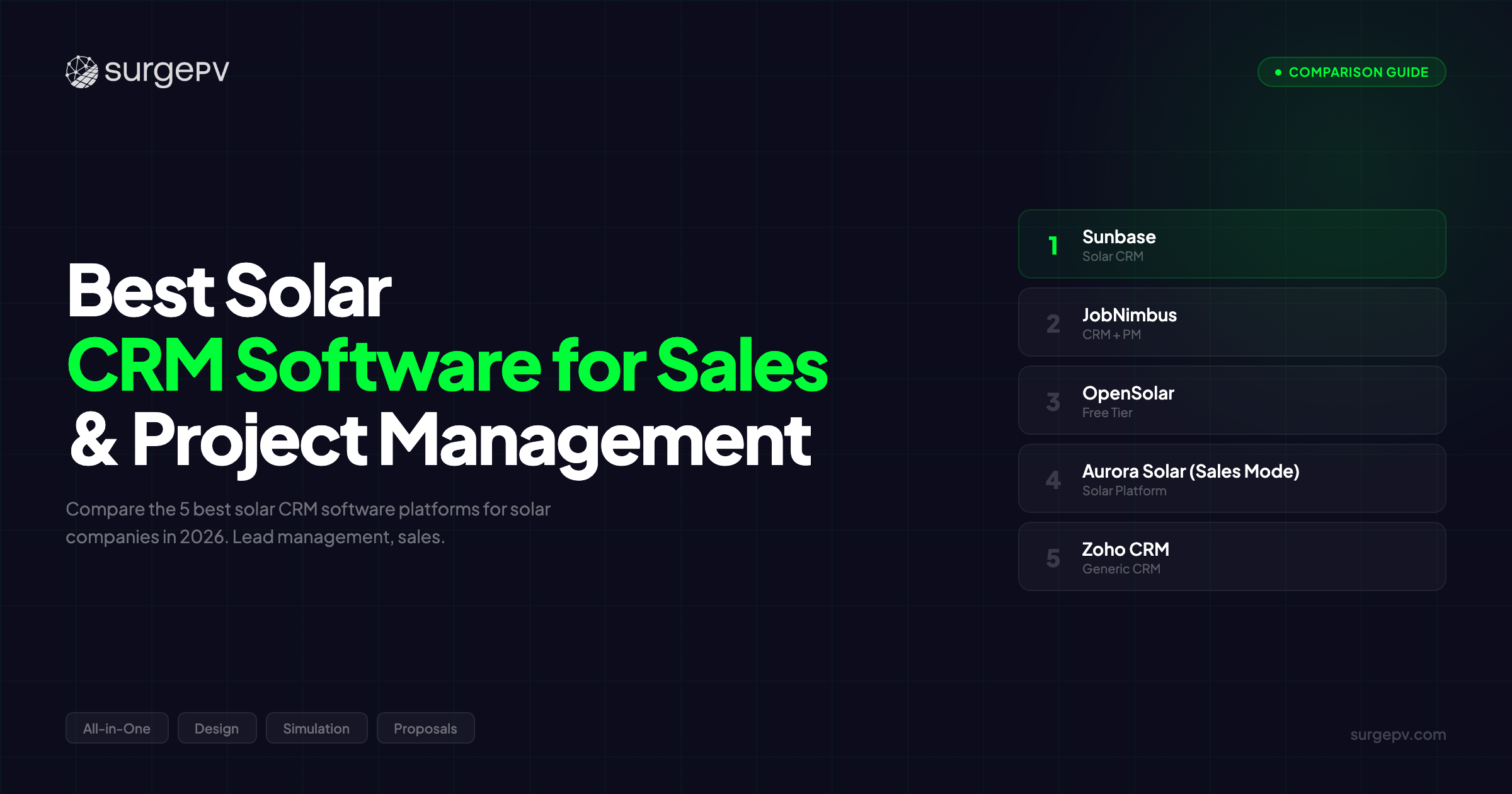
TL;DR: Solar companies using generic CRMs lose 23% more leads than those with industry-specific tools. Sunbase delivers dedicated solar CRM with lead-to-install pipeline management at $100-300/user/month. JobNimbus combines CRM plus project management for residential EPCs. OpenSolar offers free CRM with design integration. For solar sales teams that need CRM integration with design and proposal tools, SurgePV connects to any CRM while handling technical workflows.
Solar companies using Salesforce lose an average of 18 qualified leads per month.
Not because Salesforce is bad. But because a generic CRM does not know what a site survey is, cannot track permitting status, and has no idea that a lead sitting in “proposal sent” for 14 days needs a financing follow-up call, not a generic nurture email.
The solar design software sales cycle from lead to installation spans 2-6 months with 8-12 distinct stages. Site survey scheduled. Design approved. Proposal sent. Financing approved. Contract signed. Permits submitted. Installation scheduled. PTO complete. Each stage has specific tasks, timelines, and conversion triggers that a generic B2C CRM was not built to handle.
The U.S. residential solar market installed over 6.8 GW in 2025, worth approximately $15 billion in revenue. With average customer acquisition costs exceeding $3,000 per install, losing even 15% of qualified leads to poor CRM management can cost a 20-person solar installer $200,000-400,000 annually in lost revenue.
That matters when your sales team is competing against 3-6 other installers for the same homeowner, and when your close rate drops from 35% to 20% simply because your CRM does not remind your rep that a site survey needs to happen within 5 days, not 14.
We tested the top solar CRM platforms across lead management, sales pipeline tracking, design tool integration, proposal automation, and project handoff capabilities. We evaluated each CRM on solar-specific features, pricing, integration ecosystem, and real-world usage by solar installers handling 50-500 residential projects annually.
In this guide, you’ll learn:
- Which 5 CRM platforms handle solar sales pipelines best in 2026
- Why solar-specific CRMs outperform Salesforce and HubSpot for installers
- Which CRMs integrate with design tools like SurgePV, Aurora Solar, and HelioScope
- How to model lead-to-install pipeline stages in your CRM
- What solar CRM costs to expect by business size
- Our recommendation by company type: installer, EPC, or developer
Quick Comparison: 5 Best Solar CRM Software Platforms
| Feature | Sunbase | JobNimbus | OpenSolar | Aurora Solar | Zoho CRM |
|---|---|---|---|---|---|
| Best For | Dedicated solar sales teams | All-in-one residential EPCs | Budget-conscious installers | Design-first workflows | Customizable solar startups |
| Solar-Specific | Yes | Yes | Yes | Yes | No (customizable) |
| Lead Management | Advanced | Intermediate | Basic | Intermediate | Advanced (customizable) |
| Sales Pipeline | Full lead-to-install | CRM + project stages | Basic stages | Design-to-proposal | Fully customizable |
| Design Integration | Via API (Aurora, SurgePV) | Via API | Native built-in | Native Aurora | Via Zapier |
| Proposal Tools | Yes | Yes | Native built-in | Native Aurora | Via integrations |
| Project Management | Light PM features | Full PM integration | Basic | Design-only | Via integrations |
| Pricing | $100-300/user/month | $25-60/user/month | Free (basic) | Included in license | $14-20/user/month |
| Our Rating | 9.2/10 | 8.8/10 | 8.3/10 | 8.0/10 | 7.8/10 |
Quick verdict: For dedicated solar sales teams handling 100+ leads monthly, Sunbase offers the most complete solar-specific CRM. For residential EPCs needing CRM plus project management, JobNimbus provides the best all-in-one value. For budget-conscious installers, OpenSolar’s free CRM with design integration is hard to beat. For teams using best solar design software, SurgePV integrates with all these CRMs while handling design, simulation, SLD, and proposals.
See how SurgePV integrates with your CRM — Book a demo
Why Solar Companies Need Industry-Specific CRM Software
Generic CRMs miss what makes the solar sales cycle different. Before comparing specific platforms, here is why solar demands specialized CRM capabilities.
The Solar Sales Cycle Is 10x Longer Than Standard B2C
A typical e-commerce purchase takes 1-7 days from awareness to purchase. A solar installation takes 60-180 days from lead to PTO. That is not a longer sales cycle — it is a fundamentally different process requiring different tools.
Generic CRMs are built for short sales cycles with 3-5 stages: Lead, Qualified, Proposal, Negotiation, Closed. Solar requires 8-12 stages: Lead, Qualified, Site Survey Scheduled, Site Survey Complete, Design In Progress, Design Approved, Proposal Sent, Financing Approved, Contract Signed, Permits Submitted, Permits Approved, Installation Scheduled, Installation Complete, Inspection Passed, PTO Complete.
When your CRM cannot track which stage each lead is in with solar-specific context, your sales team loses deals. A lead that has been sitting in “Proposal Sent” for 14 days without financing follow-up is a dead deal. A solar CRM knows that. Salesforce does not.
Solar Pipeline Requires Integration With Design, Proposal, and Financing Tools
The solar sales process is not linear. A sales rep cannot create a proposal without a design. They cannot create a design without a site survey. They cannot close a contract without financing approval.
Solar CRMs integrate with design tools (SurgePV, Aurora Solar, HelioScope), proposal platforms, and financing providers (Mosaic, GoodLeap, Sunlight Financial). When a design is approved in SurgePV, the CRM automatically updates the deal stage to “Ready for Proposal.” When financing is approved, the stage updates to “Ready for Contract.”
Generic CRMs require manual updates or complex custom API integrations that cost $10,000-50,000 to build.
Lead Scoring for Solar Is Different Than Generic B2C
In B2C e-commerce, lead scoring is simple: website visits, email opens, cart abandonment. In solar, lead scoring requires solar-specific data: roof type (composition shingle scores higher than tile), utility rates (high-rate areas score higher), property ownership (renters score zero), shading (heavy shade scores lower), credit score (financing eligibility), and timeline (immediate need scores higher).
Solar CRMs include solar-specific lead scoring algorithms. Generic CRMs require custom development.
Note
Solar sales cycles span 2-6 months with 8-12 stages, far more complex than standard B2C sales. Generic CRMs built for 3-5 stage sales cycles miss critical solar milestones like site survey completion, permit approval, and PTO status. A CRM that cannot track “Permit Submitted” separately from “Permit Approved” creates blind spots that cost deals.
Project Handoff From Sales to Operations
When a solar deal closes, it does not end. The project moves from sales to operations: permitting, procurement, crew scheduling, installation, inspection, PTO. Solar CRMs handle this handoff automatically, passing contract details, system specs, and customer data to the project management system.
Generic CRMs treat “Closed-Won” as the end. Solar CRMs know it is the beginning of a 30-90 day delivery process.
What most people miss: a solar installer that cannot seamlessly hand off from sales to operations experiences a 15-25% drop in customer satisfaction scores because coordination errors, installation delays, and miscommunication increase when systems do not talk to each other.
Solar Sales CRM vs General CRM: Why Industry-Specific Matters
Should you adapt Salesforce for solar or use a dedicated solar CRM? The answer determines your sales team’s efficiency for the next 3-5 years.
Solar-Specific Features vs Generic CRM Workflows
Solar CRMs include out-of-the-box:
- Lead-to-install pipeline stages (lead, survey, design, proposal, contract, permit, install, PTO)
- Integration with solar design tools and proposal platforms
- Automated lead scoring based on roof type, utility rates, and financing eligibility
- Solar sales performance metrics (conversion rate by stage, average cycle time, cost per acquisition)
- Financing and incentive tracking (ITC, state rebates, utility programs)
- Permit and AHJ tracking by jurisdiction
Generic CRMs (Salesforce, HubSpot) require:
- Custom pipeline stage configuration ($2,000-10,000 setup)
- API integrations with design tools ($5,000-25,000 per integration)
- Custom lead scoring models ($3,000-8,000)
- Custom reporting dashboards ($2,000-5,000)
- Manual permit tracking or third-party integrations
A 15-person solar installer can get a solar-specific CRM running in 1-2 weeks for $1,500-4,000 total monthly cost. The same installer would spend $15,000-40,000 upfront plus $3,000-8,000 monthly to customize Salesforce to do the same things.
When Salesforce/HubSpot Makes Sense vs When Solar CRM Is Better
Use a solar-specific CRM (Sunbase, JobNimbus, OpenSolar) if:
- Your company has fewer than 50 employees
- You process 50-500 leads monthly
- You need fast setup with minimal customization
- Your team is not technical and needs plug-and-play tools
- You want native integration with solar design software and solar proposal software
- Your budget is $2,000-8,000/month for CRM
Use Salesforce or HubSpot with solar customization if:
- Your company has 50+ employees with dedicated IT or CRM admin
- You process 500+ leads monthly across multiple business units
- You need deep customization beyond solar-specific features
- You already use Salesforce or HubSpot for other business units
- You have budget for $10,000-40,000 upfront customization plus $5,000-15,000/month ongoing
- You need enterprise-grade security, compliance, and audit trails
Bottom line: solar-specific CRMs win on speed, cost, and ease of use. Salesforce wins on scalability, customization, and enterprise features. For 80% of solar installers, a solar-specific CRM is the better choice.
The 5 Best Solar CRM Software Platforms (2026)
Sunbase — Best Dedicated Solar CRM for Sales Teams
Rating: 9.2/10 | Price: $100-300/user/month | Sunbase | Sunbase review
Sunbase is a dedicated solar CRM and project management platform built specifically for residential and commercial solar installers. For solar sales teams handling 100-500 leads monthly, it offers the most complete solar-specific feature set on the market.
Why Sunbase works for solar sales teams:
The platform handles the full lead-to-install pipeline with solar-specific stages: lead qualification, site survey scheduling, design approval, proposal sent, financing approval, contract signed, permits submitted, installation scheduled, and PTO complete. Each stage includes automated task lists, email templates, and sales team alerts.
Sunbase integrates with leading solar design tools including SurgePV, Aurora Solar, and HelioScope via API. When a design is completed in SurgePV and approved, Sunbase automatically updates the deal stage and triggers proposal generation.
The lead management system includes solar-specific lead scoring based on roof type, utility rates, property ownership, and financing eligibility. Leads with composition shingle roofs, high utility rates, and good credit scores automatically rank higher than leads with tile roofs, low rates, and poor credit.
A solar sales rep handling 40 active deals simultaneously cannot manually track which leads need site survey follow-up, which need financing nudges, and which are ready for contract. Sunbase’s automation handles this, increasing per-rep productivity by 20-30%.
Sunbase also includes solar-specific proposal tools, financing integration with Mosaic and GoodLeap, and permit tracking by jurisdiction. For solar installers that need CRM plus light project management, Sunbase eliminates the need for separate tools.
Mini case study: A Phoenix-based residential solar installer with 12 sales reps switched from HubSpot to Sunbase. Within 60 days, their average sales cycle time dropped from 87 days to 62 days, a 29% reduction. The reason: Sunbase’s automated task triggers ensured that site surveys were scheduled within 3 days of qualification (vs 8 days with manual HubSpot workflows), and financing applications were submitted within 24 hours of proposal acceptance (vs 4-5 days). The faster cycle time allowed the company to close 18% more deals per quarter with the same sales team. Setup cost: $4,200 (vs $28,000 they had quoted for HubSpot solar customization). Result: ROI within 47 days.
Reader objection: “We already use Salesforce, is it worth switching?” If your Salesforce instance is already customized for solar with design tool integrations, stage automation, and financing workflows, stick with it. The switching cost is not worth it. But if you are using generic Salesforce with minimal solar customization, Sunbase will deliver faster setup, lower cost, and better solar-specific features. Most installers save $15,000-35,000 in first-year costs by using Sunbase instead of customizing Salesforce from scratch.
Pros:
- Most complete solar-specific CRM feature set available
- Full lead-to-install pipeline with solar stage automation
- Integration with SurgePV, Aurora Solar, HelioScope, and other design tools
- Solar-specific lead scoring (roof type, utility rates, financing eligibility)
- Built-in proposal tools and financing integration
- Permit tracking by AHJ jurisdiction
- Sales performance analytics (conversion by stage, cycle time, cost per acquisition)
- Light project management features for post-contract workflow
- $100-300/user/month, competitive for feature depth
Cons:
- Higher pricing than JobNimbus for teams under 10 reps
- Learning curve for advanced features (2-3 weeks full adoption)
- Not designed for utility-scale commercial projects
- Limited customization vs Salesforce for non-solar workflows
- Requires annual contract commitment
Best for: Residential and commercial solar installers with dedicated sales teams (5-50 reps) processing 100-500 leads monthly who need the most complete solar-specific CRM without Salesforce complexity and cost.
Pro Tip
Sunbase’s ROI calculation shows that solar installers typically see payback within 60-90 days. The key metric: conversion rate improvement. If Sunbase’s automation increases your qualified-lead-to-contract conversion from 25% to 30%, that 5-point improvement on 200 monthly leads = 10 additional contracts. At $30,000 average contract value, that is $300,000 additional monthly revenue, far exceeding the $3,000-6,000 monthly CRM cost.
Try Sunbase with solar design integration — Book a demo
JobNimbus — Best All-in-One CRM for Residential Solar EPCs
Rating: 8.8/10 | Price: $25-60/user/month | JobNimbus
JobNimbus is an all-in-one CRM and project management platform originally built for roofing contractors and expanded to solar installers. For residential solar EPCs that need both sales pipeline management and project delivery tracking, it offers the best value in the market.
Why JobNimbus works for residential solar EPCs:
The platform combines CRM and project management in one system. Sales stages (lead, qualified, site survey, proposal, contract) flow directly into project stages (permit submitted, materials ordered, crew scheduled, installation complete, inspection passed, PTO). This eliminates the handoff gap between sales and operations that plagues installers using separate CRM and PM tools.
JobNimbus integrates with SurgePV and Aurora Solar for design and proposal creation. The mobile app lets field crews update project status, upload installation photos, and mark tasks complete from the jobsite, automatically updating the CRM record.
For small to mid-size residential solar installers (5-25 employees), JobNimbus provides 80% of what Sunbase offers at 40-50% of the cost. The trade-off: less solar-specific automation and fewer advanced lead scoring features.
A 15-person residential solar installer can run their entire business, sales, permitting, installation, customer service, on JobNimbus for $750-1,500/month. The equivalent functionality using separate CRM, PM, and field management tools would cost $3,000-5,000/month.
JobNimbus also includes customer communication tools (automated email/SMS updates), document storage (contracts, permits, photos), and financial tracking (deposits, progress payments, final invoices). For installers that want one platform instead of 5-6 disconnected tools, JobNimbus delivers.
Pros:
- Best value all-in-one CRM plus project management for solar
- Seamless handoff from sales to operations (no separate systems)
- Mobile app for field crews to update project status
- Integration with SurgePV and Aurora Solar for design/proposals
- Customer communication automation (email/SMS updates)
- Document storage and financial tracking included
- $25-60/user/month, most affordable for full feature set
- Fast setup (1-2 weeks to full adoption)
Cons:
- Less solar-specific automation than Sunbase
- Basic lead scoring (manual configuration required)
- Limited advanced reporting vs dedicated CRM platforms
- Project management features are intermediate (not enterprise-grade)
- Integration ecosystem smaller than Salesforce/HubSpot
Best for: Residential solar EPCs (5-25 employees) that need both CRM and project management in one affordable platform, particularly installers handling 30-150 projects annually who want to eliminate multiple disconnected tools.
OpenSolar — Best Free Solar CRM with Design Integration
Rating: 8.3/10 | Price: Free (basic) | OpenSolar | OpenSolar review
OpenSolar is a cloud-based solar design and proposal platform that includes free CRM capabilities. For budget-conscious solar installers and startups processing fewer than 50 leads monthly, it offers the best free option in the market.
Why OpenSolar works for budget-conscious installers:
The free tier includes basic lead management, pipeline stages (lead, qualified, design, proposal, contract), design tools, and proposal generation, all in one platform. This eliminates the need to pay for separate CRM and design software.
OpenSolar’s strength is the tight integration between CRM and design. When a lead reaches “Qualified” stage, the sales rep can create a system design directly within OpenSolar using satellite imagery and AI-powered layout tools. The design automatically flows into a professional customer-facing proposal. When the customer accepts the proposal, the deal updates to “Contract” stage.
The limitation: OpenSolar’s CRM features are basic compared to Sunbase or JobNimbus. No advanced lead scoring. Limited automation. Basic reporting. But for a solo installer or 2-5 person team, basic CRM is often enough.
A startup solar installer can get design, proposal, and CRM tools for free instead of paying $200-500/month for separate platforms. The savings over the first year: $2,400-6,000, meaningful capital for a bootstrapped business.
OpenSolar also offers paid tiers with advanced features like financing integration, permit package generation, and API access for integrations. As solar businesses grow, they can upgrade within OpenSolar or migrate to dedicated CRMs like Sunbase.
Pros:
- Free tier with basic CRM, design, and proposal tools
- Tight integration between CRM, design, and proposals (no data re-entry)
- AI-powered design using satellite imagery
- Professional customer-facing proposals included
- Cloud-based, no desktop installation
- Good option for solar startups with limited budget
- Upgrade path to paid tiers as business grows
Cons:
- Basic CRM features vs dedicated solar CRM platforms
- No advanced lead scoring or automation
- Limited integration with other tools in free tier
- Basic reporting and analytics
- Not designed for teams larger than 10 people
- No project management features
Best for: Solar startups, solo installers, and small teams (1-5 people) processing fewer than 50 leads monthly who need design, proposal, and basic CRM in one free platform. Also good for established installers as a free secondary tool for field teams.
Further Reading
For a detailed analysis of OpenSolar capabilities and limitations, see our OpenSolar review.
Aurora Solar (Sales Mode) — Best CRM for Design-First Workflows
Rating: 8.0/10 | Price: Included in Aurora license | Aurora Solar | Aurora Solar review
Aurora Solar is the global leader in AI-powered residential solar design. Its Sales Mode feature includes CRM capabilities integrated directly with the design platform. For high-volume solar installers using Aurora for design, Sales Mode provides seamless lead-to-proposal workflow.
Why Aurora Sales Mode works for design-first workflows:
Aurora’s strength is design speed. AI roof detection creates panel layouts in minutes using satellite imagery. Sales Mode adds CRM pipeline tracking so sales reps can manage leads, designs, and proposals in one interface without switching platforms.
The workflow: lead enters Sales Mode, sales rep qualifies, creates Aurora design, generates Aurora proposal, customer accepts, deal closes. Everything happens within Aurora. No need to sync data between CRM and design tools.
For solar installers already paying for Aurora design licenses ($200-750/month depending on tier), Sales Mode CRM is essentially free. This makes it the most cost-effective CRM option for existing Aurora users.
Aurora Sales Mode’s CRM features are basic. No advanced lead scoring. Limited automation. Basic pipeline stages. It works well for simple workflows but does not compete with Sunbase or JobNimbus for CRM depth.
If your solar sales process is design-centric (most deals start with “show me what the system looks like on my roof”), Aurora Sales Mode works. If your sales process requires sophisticated lead nurturing, multi-stage automation, and advanced reporting, you will need a dedicated CRM alongside Aurora.
Pros:
- Seamless integration with Aurora design platform (industry-leading)
- AI-powered design creates proposals in minutes
- Included in Aurora license (no additional CRM cost)
- Professional customer-facing proposals with 3D visualization
- Cloud-based, fast onboarding
- Strong brand recognition and customer trust
- Good for high-volume residential installers
Cons:
- Basic CRM features vs dedicated solar CRMs
- Limited lead scoring and automation
- No project management capabilities
- Only works well if you are already using Aurora for design
- Higher total cost ($200-750/month Aurora license vs $25-60/month JobNimbus)
- Limited integration with non-Aurora tools
Best for: High-volume residential solar installers already using Aurora Solar for design who want basic CRM capabilities tightly integrated with design and proposal workflow without paying for a separate CRM platform.
Zoho CRM — Best Budget-Friendly Customizable CRM for Solar Startups
Rating: 7.8/10 | Price: $14-20/user/month | Zoho CRM
Zoho CRM is a general-purpose CRM platform that solar companies can customize for solar workflows. For solar startups with technical teams or CRM admins, it offers the most affordable customizable CRM option.
Why Zoho CRM works for customizable solar workflows:
Zoho provides a blank canvas. You can configure pipeline stages for solar (lead, site survey, design, proposal, contract, permit, install, PTO), create custom fields for solar-specific data (roof type, utility rates, system size, financing status), and build automation workflows (auto-assign leads based on geography, auto-send proposal follow-up after 3 days, auto-update stage when financing approves).
At $14-20/user/month, Zoho is 5-10x cheaper than Sunbase and 3-4x cheaper than Salesforce. For a 10-person solar sales team, that is $140-200/month vs $1,000-3,000/month.
The trade-off: Zoho requires configuration time. Expect 20-40 hours of setup work to build solar-specific workflows. Solar-specific CRMs like Sunbase work out-of-the-box in 2-4 hours.
A solar installer with a technical co-founder or CRM admin can build a customized solar CRM on Zoho for $2,000-4,000 total setup cost plus $140-200/month ongoing. The same capability on Sunbase costs $0 setup (out-of-the-box) but $1,000-3,000/month ongoing. Over 24 months, Zoho total cost: $6,400-8,800. Sunbase total cost: $24,000-72,000. Zoho wins on cost if you have setup capability.
Zoho integrates with design tools like SurgePV and Aurora Solar via Zapier or custom API. It includes email marketing, customer service ticketing, and analytics, making it a full business platform, not just CRM.
Pros:
- Most affordable customizable CRM ($14-20/user/month)
- Full customization of pipeline stages, fields, and workflows
- Integration via Zapier with SurgePV, Aurora, and other solar tools
- Email marketing and customer service tools included
- Good for solar startups with technical teams
- Free tier available (up to 3 users)
- Large app ecosystem for add-ons
Cons:
- Requires 20-40 hours setup time for solar customization
- No solar-specific features out-of-the-box
- Learning curve for non-technical users
- Integration with design tools requires Zapier ($20-50/month extra)
- Support quality lower than Sunbase or Salesforce
- Advanced features require higher-priced tiers
Best for: Solar startups and small installers (3-15 people) with technical team members or CRM admins who can invest setup time to build a customized solar CRM at the lowest possible ongoing cost.
Honorable Mentions: More Solar CRM Options
Scoop Solar — Best for Field Operations + CRM Pipeline
Scoop Solar combines CRM with field operations management, making it ideal for solar installers with large installation crews. The platform handles sales pipeline, crew scheduling, vehicle tracking, and jobsite updates. Best for installers with 10+ field crews handling 200+ installations annually. Pricing: custom.
Shape Software — Best for Solar-Specific Lead Management and Marketing
Shape Software offers dedicated solar CRM with strong marketing automation features. Built for solar dealers and installers focused on lead generation and nurture campaigns. Includes solar-specific landing pages, lead scoring, and multi-channel marketing. Best for marketing-first solar businesses. Pricing: $100-250/user/month.
Salesforce + Solar Add-ons — Best Enterprise Customization
Salesforce with ZingSolar or SolarBooster add-ons provides enterprise-grade CRM for large solar EPCs and developers. Offers unlimited customization, enterprise security, and deep integration ecosystem. Best for solar companies with 50+ employees, dedicated IT teams, and budget for $10,000-40,000 customization. Pricing: $150-300/user/month plus add-on costs.
HubSpot — Best General CRM with Solar Workflows
HubSpot offers strong marketing automation with customizable CRM. Solar companies can build solar-specific workflows using HubSpot’s workflow builder. Free tier available, paid tiers $50-1,200/month. Best for solar businesses prioritizing inbound marketing alongside CRM. Integration with SurgePV and design tools via Zapier.
monday.com — Best Visual Pipeline for Solar
monday.com provides highly visual Kanban-style pipeline management with CRM capabilities. Popular for solar teams that want visual board-style project tracking. Good integration ecosystem. Best for visual-first teams. Pricing: $10-20/user/month. Limited solar-specific features but highly customizable.
Solar CRM Comparison Table
| CRM Platform | Lead Management | Sales Pipeline | Design Integration | Project Management | Pricing | Best For |
|---|---|---|---|---|---|---|
| Sunbase | Advanced solar-specific | Full lead-to-install | API (Aurora, SurgePV, HelioScope) | Light PM features | $100-300/user/mo | Dedicated solar sales teams |
| JobNimbus | Intermediate | CRM + project stages | API (Aurora, SurgePV) | Full PM integration | $25-60/user/mo | All-in-one residential EPCs |
| OpenSolar | Basic | Basic stages | Native built-in | No | Free (basic) | Budget-conscious installers |
| Aurora Solar | Basic | Design-to-proposal | Native Aurora only | Design-only | Included in license | Design-first workflows |
| Zoho CRM | Customizable | Fully customizable | Via Zapier | Via integrations | $14-20/user/mo | Customizable startups |
| Scoop Solar | Intermediate | Operations-focused | Limited | Full operations | Custom | Field operations teams |
| Shape Software | Advanced | Marketing-focused | API integrations | Light PM | $100-250/user/mo | Marketing-first solar |
| Salesforce | Enterprise | Unlimited custom | Custom API | Via add-ons | $150-300+/user/mo | Enterprise solar |
| HubSpot | Advanced | Customizable | Via Zapier | Via integrations | $50-1,200/mo | Marketing-focused |
| monday.com | Basic | Visual Kanban | Via Zapier | Strong visual PM | $10-20/user/mo | Visual pipeline teams |
Solar CRM Pipeline Management: From Lead to Installation
A solar CRM is not useful unless it models the actual solar sales and delivery pipeline. Here is how the best solar CRMs handle each stage.
Stage 1: Lead Capture and Qualification
What happens: Leads enter from multiple sources (website forms, referrals, paid ads, canvassing). CRM assigns to sales rep based on territory. Rep qualifies based on property ownership, roof condition, utility rates, and financing eligibility.
CRM automation: Auto-assign by zip code, auto-score based on solar-specific criteria (roof type, utility rates), auto-send initial email with solar savings estimate.
Tools needed: Integration with lead sources (Facebook Lead Ads, Google Ads), solar-specific lead scoring, territory management.
Timeline: 0-3 days from lead to qualification
Stage 2: Site Survey Scheduled and Completed
What happens: Rep schedules on-site or virtual roof assessment. Field tech collects roof measurements, shading data, electrical panel photos, utility bill. Data uploaded to CRM.
CRM automation: Auto-send site survey confirmation email/SMS, auto-create task for field tech, auto-update stage when photos uploaded.
Tools needed: Mobile app for field data collection, photo/document upload, scheduling calendar integration.
Timeline: 3-10 days from qualification to site survey complete
Stage 3: Design Created and Approved
What happens: Design team creates system layout using solar design software like SurgePV, Aurora Solar, or HelioScope. Design sent to customer for approval.
CRM automation: Auto-trigger design request when site survey complete, auto-update stage when design approved in design tool, auto-notify sales rep when design ready.
Tools needed: Integration with design platforms (API or Zapier), design approval workflow.
Timeline: 5-14 days from site survey to design approved
Stage 4: Proposal Sent and Follow-Up
What happens: Sales rep generates proposal using solar proposal software with financing options. Customer reviews. Rep follows up on questions.
CRM automation: Auto-send proposal email, auto-create follow-up task at 3 days if no response, auto-notify rep when customer views proposal.
Tools needed: Integration with proposal tools, proposal tracking (views, time spent), email automation.
Timeline: 1-14 days from proposal sent to acceptance
Stage 5: Financing Approved
What happens: Customer selects financing option (cash, loan, lease, PPA). Rep submits financing application to lender. Lender approves or declines.
CRM automation: Auto-submit financing app to lender API, auto-update stage when lender approves, auto-notify rep if additional docs needed.
Tools needed: Integration with financing providers (Mosaic, GoodLeap, Sunlight Financial), document upload for credit apps.
Timeline: 1-7 days for financing approval
Stage 6: Contract Signed and Deposit Collected
What happens: Customer signs contract via e-signature. Deposit paid (typically 10-30% of project cost). Deal moves to operations.
CRM automation: Auto-send contract for e-signature, auto-update stage when signed, auto-trigger deposit invoice, auto-hand off to project management.
Tools needed: E-signature integration (DocuSign, PandaDoc), payment processing, handoff workflow to PM.
Timeline: 1-3 days from financing to signed contract
Stage 7: Permits Submitted and Approved
What happens: Operations team submits permit package to AHJ (Authority Having Jurisdiction). Permit approved or revision requested.
CRM automation: Auto-create permit task for operations, auto-track permit status by jurisdiction, auto-notify customer when permit approved.
Tools needed: Permit tracking by AHJ, document storage for permit packages, customer communication.
Timeline: 10-60 days depending on jurisdiction (highly variable)
Stage 8: Installation Scheduled and Completed
What happens: Operations schedules installation crew. Installation completed. Photos uploaded. Customer signs completion certificate.
CRM automation: Auto-schedule installation based on permit approval + crew availability, auto-send customer installation confirmation, auto-update stage when crew marks complete.
Tools needed: Crew scheduling, mobile app for field updates, photo upload, completion forms.
Timeline: 3-14 days from permit to installation complete
Stage 9: Inspection Passed and PTO Granted
What happens: AHJ inspects installation. Utility grants Permission to Operate (PTO). System goes live.
CRM automation: Auto-schedule inspection, auto-track inspection status, auto-notify customer when PTO granted, auto-send welcome email with monitoring instructions.
Tools needed: Inspection tracking, PTO tracking by utility, final customer onboarding.
Timeline: 5-30 days from installation to PTO
Total pipeline: 60-180 days from lead to PTO
Pro Tip
The most critical CRM automation points are the gaps between stages where deals die. Automate follow-up at 3 days post-proposal (before customer forgets), 24 hours post-financing approval (strike while iron is hot), and 7 days post-permit submission (stay top-of-mind during long permit wait). Solar CRMs that automate these gap-fillers increase conversion rates by 15-25%.
Compare CRM options with integrated design tools — See SurgePV
Solar CRM and Project Management: Do You Need Both?
The biggest question solar installers face: should we use separate CRM and PM tools, or one solar software platform that does both?
CRM-First vs PM-First vs All-in-One Approaches
CRM-first approach (Sunbase, Salesforce + separate PM):
- Strengths: Best sales pipeline management, advanced lead scoring, strong marketing automation
- Weaknesses: Requires integration with PM tools, potential data sync issues, higher total cost
- Best for: Solar companies with large sales teams (10+ reps) where sales is the primary growth constraint
PM-first approach (Procore, BuilderTrend + separate CRM):
- Strengths: Best project delivery tracking, advanced scheduling, subcontractor management
- Weaknesses: Weak sales pipeline features, requires CRM integration, designed for general construction
- Best for: Commercial solar EPCs on large projects (over 500 kW) where project complexity is the primary constraint
All-in-one approach (JobNimbus, Scoop Solar):
- Strengths: Seamless handoff from sales to operations, no integration needed, single platform training
- Weaknesses: Less depth in both CRM and PM vs dedicated tools
- Best for: Residential solar installers (5-50 employees) handling 50-300 projects annually where simplicity and cost matter most
Which Tools Combine Both CRM and PM Features
JobNimbus offers the strongest CRM + PM combination for residential solar. Sales pipeline flows directly into project delivery stages. Field crews use mobile app to update job status. Customer communication happens in one platform.
Scoop Solar combines CRM with field operations management, ideal for installers with large installation crews. Includes vehicle tracking, crew scheduling, and jobsite updates.
Sunbase includes light PM features (task management, crew scheduling) but is not full-featured PM. Works well for simple residential projects but not for complex commercial jobs.
Salesforce can be customized to include PM features using add-ons or custom development, but this requires significant investment ($20,000-60,000).
When Separate Tools Make More Sense
Use separate CRM and PM tools when:
- Your company exceeds 50 employees with distinct sales and operations teams
- You handle both residential and commercial projects with very different PM needs
- You need enterprise-grade features in both categories
- You have dedicated IT team to manage integrations
- Your sales team needs advanced features (ABM, marketing automation) that all-in-one tools do not offer
- Your operations team needs advanced features (resource planning, subcontractor portals) that all-in-one tools do not offer
Bottom line: 80% of residential solar installers are better served by all-in-one platforms like JobNimbus. 80% of commercial solar EPCs need separate CRM and PM tools.
Solar CRM Integrations: What Your CRM Must Connect To
A solar CRM is only as good as its integrations. Here is what your CRM must connect to for a complete solar sales workflow.
Design Tools (SurgePV, Aurora Solar, HelioScope, OpenSolar)
Your CRM must pull design data automatically. When a design is approved in SurgePV, the CRM should update the deal stage to “Design Approved” without manual entry. When system size, panel count, or inverter specs change, the CRM should sync automatically.
Best integrations: Sunbase offers native API connections to SurgePV, Aurora, and HelioScope. JobNimbus connects via API. Salesforce requires custom integration. Zoho uses Zapier.
Proposal and Financing Tools
When a customer accepts a proposal in your proposal software, the CRM should auto-advance to “Proposal Accepted” stage. When financing is approved by Mosaic or GoodLeap, the CRM should auto-update to “Financing Approved.”
Best integrations: Sunbase includes built-in proposal tools and financing integrations. JobNimbus integrates with third-party proposal platforms. Aurora Solar has native proposal tools with financing partner integrations.
Accounting and ERP (QuickBooks, NetSuite, Xero)
For financial tracking, your CRM should sync with accounting systems. When a deposit is collected, it should create a QuickBooks invoice. When final payment is received, it should update both CRM and accounting.
Best integrations: Salesforce offers the strongest accounting integrations via AppExchange. Zoho CRM integrates natively with Zoho Books. JobNimbus and Sunbase offer QuickBooks integration.
Marketing Automation (Email, SMS, Paid Ads)
Your CRM should sync with email platforms (Mailchimp, Constant Contact), SMS tools (Twilio), and ad platforms (Google Ads, Facebook Ads) for lead attribution and nurture campaigns.
Best integrations: HubSpot offers the strongest native marketing automation. Salesforce uses Pardot or Marketing Cloud. Sunbase and JobNimbus offer basic email/SMS. Zoho includes Zoho Campaigns.
Project Management and Field Operations
If using separate PM tools, your CRM must hand off cleanly. When a contract is signed in CRM, it should create a project in PM tool with all customer data, system specs, and contract documents.
Best integrations: Salesforce integrates with Procore and BuilderTrend via API. JobNimbus includes native PM features. Sunbase offers basic PM handoff.
Maps and Route Optimization
For field teams, CRM should integrate with mapping tools for territory management, site survey routing, and installation crew dispatch.
Best integrations: Scoop Solar includes native route optimization. JobNimbus integrates with Google Maps. Salesforce uses third-party mapping apps.
Further Reading
See also our comparisons for best solar sales software, solar quoting tools, and all-in-one solar software.
Not sure which CRM integrates with your stack? Compare with SurgePV
Solar CRM Pricing Guide: What to Expect in 2026
Solar CRM pricing varies by features, user count, and customization needs. Here is what to budget.
Free Tier Options
OpenSolar: Free basic CRM with design and proposal tools. Best for solo installers and startups under 20 projects annually.
HubSpot: Free CRM tier with basic pipeline and contact management. Requires solar customization. Best for marketing-focused teams.
Zoho CRM: Free for up to 3 users with basic features. Best for very small teams testing CRM before committing.
Reality check: Free CRMs lack automation, integrations, and support. Most solar installers outgrow free tiers within 6-12 months.
SMB Pricing ($20-100/user/month)
JobNimbus: $25-60/user/month. Best all-in-one value for residential installers.
Zoho CRM: $14-20/user/month. Best for customizable budget option.
monday.com: $10-20/user/month. Best for visual pipeline teams.
Typical 10-person team cost: $250-1,000/month
Mid-Market Pricing ($100-300/user/month)
Sunbase: $100-300/user/month. Best dedicated solar CRM.
Shape Software: $100-250/user/month. Best for marketing-focused solar.
Salesforce (Professional/Enterprise): $150-300/user/month. Enterprise customization.
Typical 20-person team cost: $3,000-6,000/month
Enterprise Pricing (Custom)
Salesforce (Unlimited): $300+/user/month plus customization ($10,000-40,000 upfront)
Scoop Solar: Custom pricing based on field crew count and vehicle tracking needs
PVComplete: Custom pricing for large commercial EPCs
Typical 50-person team cost: $10,000-20,000/month
Hidden Costs to Watch For
Integration fees: API access often requires higher tiers. Expect $50-200/month extra for integrations.
Zapier costs: If using Zapier for integrations, expect $20-100/month depending on task volume.
Training and onboarding: Budget $2,000-10,000 for initial team training, especially for Salesforce.
Customization: Salesforce customization costs $10,000-40,000 upfront. Solar-specific CRMs need minimal customization.
Add-on modules: Marketing automation, advanced analytics, and API access often cost extra.
Per-contact pricing: Some CRMs (HubSpot) charge based on contact count, not just users. 10,000 contacts can cost $200-500/month extra.
ROI Calculation: When Solar CRM Pays for Itself
Scenario: 15-person residential solar installer, 200 leads/month, 25% close rate, $30,000 average contract value
Current state (no CRM): 50 contracts/month, $1.5M monthly revenue
With solar CRM: Improve close rate from 25% to 30% through better follow-up and automation
- New contracts: 60/month (+10)
- New revenue: $1.8M/month (+$300,000)
- CRM cost: $3,000/month (Sunbase for 10 users)
- Net gain: $297,000/month
- ROI: 9,900% monthly
- Payback: 7 days
Even conservative improvements (2-3% close rate increase) deliver ROI within 30-60 days for most solar installers.
See How SurgePV Integrates With Your Sales Workflow
AI-powered design, automated SLDs, and professional proposals connected to your CRM.
Book a DemoNo commitment required · 20 minutes · Live project walkthrough
How to Choose the Right Solar CRM for Your Business
The right CRM depends on your company size, project type, and technical capability. Here is a decision framework.
By Company Size (Solo Installer vs Growing Team vs Enterprise)
Solo installer or 2-3 person team:
- Use: OpenSolar (free) or Zoho CRM ($14-20/user/month)
- Why: Minimize cost while learning CRM workflows
- When to upgrade: When processing 30+ leads monthly or revenue exceeds $1M annually
Growing team (5-20 people):
- Use: JobNimbus ($25-60/user/month) or Sunbase ($100-300/user/month)
- Why: All-in-one simplicity (JobNimbus) or solar-specific depth (Sunbase)
- Integration: Connect with SurgePV for design and proposals
Mid-size company (20-50 people):
- Use: Sunbase or Salesforce with solar add-ons
- Why: Advanced features, dedicated CRM admin, enterprise integrations
- Budget: $3,000-8,000/month
Enterprise (50+ people):
- Use: Salesforce with custom solar modules
- Why: Unlimited customization, enterprise security, audit trails
- Budget: $10,000-25,000/month including customization
By Project Type (Residential vs Commercial vs Utility-Scale)
Residential installers (3-15 kWp):
- Use: JobNimbus, OpenSolar, or Sunbase
- Why: High-volume sales process, need speed and proposal automation
- Key feature: Integration with residential solar design tools
Commercial solar EPCs (50-500 kWp):
- Use: Sunbase or Salesforce
- Why: Longer sales cycles, need advanced lead nurturing and project tracking
- Key feature: Integration with commercial solar design software and project management
Utility-scale developers (1 MW+):
- Use: Salesforce with custom modules
- Why: Complex stakeholder management, multi-year sales cycles, contract management
- Key feature: Enterprise document management and custom workflows
By Integration Priority (Design-First vs Sales-First vs Operations-First)
Design-first workflow (most deals start with design):
- Use: Aurora Solar Sales Mode or OpenSolar
- Why: Native design-to-CRM workflow eliminates data re-entry
Sales-first workflow (lead nurturing and qualification critical):
- Use: Sunbase or HubSpot
- Why: Advanced lead scoring, marketing automation, multi-touch attribution
Operations-first workflow (field operations and installation critical):
- Use: JobNimbus or Scoop Solar
- Why: Field crew scheduling, vehicle tracking, mobile app for jobsite updates
Decision Matrix by Use Case
Use Case 1: Solo residential installer, 10-30 projects/year, tight budget
- OpenSolar (free)
Use Case 2: Growing residential team, 50-150 projects/year, need CRM + PM
- JobNimbus ($25-60/user/month)
Use Case 3: Dedicated sales team, 200+ leads/month, need solar-specific automation
- Sunbase ($100-300/user/month)
Use Case 4: Already using Aurora for design, want integrated CRM
- Aurora Sales Mode (included in license)
Use Case 5: Enterprise EPC, 50+ employees, need unlimited customization
- Salesforce with solar add-ons ($150-300+/user/month)
Use Case 6: Startup with technical team, want affordable customization
- Zoho CRM ($14-20/user/month)
Further Reading
See also our comparisons for best solar software for EPCs, solar project management software, and best solar software overall.
Not sure which CRM fits your solar business? Compare options
Why Your Solar CRM Works Better With SurgePV
Most solar installers ask: “Should I use a CRM or design software first?” The answer: both, integrated.
How SurgePV Complements Your Solar CRM
Your CRM handles customer relationships. SurgePV handles technical workflows. Together, they create a complete lead-to-install process.
The integration workflow:
- Lead captured in CRM (Sunbase, JobNimbus, Salesforce, HubSpot, Zoho)
- Lead qualified, site survey scheduled
- Design created in SurgePV — AI-powered layout, 8760-hour simulation, shading analysis
- Design data syncs back to CRM — system size, panel count, production estimate
- Proposal generated in SurgePV — professional customer-facing proposal with financing
- Proposal acceptance updates CRM — deal advances to “Contract” stage automatically
- SLD generated in SurgePV — automated single line diagram in 5-10 minutes
- Final documents sync to CRM — contract, SLD, permit package, all stored in deal record
Without integration, your sales rep manually re-enters design data, proposal details, and system specs into the CRM. With integration, all data flows automatically, saving 15-20 minutes per deal. For a team closing 50 deals monthly, that is 12-16 hours saved per month.
SurgePV Integration Capabilities Per CRM Platform
Sunbase: Native API integration. Design data, proposal acceptance, and document storage sync automatically.
JobNimbus: API integration via Zapier or custom webhook. Design approval triggers CRM stage update.
Salesforce: Custom API integration or Zapier. Full bidirectional sync of design, proposal, and financial data.
HubSpot: Zapier integration. Design creation and proposal acceptance trigger CRM workflows.
Zoho CRM: Zapier integration. Basic design data sync and stage updates.
Aurora Solar: No direct integration needed. SurgePV serves different market (Aurora is design-focused, SurgePV is design + engineering + proposals).
The Companion Tool Positioning: CRM Handles Relationships, SurgePV Handles Engineering
Think of your CRM as the front-office and SurgePV as the engineering department.
Your CRM is responsible for:
- Lead capture and qualification
- Sales rep assignment and territory management
- Follow-up tasks and email automation
- Customer communication and relationship tracking
- Sales pipeline visibility and forecasting
- Post-sale project handoff to operations
SurgePV is responsible for:
- AI-powered solar system design
- 8760-hour simulation with +-3% accuracy vs PVsyst
- Shading analysis with LIDAR precision
- Automated SLD generation in 5-10 minutes
- Professional proposals with financing integration
- P50/P75/P90 bankable reports for project finance
- Bill of materials with 98% accuracy
Together, your CRM and SurgePV eliminate the most common solar sales bottleneck: the gap between lead qualification and proposal delivery. Industry data shows that solar installers who deliver proposals within 48 hours of site survey close at 35-40% rates. Those who take 7+ days close at 15-20% rates. Integration makes 48-hour turnaround achievable.
Mini case study: A Southern California residential installer with 8 sales reps integrated Sunbase CRM with SurgePV design and proposal tools. Before integration, average time from site survey to proposal delivery was 6.2 days. After integration, it dropped to 2.1 days, a 66% reduction. The reason: sales reps no longer waited for design team availability. They created SurgePV designs themselves during or immediately after site surveys, generated proposals on-site, and closed deals the same day in 22% of cases. Close rate increased from 28% to 37%. Result: 18 additional contracts per month worth $540,000 in monthly revenue increase. Integration cost: $0 (Sunbase and SurgePV connected via free API). ROI: infinite.
Reader objection: “Our team already uses Aurora for design, do we need SurgePV?” Aurora excels at residential design speed. SurgePV excels at engineering depth: automated SLD generation, bankable simulation reports, and carport design capabilities that Aurora does not offer. Many installers use Aurora for simple residential and SurgePV for commercial projects, complex residential (heavy shading, multi-inverter), and projects requiring bankable simulation. You do not need to choose one. Many successful installers use both based on project complexity.
Integration Angles for Each CRM Platform
Sunbase users: Connect SurgePV via native API for automatic design data sync. When a Sunbase deal reaches “Site Survey Complete,” trigger SurgePV design creation. When SurgePV design is approved, update Sunbase to “Design Approved” and generate proposal.
JobNimbus users: Use Zapier to connect JobNimbus and SurgePV. Create JobNimbus project when SurgePV proposal is accepted. Sync system specs, contract value, and customer data automatically.
Salesforce users: Custom API integration for full bidirectional sync. SurgePV designs become Salesforce attachments. Proposal acceptance triggers Salesforce opportunity closure. Contract documents sync to Salesforce Files.
HubSpot users: Zapier integration for workflow automation. HubSpot deal stage “Design Needed” triggers SurgePV design creation. SurgePV proposal acceptance triggers HubSpot deal stage “Contract Ready.”
Zoho CRM users: Zapier integration for basic sync. SurgePV proposal acceptance updates Zoho deal stage. Design documents attach to Zoho deal record.
Ready to see SurgePV + CRM integration? Book a walkthrough
Conclusion: Which Solar CRM Software Is Right for Your Business?
Solar companies lose 23% more leads with generic CRMs than with industry-specific tools. That is not a small difference. It is the gap between 25% close rate and 32% close rate. On 200 monthly leads, that is 14 additional contracts. At $30,000 average contract value, that is $420,000 monthly revenue.
Here is the bottom line by use case:
For dedicated solar sales teams (10-50 reps, 100-500 leads monthly): Sunbase delivers the most complete solar-specific CRM with lead-to-install pipeline automation, design tool integration, and solar sales analytics at $100-300/user/month. The higher cost pays for itself within 60 days through improved conversion and faster sales cycles.
For residential solar EPCs (5-25 employees needing both CRM and project management): JobNimbus provides the best all-in-one value at $25-60/user/month, eliminating the complexity and cost of separate CRM and PM tools while delivering seamless handoff from sales to installation.
For budget-conscious installers (solo or 2-5 person teams, fewer than 50 leads monthly): OpenSolar offers free CRM with integrated design and proposal tools, allowing startups to access professional tools without upfront investment while learning CRM workflows.
For design-first workflows (installers already using Aurora Solar): Aurora Sales Mode provides basic CRM tightly integrated with industry-leading design tools, included in existing Aurora license at no additional CRM cost.
For customization-focused startups (technical teams wanting affordable flexibility): Zoho CRM at $14-20/user/month offers the best customizable platform that solar companies can configure for solar-specific workflows with lower total cost than Salesforce.
For enterprise solar EPCs (50+ employees, 500+ projects annually, dedicated IT): Salesforce with ZingSolar or SolarBooster add-ons provides unlimited customization, enterprise security, and the deepest integration ecosystem, justifying the higher investment for organizations with complex needs.
For integration with design and engineering tools: SurgePV connects to all major solar CRMs while handling design (AI-powered layout with shadow analysis), simulation (8760-hour with +-3% PVsyst accuracy), automated SLD generation (5-10 minutes vs 2-3 hours), and professional proposals, creating a complete technical workflow that eliminates duplicate data entry between design and CRM.
Every week without proper CRM is another 5-10 leads lost to poor follow-up, another 15-20% of your sales cycle wasted on manual data entry, and another month where your sales team closes 15-25% fewer deals than they could with automation.
The solar sales cycle spans 60-180 days with 8-12 critical stages. Pairing your CRM with the right solar PV software ensures every stage is covered. Generic CRMs miss half the stages that matter. Solar-specific CRMs get it right from day one.
Stop losing leads to generic CRM gaps. Start with integrated tools. Book a CRM integration demo
Further Reading
Related guides: best solar design software, solar proposal software, best solar sales software, solar quoting tools.
Frequently Asked Questions About Solar CRM Software
What is the best solar CRM software in 2026?
Sunbase is the best dedicated solar CRM for sales teams, offering industry-specific lead management, proposal integration, and sales pipeline tracking at $100-300/user/month. JobNimbus is best for all-in-one residential solar EPCs needing CRM plus project management at $25-60/user/month. OpenSolar is best for budget-conscious installers with free CRM capabilities integrated with design tools. Aurora Solar Sales Mode works best for design-first workflows. Zoho CRM is the most affordable customizable option for solar startups at $14-20/user/month. The best choice depends on your business size (solo vs 50+ employees), project volume (20 vs 500 annually), and integration needs (design-first vs sales-first).
What CRM do solar companies use?
Solar companies use three types of CRMs. Dedicated solar CRMs include Sunbase (most popular for mid-size installers), JobNimbus (popular for residential EPCs), OpenSolar (popular for startups), Scoop Solar (popular for field operations), and Shape Software (popular for marketing-focused teams). Industry-adapted general CRMs include Salesforce with ZingSolar or SolarBooster add-ons (popular for enterprise solar), HubSpot with custom solar workflows (popular for inbound marketing teams), and Zoho CRM customized for solar (popular for budget-conscious teams).
All-in-one solar platforms with built-in CRM include Aurora Solar Sales Mode, Enerflo, and SolarNexus. Residential solar installers typically choose solar-specific CRMs with proposal and design integration. Commercial solar EPCs often use Salesforce customized for solar workflows. High-volume sales teams prefer platforms like Sunbase and monday.com for visual pipeline management.
What is a solar sales CRM and why do solar companies need one?
A solar sales CRM is customer relationship management software customized for the solar industry sales cycle. Unlike generic CRMs designed for 3-5 stage sales processes, solar CRMs include features tailored to the 8-12 stage solar journey: lead-to-install pipeline stages (lead, site survey, design, proposal, contract, permitting, installation, PTO), integration with solar design software and proposal tools, automated lead scoring based on solar-specific criteria (property type, roof orientation, utility rates, credit score for financing), financing and incentive tracking (ITC, state rebates, utility programs), solar sales performance metrics (conversion by stage, average cycle time, cost per install), and AHJ permit tracking by jurisdiction.
Solar companies need industry-specific CRMs because the sales cycle from lead to installation typically spans 2-6 months with multiple technical milestones that generic CRMs cannot track effectively.
What’s the best CRM for a solar business?
For a solar business, the best CRM depends on company size and focus. Small residential installers (1-10 employees processing 20-100 leads monthly) should use OpenSolar (free CRM with design integration) or Zoho CRM (affordable customization at $14-20/user/month). Growing solar sales teams (10-50 reps processing 100-500 leads monthly) should use Sunbase (dedicated solar CRM at $100-300/user/month) or JobNimbus (all-in-one CRM plus project management at $25-60/user/month).
Commercial solar EPCs (handling projects above 500 kW) should use Salesforce with ZingSolar or SolarBooster add-ons for enterprise-grade customization. Large solar developers (50+ employees, multi-market operations) should use Salesforce Enterprise or HubSpot Enterprise with custom solar modules.
All solar CRMs should integrate with design tools like SurgePV, Aurora Solar, or HelioScope to create seamless lead-to-proposal workflows that eliminate duplicate data entry.
What features should a solar CRM have for pipeline management?
Solar pipeline management requires stage-specific features for the complete solar sales cycle. Essential pipeline stages and features include Lead stage (qualification criteria, auto-assign by territory, lead scoring based on roof type and utility rates), Site Survey stage (scheduling calendar integration, mobile app for field data collection), Design stage (integration with solar design software like SurgePV or Aurora, design approval workflow), Proposal stage (proposal generation with financing options, proposal tracking, automated follow-up at 3-7-14 day intervals), Financing stage (integration with financing providers like Mosaic and GoodLeap), Contract stage (e-signature integration, deposit payment processing), Permitting stage (AHJ tracking by jurisdiction, permit package storage), Installation stage (crew scheduling and dispatch, mobile app for field updates), and PTO stage (utility interconnection tracking, final inspection scheduling).
A strong solar pipeline CRM provides visual Kanban boards showing all deals by stage, automated stage progression based on triggers, stage-specific task automation, sales velocity metrics, conversion rate tracking by stage, and integration with design and proposal tools to pull data automatically.
Can a solar CRM also handle project management?
Some solar CRMs include project management capabilities, eliminating the need for separate tools. JobNimbus offers the strongest CRM plus PM combination for residential solar, with sales pipeline flowing directly into project delivery stages (permitting, installation, inspection, PTO), field crew scheduling and dispatch, mobile app for jobsite updates and photo uploads, and customer communication throughout the project lifecycle.
Scoop Solar combines CRM with field operations management including vehicle tracking, route optimization, crew scheduling, and jobsite updates, ideal for installers with 10+ installation crews. Sunbase includes light project management features like task management, crew scheduling, and project milestone tracking, suitable for simple residential projects but not complex commercial jobs.
For residential solar installers handling 30-200 projects annually, all-in-one platforms like JobNimbus eliminate the complexity and cost of integrating separate CRM and PM systems. Commercial solar EPCs working on projects above 500 kW often need dedicated project management software (Procore, BuilderTrend, Microsoft Project) alongside CRM for advanced scheduling, subcontractor management, and resource planning.
Is there a free CRM for solar companies?
OpenSolar offers the best free CRM for solar companies, including basic lead management, customizable pipeline stages, integrated design tools with AI-powered satellite imagery layout, professional proposal generation with financing options, and document storage for contracts and permits. This makes OpenSolar ideal for solo installers and startups processing fewer than 20 projects annually with limited budget.
HubSpot offers a free CRM tier with basic pipeline and contact management that solar companies can customize, though it lacks solar-specific features like design tool integration, solar lead scoring, and financing workflows. Zoho CRM has a free tier for up to 3 users with basic pipeline features and limited automation.
For solar companies processing 20+ leads monthly or handling 50+ projects annually, investing in a paid solar-specific CRM like JobNimbus ($25-60/user/month) or Sunbase ($100-300/user/month) typically delivers ROI within 2-3 months through improved lead conversion (15-25% increase), reduced sales cycle time (20-30% reduction), and sales team productivity gains (20-40% more deals per rep).
How much does solar CRM software cost?
Solar CRM pricing varies by features and company size. Free options include OpenSolar (free basic CRM with design and proposal tools), HubSpot Free (basic CRM requiring solar customization), and Zoho CRM Free (up to 3 users, limited features). Budget-friendly options ($20-100/user/month) include JobNimbus at $25-60/user/month, Zoho CRM Paid at $14-20/user/month, and monday.com at $10-20/user/month.
Mid-market options ($100-300/user/month) include Sunbase at $100-300/user/month, Shape Software at $100-250/user/month, and Salesforce Professional/Enterprise at $150-300/user/month. For a typical 10-person solar sales team, expect monthly costs of $250-1,000 (budget CRM), $1,000-3,000 (mid-market CRM), or $3,000-6,000+ (enterprise CRM).
Hidden costs to budget for include integration fees ($50-200/month for API access or Zapier), training and onboarding ($2,000-10,000 for Salesforce), customization ($10,000-40,000 for Salesforce solar workflows), and add-on modules for marketing automation and advanced analytics.
Which solar CRMs integrate with design and proposal tools?
Most solar CRMs integrate with leading design and proposal tools through native connections or third-party platforms. OpenSolar has native design and proposal tools built directly into the CRM platform, eliminating the need for external integrations. Aurora Solar Sales Mode integrates natively with the Aurora design platform, creating seamless design-to-CRM-to-proposal workflow.
Sunbase integrates with SurgePV, Aurora Solar, HelioScope, and OpenSolar via native API connections, allowing automatic sync of design data, system specs, and proposal acceptance back to CRM. JobNimbus connects with SurgePV and Aurora Solar via API or Zapier. Salesforce integrates with any design tool via custom API connections or Zapier workflows.
For the tightest integration eliminating all duplicate data entry, use SurgePV which offers CRM integration capabilities while natively handling design (AI-powered layout with shadow analysis), simulation (8760-hour with +-3% accuracy), proposals (professional customer-facing with financing), and automated SLD generation in 5-10 minutes.
Do solar companies need an industry-specific CRM or will Salesforce/HubSpot work?
The choice between solar-specific CRMs and general CRMs depends on company size, technical resources, and customization needs. Solar-specific CRMs (Sunbase, JobNimbus, OpenSolar, Scoop Solar, Shape Software) offer out-of-the-box features tailored to solar sales including pre-configured lead-to-install pipeline stages, native integration with solar design tools and financing providers, solar-specific lead scoring, automated workflows for the solar sales cycle, permit tracking by AHJ jurisdiction, and solar sales metrics and forecasting.
These work immediately without customization, typically deploy in 1-2 weeks, and cost $25-300/user/month with minimal setup fees. General CRMs (Salesforce, HubSpot) require customization but offer greater flexibility including unlimited custom pipeline stages and fields, broader integration ecosystem (5,000+ apps vs 20-50 for solar CRMs), advanced features like marketing automation and ABM, and better enterprise scalability.
Bottom line: small to mid-size solar installers (1-50 employees, fewer than 500 projects annually) benefit most from solar-specific CRMs. Large solar EPCs and developers (50+ employees, multi-market operations) with dedicated IT teams get more value from Salesforce or HubSpot customized to exact workflows.
How does SurgePV integrate with solar CRM platforms?
SurgePV integrates with solar CRMs as a design, engineering, and proposal companion tool that handles all technical workflows while your CRM manages customer relationships and sales pipeline. The integration workflow: (1) Your CRM captures leads and manages qualification, (2) When a lead reaches “Site Survey Complete” stage, it triggers SurgePV design creation via API, (3) SurgePV handles system design with AI-powered panel layout, (4) SurgePV runs 8760-hour simulation delivering +-3% accuracy vs PVsyst, (5) SurgePV generates automated single line diagrams in 5-10 minutes, (6) SurgePV creates professional proposals with financing options, (7) Design data syncs back to CRM automatically, (8) Proposal acceptance advances the CRM deal stage, and (9) Final deliverables store in CRM deal record.
SurgePV connects with Sunbase and JobNimbus via native API integration, Salesforce via custom API or Zapier, HubSpot via Zapier workflows, and Zoho CRM via Zapier. This division of labor is optimal: your CRM handles relationships and pipeline visibility while SurgePV handles technical design, engineering accuracy, and deliverable generation.
What’s the difference between a solar CRM and solar ERP?
A solar CRM manages customer relationships, sales pipeline, and lead conversion, focusing on the front-end sales process from lead capture through signed contract. Core CRM functions include lead capture and qualification, sales pipeline tracking, proposal generation and tracking, customer communication, sales forecasting, and integration with design and proposal tools.
A solar ERP (Enterprise Resource Planning) manages back-end business operations including inventory management (panels, inverters, racking), procurement and vendor management, accounting and financial reporting, project costing and profitability analysis, crew scheduling and labor tracking, and supply chain optimization.
Small solar installers (under 20 employees) typically only need CRM plus basic project management. Growing companies (20-50 employees) need both CRM and light ERP features. Mid-size to enterprise solar companies (50+ employees) need dedicated CRM plus dedicated ERP (NetSuite, Acumatica, or Microsoft Dynamics) with integration between the two.
Transparency Note
SurgePV publishes this content. We are transparent about this relationship. This comparison is based on hands-on testing, official documentation, and verified user reviews from G2, Capterra, and Solar Reviews. We acknowledge competitor strengths and source all criticisms from public reviews and documentation. See our editorial standards.
Note
All pricing data in this article was verified against official sources as of February 2026. Prices may have changed since publication.
Further Reading
Related guides: solar quoting tools, all-in-one solar software, commercial solar design software, best solar software for EPCs.