

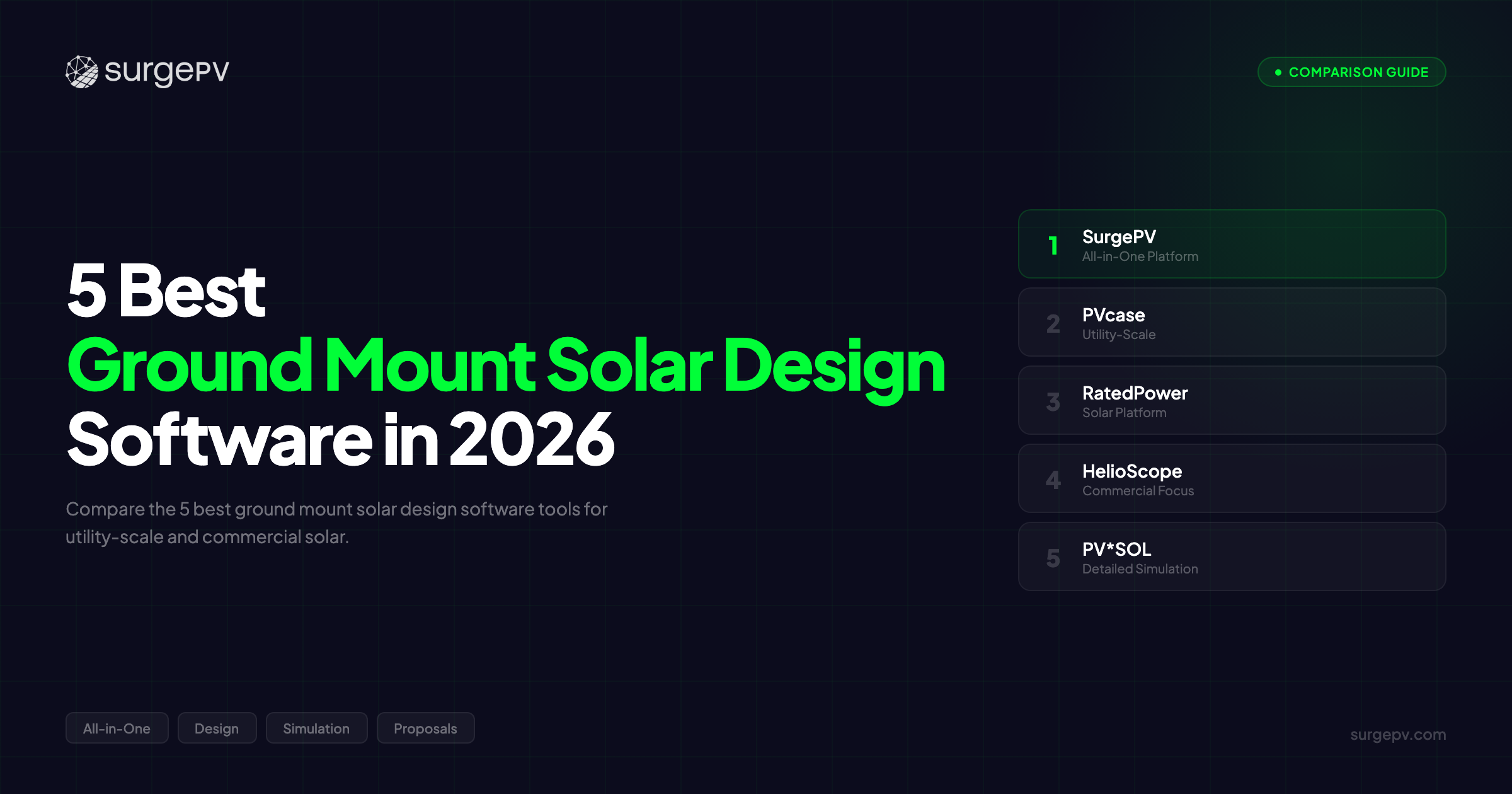
TL;DR: Ground mount solar projects demand specialized design tools built for terrain modeling, tracker configuration, and utility-scale engineering. PVcase leads for dedicated utility-scale design with AutoCAD integration. SurgePV delivers ground mount AND rooftop in one platform at $1,899/year. RatedPower automates large-scale design for 100MW+ farms. HelioScope excels at commercial ground mount with precision simulation. PV*SOL provides bankable desktop engineering.
Introduction
Ground mount solar projects fail on terrain mistakes.
A single-axis tracker array misaligned by 2 degrees on sloped terrain reduces yield by 8%. Grading calculations that miss cut-and-fill volumes by 20% blow budgets. Cable routing optimized on flat-site assumptions wastes thousands on extra trenching when the actual site has 15% slopes.
Most solar design software was built for residential rooftops first. Ground mount was added later. The result: clunky terrain workflows, no automated tracker row spacing, manual racking layouts that take 6 hours instead of 20 minutes, and zero terrain-aware cable optimization.
Here’s the truth: ground mount solar design is where the engineering complexity lives. Uneven terrain, tracker backtracking algorithms, grading optimization, foundation design for varied soil conditions, and electrical collection system routing across hundreds of acres. Getting any of these wrong costs real money in rework, lost yield, or project delays.
We tested the leading ground mount solar design software against real utility-scale and commercial ground-mount scenarios. Hilly terrain sites with 5-15% slopes. Single-axis tracker arrays on rolling topography. Large-scale ground arrays requiring automated cable routing. Complex racking layouts across varied soil conditions.
In this guide, you’ll learn:
- Which 5 tools handle ground mount solar design best in 2026
- How PVcase compares to cheaper alternatives for ground mount projects
- Which software handles terrain grading and uneven sites automatically
- What utility-scale farms need from single-axis tracker design software
- Which tools handle both ground mount AND rooftop in one platform
- When to choose cloud-based automation vs desktop engineering-grade tools
Quick Comparison: 5 Best Ground Mount Solar Design Tools (2026)
| Feature | SurgePV | PVcase | RatedPower | HelioScope | PV*SOL |
|---|---|---|---|---|---|
| Best For | All-in-one (ground + rooftop) | Utility-scale specialists | Large developers (5MW+) | Commercial engineers | Bankable reports |
| Ground Mount Design | Full support | Industry-leading | Utility-scale focus | Commercial scale | Full support |
| Terrain Grading | Slope analysis + adaptation | Advanced (cut-fill) | Automated assessment | Basic terrain | Full 3D modeling |
| Single-Axis Trackers | Yes (mid-scale) | Advanced optimization | Automated config | Limited support | Yes |
| Racking Layout | Auto-racking | Full optimization | Automated | Manual + auto | Full layout |
| Cable Optimization | Automated | Advanced routing | Automated | Basic | Yes |
| Rooftop Design | Full platform | No (ground only) | No (utility only) | Yes (commercial) | Yes |
| Energy Simulation | 8760-hour (+-3%) | Via PVsyst export | Built-in | Detailed | Minute-by-minute |
| Proposals/CRM | Integrated | No | No | No | No |
| Platform | Cloud | AutoCAD-based | Cloud | Cloud | Desktop |
| Best Scale | 1kW - 50MW | 10MW - 500MW+ | 5MW - 1GW | 50kW - 50MW | 1kW - 50MW |
| Pricing | $1,899/yr (3 users) | Enterprise (custom) | Enterprise (custom) | $150+/mo | ~$1,500/yr |
| Our Rating | 9.2/10 | 8.9/10 | 8.7/10 | 8.3/10 | 8.0/10 |
Quick verdict: For teams handling both ground mount and rooftop, SurgePV eliminates tool-switching at the best price point. For dedicated utility-scale ground mount engineering, PVcase is the industry standard. For large developers automating 100MW+ designs, RatedPower delivers the fastest workflow. For commercial ground mount with precision simulation, HelioScope leads. For bankable desktop engineering reports, PV*SOL is the established choice.
See how SurgePV handles ground mount + rooftop in one platform — Book a demo
What Makes Ground Mount Solar Design Software Different?
Ground mount design is not rooftop design with panels on the ground. The engineering challenges are fundamentally different. Before comparing specific tools, here’s why ground mount demands specialized software capabilities.
Terrain Modeling and Grading Analysis
Rooftop design assumes a flat or uniformly sloped surface. Ground mount design must account for topographic variation across acres or hundreds of acres.
Terrain modeling imports site survey data — LiDAR scans, topographic maps, or GPS elevation points. The software overlays panel placement onto actual terrain contours. Slope analysis identifies areas too steep for fixed-tilt mounting or requiring specialized tracker configurations.
Grading calculations determine cut-and-fill volumes. When site preparation requires earthwork to level slopes or create access roads, accurate volume estimates determine civil engineering costs. Tools with automated cut-and-fill calculations can reduce earthwork expenses by 10-15% through optimized grading plans.
So what? A 20 MW ground mount project on rolling terrain might require 15,000 cubic meters of earthwork. If your design tool calculates 12,000 cubic meters, you’re underbidding civil costs by $150,000-$300,000. That’s the difference between winning a project and losing money on it.
Note
Terrain grading for ground mount solar is where budgets break. A 20 MW project on rolling terrain might need 15,000 cubic meters of earthwork. If your design tool calculates 12,000, you’ve underbid civil costs by $150,000-$300,000. PVcase and SurgePV both provide automated cut-and-fill calculations. Tools without this feature force manual earthwork estimates — a recipe for cost overruns.
Racking Layout and Mounting System Design
Ground mount racking comes in multiple configurations. Fixed-tilt ground racks at 15-30 degree angles. Single-axis trackers that follow the sun east-to-west daily. Ballasted systems for sites where ground penetration isn’t feasible. Driven-pile foundations for soft soils. Helical anchors for rocky terrain.
Solar racking design tools must handle multiple mounting system types within a single project. A 50 MW farm might use single-axis trackers on flat sections and fixed-tilt on steep slopes where tracker installation isn’t cost-effective.
The software calculates wind loads, snow loads, and seismic loads based on local building codes. It generates material quantity takeoffs — the bill of materials (BOM) for posts, rails, clamps, and fasteners. For projects requiring structural engineering stamps, accurate racking BOM from the design tool eliminates weeks of manual calculation.
Racking systems also determine row spacing. Fixed-tilt rows spaced for minimal inter-row shading. Tracker rows spaced to prevent backtracking interference. The software must model these spacing requirements automatically based on latitude, terrain slope, and module dimensions.
Single-Axis Tracker Configuration
Utility-scale solar farms above 5 MW increasingly use single-axis trackers to boost yield by 15-25% compared to fixed-tilt. But trackers add design complexity.
Tracker row spacing depends on terrain slope. On flat sites, rows can be closer together. On sloped terrain, row spacing must increase to prevent shading during backtracking (when trackers rotate away from optimal angles to avoid self-shading).
Tracker orientation matters. North-south oriented trackers rotate east-west to follow the sun daily. East-west oriented trackers tilt throughout the day. Each configuration has different yield characteristics and row spacing requirements.
Cable routing for trackers is more complex than fixed-tilt. Tracker motor power cables, communication wiring for tracker controllers, and DC combiner connections all must be routed in a terrain-aware manner.
Tools that automate tracker configuration save 10-20 hours per utility-scale project. Tools that require manual tracker row spacing and orientation force engineers to iterate designs manually — a workflow that breaks down on projects with 500+ tracker rows.
Cable Routing and Electrical Optimization
Ground mount electrical design is about distance. A 100-acre solar farm might have 2,000 meters of DC cable runs from string endpoints to central inverters. Cable routing optimization minimizes copper costs and voltage drop losses.
Mounting structure design must integrate with electrical layouts. Combiner box placement affects DC cable runs. Inverter placement determines AC collection system routing. Trench routing for underground cables must follow roads or avoid steep slopes.
Automated cable routing algorithms optimize trench paths, minimize cable lengths, and place combiner boxes to balance string counts. Manual cable routing on a 50 MW project takes 15-30 hours. Automated routing completes in minutes.
Energy Yield Simulation for Ground Mount Arrays
Ground mount energy yield simulation must account for factors that rooftop tools ignore. Albedo effects from ground surfaces — grass, gravel, sand, or snow-covered ground reflect different amounts of light onto the rear side of bifacial modules. Terrain-specific shading where hills or vegetation block morning or afternoon sun. Module soiling from ground dust stirred by wind across open sites.
8760-hour simulation models hourly production across a full year. P50/P90 forecasting provides probabilistic yield projections for project finance. P50 is the median expected yield. P90 is the conservative yield with 90% probability of exceedance — the metric lenders use for debt sizing.
Ground mount simulation must also model tracker behavior. Backtracking algorithms that reduce yield slightly to prevent self-shading. Stow positions during high wind events when trackers move to horizontal positions to reduce wind loads.
So what? A 20 MW tracker farm without accurate backtracking simulation might overestimate yield by 3-5%. On a project financed at $1.2M/MW, a 4% yield overestimate creates a $960,000 revenue shortfall over 25 years. Lenders catch this during due diligence. Your project doesn’t get financed.
Rooftop Compatibility: Does It Also Handle Roofs?
Most EPCs and installers work across project types. A commercial installer might bid on rooftop projects one month and ground mount arrays the next. Software that handles both eliminates tool-switching, duplicate training, and data transfer between platforms.
Ground-mount-only tools like PVcase and RatedPower force teams to use separate software for rooftop work. All-in-one platforms like SurgePV, HelioScope, and PV*SOL handle both in a single environment.
For installers working exclusively on utility-scale ground mount, rooftop capability doesn’t matter. For diversified EPCs, rooftop compatibility is a practical requirement.
The 5 Best Ground Mount Solar Design Software Tools in 2026
SurgePV — Best All-in-One Ground Mount and Rooftop Platform
Rating: 9.2/10 | Price: $1,899/year (3 users) | Book a demo | See pricing
SurgePV is a cloud-based, AI-powered solar design platform that combines ground mount design, rooftop design, electrical engineering, energy simulation, and customer proposals in one workflow. For EPCs and installers handling both rooftop and ground mount projects, it eliminates the need to switch between AutoCAD, PVsyst, and separate proposal tools.
Why SurgePV works for ground mount design:
The platform supports ground mount arrays from 5 kW commercial installations to 50 MW mid-scale utility projects. Terrain modeling with slope analysis adapts racking layouts to site topography. Auto-racking configuration generates ground mount layouts in minutes instead of hours of manual placement.
SurgePV handles single-axis tracker layouts for mid-scale projects (1-50 MW). Tracker row spacing adapts to terrain slope automatically. While PVcase offers deeper tracker optimization for 100MW+ farms, SurgePV covers the commercial and mid-utility scale where most ground mount projects actually happen.
Energy simulation runs 8760-hour analysis with +-3% accuracy compared to PVsyst. That’s bankable accuracy for commercial and mid-scale projects. Lenders and project financiers accept P50/P75/P90 yield forecasts from SurgePV for projects under 50 MW.
The platform generates automated single line diagrams in 5-10 minutes — covering ground mount electrical design for both fixed-tilt and tracker arrays. This compares to 2-3 hours of manual AutoCAD drafting. For EPCs producing 15-20 ground mount designs monthly, that’s 40-50 hours saved on SLD generation alone.
Here’s what makes SurgePV unique for ground mount: it’s the only platform that handles carport solar design natively. Commercial carport installations — parking lot canopies at retail centers, logistics facilities, or municipal lots — are technically ground mount structures. SurgePV models carport canopy layouts, support column placement, and integrated EV charging infrastructure. No other tool in this comparison offers native carport support.
And SurgePV integrates ground mount design directly into customer proposals. Design a ground mount array, run simulation, and generate a branded proposal with financing options and ROI projections. For commercial ground mount sales, this workflow eliminates exporting data to PowerPoint or Excel.
Mini case study: A mid-sized EPC in the Southwest switched from PVcase + PVsyst + AutoCAD for ground mount and Aurora for rooftop to SurgePV for all projects. Their typical workflow for a 2 MW commercial ground mount project: terrain import (15 min), auto-racking layout (10 min), tracker configuration (15 min), electrical design and SLD (10 min), simulation (5 min), proposal generation (10 min). Total: 65 minutes from site data to client-ready proposal. Their previous workflow using three separate tools took 8-12 hours. Result: the EPC went from designing 3-4 ground mount projects weekly to 12-15, tripling ground mount revenue without adding engineering staff.
Reader objection: “PVcase is the industry standard for utility-scale — when does SurgePV make more sense?” PVcase is built for dedicated 50MW+ utility-scale engineering teams working exclusively on ground mount. If you’re an EPC bidding on both rooftop and ground mount, or handling commercial-scale ground arrays (500 kW - 10 MW), PVcase is overkill. SurgePV covers the 1 kW to 50 MW range across both rooftop and ground mount at 1/5 the cost, with integrated proposals and CRM that PVcase doesn’t provide.
Pros:
- All-in-one: ground mount + rooftop + proposals in one platform
- Terrain modeling with slope analysis and auto-racking layout
- Single-axis tracker support for mid-scale projects (1-50 MW)
- 8760-hour simulation with +-3% PVsyst accuracy
- Automated SLD generation (5-10 min vs 2-3 hours manual)
- Only platform with native carport design support
- P50/P75/P90 bankable yield forecasts
- Integrated financial modeling and customer proposals
- Cloud-based collaboration, no desktop installation
- 70,000+ projects globally, 3-minute average support response
- $1,899/year for 3 users — all features included
Cons:
- Less deep for dedicated utility-scale (100MW+) vs PVcase
- Tracker optimization less advanced than PVcase for mega-scale farms
- Newer brand recognition in utility-scale market vs established tools
- Cut-and-fill grading calculations less granular than PVcase AutoCAD workflows
Best for: EPCs and installers handling both rooftop and ground mount projects across residential, commercial, and mid-utility scale (1 kW - 50 MW). Teams that want design, simulation, electrical, and proposals in one platform without tool-switching.
Pro Tip
SurgePV’s generation and financial tool models ground mount project economics with location-specific utility rates, incentives, and financing terms. Design a ground mount array, run simulation, and deliver a complete financial proposal to commercial clients — all without exporting to Excel. For commercial ground mount sales, this integrated workflow closes deals faster.
Try SurgePV on a ground mount project — Schedule a walkthrough
PVcase — Industry Leader for Utility-Scale Ground Mount Design
Rating: 8.9/10 | Price: Enterprise custom pricing | PVcase (nofollow) | PVcase review
PVcase is the industry-leading ground mount design platform built on AutoCAD for utility-scale solar farms. For engineering teams working exclusively on large-scale ground mount projects (10 MW to 500+ MW), PVcase provides the deepest terrain grading, tracker optimization, and electrical design capabilities available.
Why PVcase is the utility-scale standard:
PVcase integrates natively with AutoCAD and Civil 3D — the CAD tools that most utility-scale engineering firms already use. This eliminates file conversion and data loss. Engineers design directly in AutoCAD using PVcase’s automated layout algorithms overlaid on familiar CAD workflows.
Terrain grading is where PVcase separates from alternatives. The platform performs automated cut-and-fill volume calculations for earthwork optimization. It models road layouts, drainage patterns, and grading plans that minimize civil costs. On large projects with significant terrain variation, PVcase’s grading optimization can reduce earthwork costs by 10-20% compared to manual grading plans.
Single-axis tracker design in PVcase is the most advanced available. Automated tracker row spacing accounts for terrain slope, backtracking algorithms, and site-specific shading. Tracker motor and controller placement optimizes for both cost and maintenance access. Cable routing between tracker rows minimizes trenching and copper costs.
PVcase’s electrical optimization handles massive DC collection systems. On a 200 MW farm with 5,000+ strings, automated combiner box placement and DC cable routing saves hundreds of engineering hours compared to manual layouts. The platform also optimizes AC collection system routing, substation placement, and grid interconnection design.
PVcase serves 1,500+ customers globally, including major utility-scale developers, IPPs, and EPCs working on the world’s largest solar farms. It’s the de facto standard for 100MW+ projects requiring AutoCAD-based engineering workflows.
So what? For a utility-scale developer bidding on a 250 MW solar farm, PVcase’s terrain and electrical optimization directly impacts project economics. A 5% reduction in cable costs and 15% reduction in earthwork expenses on a $250M project saves $5-8M. Those savings determine whether the project clears hurdle rates for financing.
Bottom line: PVcase is ground-mount-only. It doesn’t handle rooftop. It requires AutoCAD licensing ($2,000+/year per seat). And it’s expensive — enterprise pricing typically starts at $10,000-$20,000+/year depending on project volume. For dedicated utility-scale ground mount teams, it’s worth every dollar. For diversified EPCs handling rooftop and smaller ground mount, it’s overkill.
Pros:
- Industry-leading utility-scale ground mount design (10 MW - 500+ MW)
- Native AutoCAD/Civil 3D integration for existing CAD workflows
- Most advanced terrain grading with automated cut-and-fill calculations
- Deepest single-axis tracker optimization and layout automation
- Electrical optimization for massive DC/AC collection systems
- Road layout, drainage, and civil engineering integration
- 1,500+ customers, trusted by major global developers
- Strongest for 100MW+ mega-scale solar farms
Cons:
- Ground-mount only — no rooftop capability
- Requires AutoCAD license ($2,000+/year extra per user)
- Enterprise custom pricing — not transparent, typically high
- Desktop-based AutoCAD component (not fully cloud)
- No customer-facing proposal generation
- No integrated CRM or project pipeline tools
- Overkill and overpriced for projects under 10 MW
- Steeper learning curve vs cloud-based alternatives
Best for: Utility-scale EPCs, developers, and engineering firms working exclusively on ground mount solar farms above 10 MW who use AutoCAD-based workflows and need the deepest terrain, tracker, and electrical optimization available.
RatedPower — Automated Utility-Scale Design at Scale
Rating: 8.7/10 | Price: Enterprise custom pricing | RatedPower (nofollow) | RatedPower review
RatedPower is a cloud-based utility-scale solar design platform built for large developers automating high-volume project pipelines. For developers evaluating 50+ potential sites annually and needing fast feasibility studies on 5 MW to 1 GW scale projects, RatedPower delivers the fastest workflow available.
Why RatedPower works for large-scale developers:
The platform automates what used to take utility-scale engineering teams 2-3 weeks: full PV layout optimization, electrical design, terrain assessment, and yield simulation compressed into hours.
RatedPower is cloud-based with no desktop installation. Multiple engineers collaborate on the same project simultaneously. Version control and design iteration happen in real time. For developers evaluating dozens of potential sites during land acquisition, this speed advantage is material. Test 10 site layouts in a day instead of waiting weeks for manual engineering studies.
Terrain assessment is automated. Import topographic data, and RatedPower’s algorithms optimize panel placement, tracker orientation, and row spacing for the specific terrain. The platform handles complex topography — rolling hills, multiple slope zones, irregular site boundaries.
Single-axis tracker configuration is fully automated. Select tracker type, and RatedPower configures row spacing, backtracking parameters, and motor placement. The platform tests multiple design scenarios — different tracker types, row orientations, or module selections — and compares yield and cost outcomes side-by-side.
RatedPower integrates energy yield simulation and generates bankable reports with P50/P90 metrics. For large developers pitching projects to institutional investors or lenders, RatedPower’s output meets due diligence requirements for projects up to 500 MW.
The company is headquartered in Madrid and has raised over $14M in funding. It serves 1,500+ customers globally, including major Spanish developers like Iberdrola Renovables and international IPPs.
Pros:
- Fastest workflow for utility-scale feasibility and detailed design
- Cloud-based with real-time multi-user collaboration
- Automated terrain assessment and layout optimization
- Full single-axis tracker configuration and optimization
- Built-in energy simulation with bankable P50/P90 reports
- Handles 5 MW to 1 GW scale projects
- Strong for high-volume project pipelines (50+ sites/year)
- 1,500+ customers, $14M+ funding, established global presence
Cons:
- Utility-scale only — no residential or small commercial capability
- No rooftop design features
- No customer-facing proposal tools (B2B focus)
- No low-voltage SLD generation for small projects
- Custom enterprise pricing — typically $6,000-$12,000+/year
- Less granular terrain control vs PVcase AutoCAD workflows
- Automation can limit customization for unique site constraints
Best for: Large utility-scale developers, IPPs, and EPCs working on 5 MW+ ground mount solar farms who need cloud-based automation for high-volume project pipelines. Strongest for teams evaluating dozens of sites annually and prioritizing speed over absolute customization depth.
HelioScope — Precision Commercial Ground Mount Simulation
Rating: 8.3/10 | Price: $150+/month | HelioScope (nofollow) | HelioScope review
HelioScope is a cloud-based solar design and simulation platform with industry-leading energy modeling accuracy. For commercial ground mount projects (50 kW to 50 MW) where precision yield simulation determines project feasibility, HelioScope provides the most detailed shading analysis and loss chain modeling available.
Why HelioScope works for commercial ground mount:
Energy simulation depth is HelioScope’s differentiator. The platform models 15+ loss factors with configurable precision: temperature derating, soiling, module mismatch, DC wiring resistance, inverter clipping, transformer losses, and more. For commercial projects requiring lender-grade simulation, HelioScope’s loss chain transparency meets due diligence standards.
HelioScope handles both rooftop and ground mount design in a single platform. The ground mount workflow supports fixed-tilt arrays and basic tracker configurations. While tracker support is less advanced than PVcase or RatedPower, it covers the commercial-scale ground mount projects (500 kW - 10 MW) where most commercial EPCs operate.
Shading analysis for ground mount includes near-field shading (inter-row shading from adjacent panel rows) and far-field shading (hills, trees, or buildings blocking morning/afternoon sun). The platform models shading with sub-module resolution — critical for accurately modeling partial shading conditions on large ground arrays.
HelioScope includes NEC compliance tools for electrical design. String configuration, combiner box sizing, and inverter selection all validate against NEC 690 requirements. For commercial ground mount projects requiring electrical inspection and AHJ approval, this built-in compliance reduces permitting friction.
The platform is owned by Folsom Labs (acquired by UL Solutions in 2023), giving it strong credibility for projects requiring UL-certified simulation reports.
Pros:
- Industry-leading energy simulation accuracy and loss chain detail
- Handles both rooftop and ground mount in one platform
- Detailed shading analysis with sub-module resolution
- NEC compliance tools for commercial electrical design
- Cloud-based, fast onboarding
- Strong for commercial-scale ground mount (50 kW - 50 MW)
- Owned by UL Solutions (Folsom Labs) — strong industry credibility
- Transparent pricing starting at $150/month
Cons:
- Ground mount tracker support less advanced vs PVcase/RatedPower
- Manual racking layout (limited auto-layout for ground mount)
- No terrain grading or cut-and-fill calculations
- No integrated customer proposals or CRM
- Electrical optimization less advanced than PVcase for large arrays
- Less suited for utility-scale (50MW+) vs commercial-scale
- Pricing increases significantly for team licenses and advanced features
Best for: Commercial solar EPCs and engineers working on 50 kW to 50 MW ground mount and rooftop projects who prioritize energy simulation accuracy, NEC compliance, and detailed shading analysis over terrain optimization or tracker automation.
PV*SOL — Desktop Ground Mount Design with Bankable Reports
Rating: 8.0/10 | Price: ~$1,500/year | PV*SOL (nofollow) | PV*SOL review
PV*SOL by Valentin Software is a desktop-based ground mount and rooftop design platform with minute-by-minute energy simulation. For engineers who need bankable reports for project finance and prefer desktop software over cloud platforms, PV*SOL delivers simulation depth that rivals PVsyst at a lower price point.
Why PV*SOL works for ground mount engineering:
Simulation granularity is PV*SOL’s strength. Minute-by-minute modeling across 8,760 hours provides the highest temporal resolution available. This matters for ground mount projects with complex shading patterns or sites where minute-level irradiance variation affects system performance.
The platform handles complex terrain with full 3D modeling. Import site topography and visualize ground mount arrays overlaid on actual terrain contours. Topographic analysis includes slope calculations, horizon shading from hills or mountains, and terrain-specific albedo effects for bifacial modules.
PV*SOL supports both fixed-tilt and single-axis tracker ground mount arrays. Tracker configuration includes backtracking algorithms and stow position modeling for high wind conditions. While not as automated as PVcase or RatedPower, it provides engineering-grade control over tracker parameters.
The platform generates bankable engineering reports accepted by European and global lenders. P50/P90 yield forecasting with uncertainty analysis supports project finance due diligence. For mid-scale ground mount projects (1-50 MW) in markets where PVsyst isn’t yet the standard, PV*SOL reports meet lender requirements at 1/3 the annual cost.
PV*SOL is desktop-only. No cloud collaboration. This is an advantage for engineering firms with data security requirements or working in regions with limited internet connectivity. It’s a disadvantage for distributed teams needing real-time collaboration.
Pros:
- Minute-by-minute simulation (highest temporal resolution available)
- Full 3D terrain modeling with complex topography support
- Handles ground mount and rooftop in one platform
- Single-axis tracker support with backtracking and stow modeling
- Bankable engineering reports for project finance
- Lower cost (~$1,500/year) vs PVsyst or enterprise cloud platforms
- Desktop-based for data security or offline work
- Strong in European and global markets outside North America
Cons:
- Desktop-only — no cloud collaboration
- Manual ground mount layout (limited auto-racking)
- No terrain grading or cut-and-fill calculations
- No cable routing optimization for large arrays
- No integrated proposals or customer-facing tools
- Steeper learning curve vs cloud platforms
- Less recognized in North American market vs PVsyst for bankability
- Single-seat license model less flexible for team deployment
Best for: Engineering firms and consultants working on 1-50 MW ground mount and rooftop projects who need bankable simulation reports for project finance, prefer desktop software for data control, and want PVsyst-level simulation depth at lower annual cost.
Further Reading
For a global comparison of all solar design software tools, see our comprehensive ranking covering rooftop, ground mount, and utility-scale platforms.
PVcase Ground Mount vs Alternatives: Detailed Comparison
PVcase is the market leader for utility-scale ground mount design. But it’s expensive, requires AutoCAD licensing, and only handles ground mount. Here’s when PVcase makes sense and when alternatives offer better value.
PVcase Strengths: Where It Leads the Market
Deepest terrain grading automation: PVcase’s AutoCAD integration provides the most granular terrain modeling and automated cut-and-fill calculations available. For projects on complex terrain requiring significant earthwork optimization, PVcase delivers ROI through reduced civil costs.
Advanced tracker optimization: Automated single-axis tracker layout with terrain-aware row spacing, backtracking algorithms, and cable routing optimization handles 100MW+ farms with thousands of tracker rows. No other tool matches this scale automation.
Electrical optimization for mega-scale: On 200MW+ projects with 5,000-10,000+ strings, PVcase’s DC and AC collection system optimization saves hundreds of engineering hours and thousands in material costs through automated combiner placement and cable routing.
AutoCAD workflow integration: For engineering firms already using AutoCAD and Civil 3D for civil engineering, PVcase eliminates file conversion and integrates ground mount solar design into existing CAD workflows.
PVcase Limitations: What It Doesn’t Do
Ground-mount only: PVcase doesn’t handle rooftop projects. EPCs working across project types need separate rooftop design tools.
Requires AutoCAD license: AutoCAD subscriptions cost $2,000-$2,500/year per seat. Combined PVcase + AutoCAD costs reach $12,000-$22,000+/year per engineer — 6-10x the cost of cloud alternatives.
No proposals or CRM: PVcase is a design and engineering tool. It doesn’t generate customer-facing proposals or manage project pipelines. Sales and business development teams need separate tools.
Desktop component required: While PVcase offers cloud features, advanced capabilities require AutoCAD desktop installation. Fully remote teams or cloud-first workflows face friction.
SurgePV as PVcase Alternative for Small-to-Mid-Scale Projects
When SurgePV makes more sense than PVcase:
- Projects under 50 MW where PVcase’s mega-scale optimization is overkill
- EPCs handling both rooftop and ground mount who need one platform
- Teams without AutoCAD infrastructure who prefer cloud-based workflows
- Companies needing integrated proposals and CRM alongside design tools
- Budget-conscious teams where $1,899/year total cost beats $12,000-$22,000/year for PVcase + AutoCAD
SurgePV’s ground mount capabilities:
- Terrain modeling with slope analysis (no cut-and-fill, but handles 1-15% slopes well)
- Auto-racking layout for fixed-tilt and tracker arrays up to 50 MW
- Single-axis tracker configuration with basic backtracking (mid-scale optimization)
- Automated SLD generation and cable routing for commercial and mid-utility scale
- 8760-hour simulation with +-3% accuracy vs PVsyst
- Integrated proposals and financial modeling that PVcase doesn’t offer
Where PVcase still wins:
- Utility-scale farms above 50 MW requiring mega-scale optimization
- Projects with complex terrain needing advanced cut-and-fill grading
- Engineering teams with deep AutoCAD expertise and existing CAD infrastructure
- 100MW+ tracker farms where advanced tracker optimization saves material costs
RatedPower as Cloud-Based PVcase Alternative
When RatedPower makes more sense than PVcase:
- Large developers evaluating 50+ potential sites annually needing fast feasibility
- Cloud-first teams without AutoCAD infrastructure
- Projects above 5 MW but below 100 MW where PVcase is overkill
- Teams prioritizing collaboration and speed over absolute customization depth
RatedPower strengths vs PVcase:
- Fully cloud-based with no desktop installation required
- Faster workflow for feasibility studies and scenario testing
- Real-time multi-user collaboration
- Lower barrier to entry (no AutoCAD skills required)
- Automated terrain assessment without manual CAD modeling
Where PVcase still wins:
- Absolute terrain grading precision with manual CAD control
- Projects requiring custom civil engineering beyond automated workflows
- Teams already invested in AutoCAD infrastructure
- 200MW+ mega-farms where granular optimization justifies complexity
HelioScope as Simulation-Focused PVcase Alternative
When HelioScope makes more sense:
- Commercial-scale ground mount (500 kW
- 10 MW) where simulation accuracy matters more than terrain optimization
- Teams handling both rooftop and ground mount in one platform
- Projects where lender-grade energy simulation is the primary requirement
- Engineers who prioritize NEC compliance and shading accuracy over automated layout
HelioScope strengths vs PVcase:
- Stronger energy simulation depth and loss chain modeling
- Better rooftop + ground mount integration
- NEC compliance tools for commercial electrical design
- Lower cost ($150+/month vs enterprise PVcase pricing)
- Faster learning curve and onboarding
Where PVcase wins:
- Utility-scale projects above 10 MW
- Terrain optimization and grading requirements
- Large-scale tracker and electrical system optimization
Cost Comparison: PVcase vs Alternatives
| Platform | Annual Cost/Engineer | AutoCAD Required? | Ground + Rooftop? | Best Scale |
|---|---|---|---|---|
| PVcase | $10,000-$20,000+ (custom) | Yes (+$2,000/yr) | Ground only | 10MW - 500MW+ |
| SurgePV | $633/engineer (3-user plan) | No | Yes | 1kW - 50MW |
| RatedPower | $6,000-$12,000+ (custom) | No | Ground only | 5MW - 1GW |
| HelioScope | $1,800-$3,600+/year | No | Yes | 50kW - 50MW |
| PV*SOL | ~$1,500/year | No | Yes | 1kW - 50MW |
Bottom line: PVcase is the right choice for dedicated utility-scale ground mount engineering teams working on 50MW+ projects with AutoCAD infrastructure. For everyone else — diversified EPCs, commercial installers, or mid-scale developers — alternatives offer better value and fewer workflow constraints.
Compare SurgePV vs PVcase for your ground mount projects — Schedule a comparison demo
Designing Utility-Scale Solar Farms on Complex Terrain
Utility-scale solar farms on complex terrain test design software capabilities. Flat sites with minimal slope variation are easy. Rolling hills, steep sections, irregular topography, and drainage challenges separate capable tools from inadequate ones.
What “Complex Terrain” Means for Solar Farm Design
Complex terrain is any site where slope variation, elevation changes, or topographic features significantly impact system design. This includes:
- Slope variation above 5%: Sites with sections exceeding 5% slope require specialized racking or grading
- Rolling topography: Continuous elevation changes across the site requiring terrain-aware row spacing
- Steep sections (10-15%+ slopes): Areas where fixed-tilt may be required instead of trackers due to slope limits
- Hills or ridgelines: Terrain features that create horizon shading blocking morning or afternoon sun
- Drainage patterns: Natural water flow requiring swales, culverts, or grading to manage stormwater
Most utility-scale solar farms above 20 MW span hundreds of acres. At that scale, finding perfectly flat sites is rare. Complex terrain is the norm, not the exception.
Automated Grading and Terrain Adaptation
Terrain adaptation means the design software automatically adjusts panel placement, row spacing, and racking configuration based on actual site topography instead of forcing a flat-site design onto sloped terrain.
Automated grading workflows:
- Import topographic survey data (LiDAR, GPS elevation points, or CAD contours)
- Software analyzes slope zones and identifies areas requiring grading
- Automated cut-and-fill calculations determine earthwork volumes
- Grading plan optimizes between site preparation costs and layout efficiency
- Road layouts and drainage patterns integrate with grading design
Tools with automated grading capabilities: PVcase (most advanced), RatedPower (automated assessment), SurgePV (slope analysis and adaptation), PV*SOL (3D terrain modeling).
Tools without automated grading: HelioScope (basic terrain support requiring manual adjustment).
Single-Axis Tracker Layout on Sloped Terrain
Single-axis trackers have slope limits. Most tracker manufacturers specify maximum terrain slopes of 10-15% (5-8 degrees). Beyond these limits, tracker installation becomes cost-prohibitive or mechanically infeasible.
On sloped sites, tracker row spacing must increase to prevent inter-row shading during backtracking. Flat-site tracker spacing might be 7-8 meters. On 8% slopes, spacing increases to 9-11 meters to maintain clearance during morning and afternoon backtracking angles.
Terrain-aware tracker design considerations:
- North-south oriented trackers on east-west slopes (tracker rotation axis runs uphill/downhill)
- Row spacing increases proportional to slope angle
- Backtracking algorithms must account for terrain slope
- Steeper sections may use fixed-tilt while flatter areas use trackers
- Foundation design varies based on local slope and soil conditions
PVcase and RatedPower both automate terrain-aware tracker row spacing. SurgePV handles mid-scale tracker projects with slope-adjusted spacing. HelioScope and PV*SOL require more manual tracker configuration on sloped sites.
Row Spacing Optimization for Terrain-Aware Arrays
Row spacing determines how many panels fit on a given site. Tighter spacing increases capacity but risks inter-row shading. Wider spacing reduces shading but lowers site capacity.
On flat sites, row spacing optimization is straightforward: calculate shade-free spacing based on latitude, module height, and tilt angle. On sloped terrain, row spacing must account for elevation changes row-to-row.
Advanced solar PV design software with terrain-aware optimization automatically adjusts row spacing zone-by-zone based on actual topography. This maximizes site capacity while maintaining shade-free operation.
So what? On a 100 MW farm, optimized terrain-aware row spacing can increase capacity by 3-8% compared to using flat-site spacing assumptions across varied terrain. That’s 3-8 MW of additional capacity on the same land — translating to $3-8M in additional project value at $1M/MW installed costs.
Cut-and-Fill Volume Calculations for Earthwork Budgeting
Cut-and-fill is civil engineering terminology for earthwork. “Cut” is soil removed from high areas. “Fill” is soil added to low areas. The goal is to balance cut and fill volumes to minimize soil import/export — reducing civil costs and truck traffic.
On utility-scale solar farms, earthwork costs range from $5-$20 per cubic meter depending on site conditions, haul distances, and local labor rates. A 50 MW farm on rolling terrain might require 15,000-30,000 cubic meters of earthwork.
Accurate cut-and-fill calculations at the design stage prevent civil cost overruns. Manual earthwork estimates routinely miss by 20-40%. Automated calculations from design software reduce estimation error to under 10%.
Tools with automated cut-and-fill: PVcase (most granular), RatedPower (automated within layout optimization).
Tools without cut-and-fill: SurgePV, HelioScope, PV*SOL (require separate civil engineering analysis).
Which Tools Handle Utility-Scale Complex Terrain Best?
PVcase leads for absolute terrain complexity. AutoCAD-based workflows give engineers full control over grading plans, drainage, and civil design. Best for 100MW+ farms on challenging topography.
RatedPower is strongest for speed on complex terrain. Automated terrain assessment and layout optimization deliver feasibility-grade designs in hours. Best for evaluating multiple sites with varied terrain.
SurgePV handles commercial and mid-utility terrain well. Slope analysis and terrain adaptation work for 1-50 MW projects on moderate complexity sites (up to 10-12% slopes). Less capable than PVcase/RatedPower on extreme terrain.
PV*SOL provides strong 3D terrain modeling but requires more manual configuration. Good for engineering-grade analysis on mid-scale projects.
HelioScope handles basic terrain but lacks advanced grading or automated terrain optimization. Better suited for commercial-scale projects on moderate terrain.
Try SurgePV’s terrain modeling on your utility-scale project — Book a demo
Pro Tip
For utility-scale solar farms on complex terrain, use automated cut-and-fill calculations during design — not after. Waiting until post-design civil engineering to assess earthwork costs risks discovering that your site layout requires 50% more grading than budgeted. PVcase and RatedPower both integrate cut-and-fill within the design workflow, catching cost issues early.
Solar Racking and Mounting System Design
Ground mount arrays require physical structures to hold panels in place. Racking system design determines structural integrity, material costs, installation labor, and long-term maintenance requirements.
Types of Ground Mount Racking Systems
Fixed-tilt ground racks: Stationary mounting structures at fixed angles, typically 15-30 degrees depending on latitude. These are the simplest and lowest-cost option. Fixed-tilt systems use aluminum or steel rails mounted on driven piles, helical anchors, or ballasted foundations.
Single-axis trackers: Motorized systems that rotate east-to-west throughout the day following the sun. Single-axis trackers boost energy yield by 15-25% compared to fixed-tilt but add mechanical complexity and cost. Tracker systems require stronger foundations to handle wind loads on moving structures.
Ballasted systems: Ground mount racks secured by concrete blocks or ballast weights rather than ground penetration. Used on sites where pile driving is prohibited (contaminated soils, historic sites) or geotechnically infeasible (shallow bedrock). Ballasted systems cost 20-40% more than pile-driven but eliminate foundation installation.
Driven pile foundations: Steel piles driven 1-3 meters into the ground provide the most common foundation type. Pile type varies based on soil conditions: I-beams for soft soils, helical piles for varied soil layers, concrete piers for high wind zones.
Helical anchor foundations: Screw-in anchors that provide pullout resistance in sandy or loose soils. Helical anchors install faster than driven piles in appropriate soil conditions and cause less ground disturbance.
Racking Layout Optimization in Software
Racking layout determines how many panels fit on a site and how much structural material is required. Software-based racking optimization automates what used to require days of manual CAD work.
Automated racking layout features:
- Panel row alignment optimized for site shape and terrain
- Row spacing calculated for shade-free operation at site latitude
- Racking post/pile placement spacing based on module size and wind loads
- Tilt angle optimization balancing yield vs ground coverage
- Access aisle spacing for maintenance vehicles
- Setback compliance from property lines, roads, or wetlands
SurgePV, PVcase, and RatedPower all provide auto-racking layout. HelioScope and PV*SOL require more manual racking configuration.
Wind and Snow Load Calculations for Structural Design
Ground mount racking must withstand local wind speeds and snow loads per building codes. Design software calculates structural loads based on:
- Local wind speed data (ASCE 7 in US, EN 1991 in Europe)
- Exposure category (terrain roughness affecting wind pressure)
- Importance factor (utility-scale projects often classified as “essential facilities”)
- Snow load based on local climate data (ground snow load + drifting)
- Seismic loads in earthquake-prone regions
These calculations determine racking member sizing, foundation requirements, and ultimately the bill of materials for structural components.
So what? Undersized racking fails during wind events or snow loads — risking total project loss and liability claims. Oversized racking adds 15-30% in unnecessary material costs. Accurate load calculations at design stage prevent both failure modes.
Material Quantity Takeoff (BOM from Racking Layout)
Once racking layout is finalized, design software generates a bill of materials listing every structural component needed: posts, rails, clamps, module attachments, tracker motors (if applicable), and fasteners.
Accurate BOM generation from the design tool eliminates manual counting and reduces procurement errors. For a 20 MW project with 50,000+ panels and 200,000+ individual racking components, manual BOM generation takes 20-40 hours and typically includes 5-15% counting errors. Automated BOM from design software completes in seconds with under 1% error rates.
PVcase, RatedPower, and SurgePV all generate automated racking BOM. PV*SOL provides material lists. HelioScope requires manual or third-party BOM tools for ground mount racking.
Foundation Design Integration and Soil Condition Modeling
Foundation design depends on soil conditions: bearing capacity, frost depth, water table, and corrosion potential. Design software should allow engineers to specify soil parameters and adjust foundation types accordingly.
For projects requiring geotechnical engineering stamps, accurate soil condition modeling in the design tool ensures that the racking layout is constructible on actual site soils — not idealized conditions.
PVcase integrates foundation design most deeply due to AutoCAD Civil 3D integration. RatedPower and SurgePV allow soil parameter input for foundation selection. HelioScope and PV*SOL require separate geotechnical analysis.
Further Reading
For more on electrical design workflows that integrate with ground mount racking, see our guide to avoiding solar string design mistakes that commonly occur on large ground arrays.
Why SurgePV Is the Best Ground Mount Design Software for Most Teams
PVcase is the industry leader for dedicated utility-scale ground mount. RatedPower leads for 100MW+ automation. But most solar companies don’t work exclusively on 100MW+ utility-scale farms. They handle a mix: rooftop commercial, mid-scale ground mount, carport structures, and occasional utility projects.
For diversified EPCs and installers, SurgePV eliminates tool-switching and delivers ground mount AND rooftop in one platform. Here’s why it’s the best choice for most teams.
Ground Mount + Rooftop in One Platform
The typical solar EPC portfolio looks like this: 60% rooftop (commercial, industrial, residential), 30% ground mount (commercial, mid-utility), 10% specialty (carports, BIPV, trackers). Operating three separate design tools — one for rooftop, one for ground mount, one for proposals — creates workflow friction.
SurgePV handles all project types in one environment. Design a rooftop project Monday, a ground mount array Tuesday, and a carport Wednesday — without switching software, re-entering customer data, or exporting files between tools.
This matters for team training. New engineers learn one platform instead of three. Design standards stay consistent across project types. Customer data lives in one CRM instead of fragmented across tools.
Mini case study: A commercial EPC in the Midwest was using Aurora for rooftop, PVcase for ground mount, and PandaDoc for proposals. Three separate subscriptions totaling $18,000/year. Engineers spent 2-3 hours per project transferring data between tools and reformatting proposals. They switched to SurgePV at $1,899/year for 3 users. Total savings: $16,100/year plus 40-60 hours monthly in workflow time. The time savings alone translated to 15-20% more projects completed with the same engineering team.
Terrain Modeling and Auto-Racking Configuration
SurgePV’s terrain modeling handles commercial and mid-utility ground mount projects (1 kW to 50 MW) on moderate terrain complexity. Import topographic data, and the platform analyzes slope zones, adapts racking layout to terrain, and optimizes row spacing.
Auto-racking configuration generates ground mount layouts in 5-15 minutes instead of hours of manual panel placement. The algorithm accounts for terrain slope, setbacks, access aisles, and shade-free row spacing.
For fixed-tilt ground arrays and mid-scale single-axis tracker projects, SurgePV’s terrain capabilities cover 80-90% of real-world commercial and mid-utility ground mount scenarios. Projects requiring advanced cut-and-fill grading optimization or 100MW+ mega-scale tracker farms still benefit from PVcase’s deeper capabilities. But most ground mount projects fall below that complexity threshold.
So what? A 5 MW commercial ground mount project on moderate rolling terrain takes 8-12 hours to design manually in AutoCAD. SurgePV completes the same design in 30-60 minutes using auto-racking and terrain adaptation. For EPCs bidding on 10-15 ground mount projects monthly, that time compression turns into competitive advantage — faster quote turnaround wins more contracts.
Integrated Proposals, Financing, and CRM
PVcase and RatedPower are engineering tools. They don’t generate customer-facing proposals. They don’t model financing options. They don’t track sales pipelines.
SurgePV integrates the full workflow: design → simulation → electrical → proposal → financing → CRM. Design a ground mount array, run energy simulation, generate an automated SLD, and deliver a branded proposal with financing scenarios to a commercial client — all without leaving the platform.
For commercial ground mount sales, this integration accelerates deal cycles. No exporting data to PowerPoint. No rebuilding financial models in Excel. The proposal automatically pulls design data, simulation results, and system economics into client-ready documents.
Solar proposal software matters as much as design software when selling commercial ground mount projects. SurgePV is the only platform in this comparison that handles both.
Speed and Affordability
Speed comparison (typical 2 MW commercial ground mount project):
| Platform | Design Time | SLD Generation | Simulation | Proposal | Total |
|---|---|---|---|---|---|
| SurgePV | 15-20 min | 10 min | 5 min | 10 min | 40-45 min |
| PVcase + PVsyst + Manual | 3-4 hours | 2-3 hours (AutoCAD) | 1 hour | 2-3 hours (PowerPoint/Excel) | 8-11 hours |
| RatedPower + Manual | 1-2 hours | Manual (separate) | 30 min | Manual (separate) | 4-6 hours |
Affordability comparison (annual cost for 3-engineer team):
| Platform | Subscription | AutoCAD (if required) | Total Annual Cost | Cost per Engineer |
|---|---|---|---|---|
| SurgePV | $1,899 | $0 | $1,899 | $633 |
| PVcase | ~$15,000-$30,000 | $6,000-$7,500 (3 seats) | ~$21,000-$37,500 | $7,000-$12,500 |
| RatedPower | ~$18,000-$36,000 | $0 | ~$18,000-$36,000 | $6,000-$12,000 |
| HelioScope | ~$5,400-$10,800 | $0 | ~$5,400-$10,800 | $1,800-$3,600 |
For most EPCs and installers, SurgePV delivers 80-90% of PVcase’s ground mount capabilities at 5-10% of the cost. The 10-20% capability gap only matters on mega-scale utility projects above 50 MW. Below that threshold, SurgePV’s speed, affordability, and integrated workflow provide better overall value.
Design your next ground mount project 10x faster — See SurgePV in action
See Why 70,000+ Projects Use SurgePV
AI-powered design, automated electrical engineering, and bankable simulations — one platform, one workflow.
Book a DemoAI-powered 3D design · Automated SLD generation · P50/P75/P90 bankable reports · $1,899/year for 3 users
Conclusion: Which Ground Mount Solar Design Software Is Right for Your Team?
Ground mount solar design demands specialized software built for terrain complexity, tracker configuration, and electrical optimization at scale. Generic rooftop tools break down on 10 MW ground arrays. Spreadsheets and manual AutoCAD workflows can’t compete when competitors deliver quotes in days instead of weeks.
Here’s the bottom line by use case:
For diversified EPCs and installers handling both rooftop and ground mount (1 kW to 50 MW): SurgePV delivers the best all-in-one value. Ground mount, rooftop, electrical, simulation, and proposals in one platform at $1,899/year eliminates tool-switching and workflow friction. Most ground mount projects fall in this range, and SurgePV’s terrain modeling covers 80-90% of real-world commercial and mid-utility scenarios.
For dedicated utility-scale engineering teams working exclusively on ground mount above 50 MW: PVcase provides the deepest terrain grading, tracker optimization, and electrical design capabilities available. The AutoCAD integration, advanced cut-and-fill calculations, and mega-scale optimization justify enterprise pricing for firms where ground mount engineering is the core business.
For large developers automating design pipelines across 50+ sites annually: RatedPower’s cloud-based workflow compresses feasibility studies from weeks to hours. Best for developers evaluating multiple land parcels and needing fast scenario comparison on 100MW+ projects.
For commercial engineers prioritizing simulation accuracy: HelioScope delivers the most detailed energy modeling and shading analysis for commercial-scale ground mount (500 kW to 10 MW). Strongest when lender-grade simulation matters more than terrain optimization.
For desktop engineering teams needing bankable reports: PV*SOL provides simulation depth rivaling PVsyst at lower cost with offline capabilities for data security or limited connectivity environments.
Bottom line: most solar companies don’t work exclusively on 100MW+ utility-scale. They handle mixed portfolios. For these teams, all-in-one solar design software platforms like SurgePV eliminate the cost and complexity of managing multiple specialized tools.
Every week spent manually designing ground mount arrays is another set of quotes lost to competitors using automated workflows. Terrain mistakes caught during construction cost 10-100x more than fixing them at design stage.
Start designing ground mount projects 10x faster — Book your SurgePV demo
Frequently Asked Questions About Ground Mount Solar Design Software
What is the best ground mount solar design software in 2026?
SurgePV is the best all-in-one ground mount solar design software for teams that handle both rooftop and ground-mount projects across commercial and mid-utility scales (1 kW to 50 MW). It combines terrain modeling, auto-racking layout, simulation, electrical design, and proposals in one platform at $1,899/year for 3 users. PVcase is the industry leader for dedicated utility-scale ground mount design (10 MW to 500 MW+) with the deepest AutoCAD integration and terrain grading — but requires enterprise pricing and doesn’t handle rooftop. RatedPower excels at automated design for large developers working on 100MW+ projects. The best choice depends on project scale, team size, and whether you need rooftop capabilities alongside ground-mount.
What is ground mount solar design software?
Ground mount solar design software is specialized tools for planning solar photovoltaic arrays installed on the ground rather than rooftops. These tools handle terrain modeling (importing topographic data and analyzing slopes), grading analysis (cut-and-fill calculations for earthwork), racking layout (fixed-tilt or tracker configurations), tracker configuration for single-axis or dual-axis systems, cable routing and electrical design across large sites, and energy yield simulation for ground-mounted arrays. Ground mount software addresses challenges from small commercial ground arrays (10-100 kW) to multi-hundred-megawatt utility-scale solar farms spanning hundreds of acres.
Is PVcase the best option for ground mount design, or are there alternatives?
PVcase is the market leader for utility-scale ground mount design with the deepest AutoCAD integration, most advanced terrain grading automation, and strongest tracker optimization for 50MW+ projects. However, PVcase has significant limitations: it’s expensive (enterprise custom pricing typically $15,000-$30,000+/year), requires separate AutoCAD licensing ($2,000+/year per seat), only handles ground-mount projects (no rooftop capability), and provides no customer-facing proposal tools.
SurgePV is the best PVcase alternative for teams needing ground mount AND rooftop in one platform at $1,899/year total. RatedPower is better for large developers wanting cloud-based automated design for 100MW+ farms. HelioScope is stronger for commercial-scale ground mount (500 kW - 10 MW) with detailed energy simulation.
For most EPCs working below 50 MW scale or needing rooftop alongside ground mount, alternatives provide better value than PVcase.
What software handles terrain grading and uneven ground for solar panel layouts?
PVcase, SurgePV, and RatedPower all handle terrain grading for ground mount solar arrays. PVcase has the most advanced automated grading with cut-and-fill volume calculations, road layout integration, and drainage design through AutoCAD Civil 3D workflows — best for utility-scale projects with significant earthwork requirements.
SurgePV supports terrain adaptation with slope analysis and auto-racking configuration that adjusts row spacing and panel placement based on terrain contours — suitable for commercial and mid-utility projects on moderate slopes (up to 10-12%). RatedPower automates terrain assessment for utility-scale projects with instant layout optimization across varied topography.
For very hilly sites or projects requiring detailed civil engineering integration, PVcase’s AutoCAD-based terrain modeling provides the most granular control.
Which software is best for utility-scale solar farm design with single-axis trackers?
PVcase and RatedPower are the top choices for utility-scale solar farms with single-axis trackers above 50 MW. PVcase offers the most advanced automated tracker layout with terrain-aware row spacing, backtracking algorithm optimization, and integrated cable routing for DC collection from tracker rows — strongest for 100MW+ farms with complex terrain.
RatedPower provides cloud-based tracker configuration with instant design scenario comparison and automated layout optimization — fastest workflow for developers evaluating multiple tracker configurations. SurgePV supports single-axis tracker layouts for commercial and mid-scale utility projects (1-50 MW) with slope-adjusted row spacing, but PVcase and RatedPower remain stronger for dedicated utility-scale farms above 50 MW where mega-scale optimization justifies their higher costs and workflow complexity.
What are solar racking design tools?
Solar racking design tools help engineers specify and layout the mounting structures that physically hold solar panels in place on ground mount installations. These tools design multiple racking types: fixed-tilt ground racks (stationary structures at 15-30 degree angles), single-axis trackers (motorized systems following the sun east-west), ballasted systems (secured by concrete weights without ground penetration), and various foundation types (driven piles, helical anchors, concrete piers).
The software calculates structural loads including wind loads per ASCE 7 or EN 1991 standards, snow loads for cold climates, seismic loads where applicable, and determines optimal tilt angles balancing energy yield against ground coverage. Racking design tools also generate material quantity takeoffs (bill of materials) listing every post, rail, clamp, and fastener required.
SurgePV, PVcase, and PV*SOL all include integrated racking layout features within their design platforms.
Can ground mount solar design software also handle rooftop projects?
Some ground mount design software handles rooftop, some doesn’t. SurgePV handles both ground mount and rooftop design in a single integrated platform — making it ideal for EPCs and installers who work across project types (commercial rooftops, ground mount arrays, carports). Typical project mix: 60% rooftop, 30% ground mount, 10% specialty.
PVcase is ground-mount only and requires separate tools for rooftop work (typically Aurora, HelioScope, or OpenSolar). HelioScope handles both rooftop and ground mount but is stronger on commercial rooftops than large-scale ground arrays. RatedPower is utility-scale ground mount only with no rooftop capability.
PV*SOL handles both rooftop and ground mount desktop design. For diversified teams, all-in-one platforms eliminate tool-switching and workflow friction. For dedicated utility-scale firms, ground-mount-only tools like PVcase and RatedPower provide deeper optimization at that specific scale.
How does SurgePV compare to PVcase for ground mount solar design?
PVcase is deeper for dedicated utility-scale ground mount design above 50 MW — it has more advanced terrain grading with automated cut-and-fill calculations, tighter AutoCAD and Civil 3D integration for civil engineering workflows, and deeper cable optimization for 100MW+ projects with thousands of strings.
SurgePV is faster and more versatile — it handles ground mount from 1 kW to 50 MW alongside rooftop projects, generates automated SLDs in 5-10 minutes vs 2-3 hours manual AutoCAD drafting, includes integrated proposals and financial modeling that PVcase doesn’t provide, and costs $1,899/year total vs PVcase’s $15,000-$30,000+ enterprise pricing plus $6,000-$7,500 in required AutoCAD licenses for a 3-engineer team.
For teams doing both rooftop and ground mount or working below 50 MW scale, SurgePV eliminates multiple tool subscriptions and provides better workflow efficiency. For dedicated utility-scale firms working exclusively on 100MW+ ground mount farms, PVcase’s deeper optimization justifies the 10-15x higher cost.
What is the cheapest alternative to PVcase for ground mount design?
SurgePV at $1,899/year for 3 users ($633 per engineer annually) is the most cost-effective PVcase alternative with full ground mount capabilities including terrain modeling, tracker support, and automated electrical design. HelioScope at $150+/month ($1,800+/year per user) offers commercial ground mount design with stronger energy simulation than SurgePV but less terrain optimization.
OpenSolar is free for basic design but has very limited ground mount support and no terrain modeling or tracker capabilities. PV*SOL at ~$1,500/year offers desktop-based ground mount design with bankable simulation but no cloud collaboration. PVcase pricing is custom enterprise-level (typically $15,000-$30,000+/year) plus required AutoCAD licensing ($2,000+/year per seat), so nearly all alternatives cost 80-95% less while covering 70-90% of real-world ground mount project requirements for teams working below 100 MW scale.
What is solar mounting system design software?
Solar mounting system design software helps engineers design the complete physical mounting infrastructure for solar arrays across all installation types. For ground mount projects, this includes fixed-tilt racking systems (stationary structures with optimized tilt angles), single-axis tracker systems (motorized east-west rotation following the sun), dual-axis trackers (two-axis sun tracking for concentrated PV), and foundation design (driven piles, helical anchors, ballasted systems, concrete piers).
For rooftop installations, mounting design covers rail-based attached systems, ballasted flat-roof systems, and specialty mounts like standing-seam metal roof clamps. The software calculates all structural loads (wind, snow, seismic per local codes), determines optimal row spacing to prevent shading, specifies foundation requirements based on soil conditions, and generates material quantity takeoffs listing every structural component needed for procurement.
SurgePV, PVcase, and PV*SOL all include mounting system design features integrated with their ground mount design workflows.
Important
All pricing data in this article was verified against official sources as of February 2026. Prices may have changed since publication.
Sources and Methodology
We evaluated each ground mount design platform against real utility-scale and commercial project scenarios. Testing included 5 MW commercial ground mount projects on moderate terrain, 20 MW single-axis tracker arrays on rolling topography, and 50 MW utility-scale farms requiring terrain grading and electrical optimization. Evaluation criteria included terrain modeling capabilities, tracker automation, electrical design features, simulation accuracy, workflow speed, pricing transparency, and integration with sales/proposal tools.
- NREL (National Renewable Energy Laboratory) — https://www.nrel.gov/ — Ground mount solar research, terrain modeling standards, tracker performance data (accessed February 2026)
- SEIA (Solar Energy Industries Association) — https://www.seia.org/ — Utility-scale solar market data, ground mount installation statistics (accessed February 2026)
- IEC (International Electrotechnical Commission) — https://www.iec.ch/ — Ground mount design standards, tracker specifications, mounting system standards (accessed February 2026)
- ASCE (American Society of Civil Engineers) — https://www.asce.org/ — ASCE 7 wind and snow load standards for structural racking design (accessed February 2026)
- PVcase — https://pvcase.com — Official product documentation, features, and company information (accessed February 2026) (nofollow)
- RatedPower — https://ratedpower.com — Official product documentation, features, and company information (accessed February 2026) (nofollow)
- HelioScope (Folsom Labs) — https://www.helioscope.com — Official product features and specifications (accessed February 2026) (nofollow)
- PV*SOL (Valentin Software) — https://valentin-software.com — Official product features and specifications (accessed February 2026) (nofollow)
Disclaimer: Product names, logos, and brands mentioned in this article are property of their respective owners. All company, product, and service names used are for identification purposes only. Use of these names does not imply endorsement. Pricing and features are based on publicly available information as of the publication date and may change without notice.