

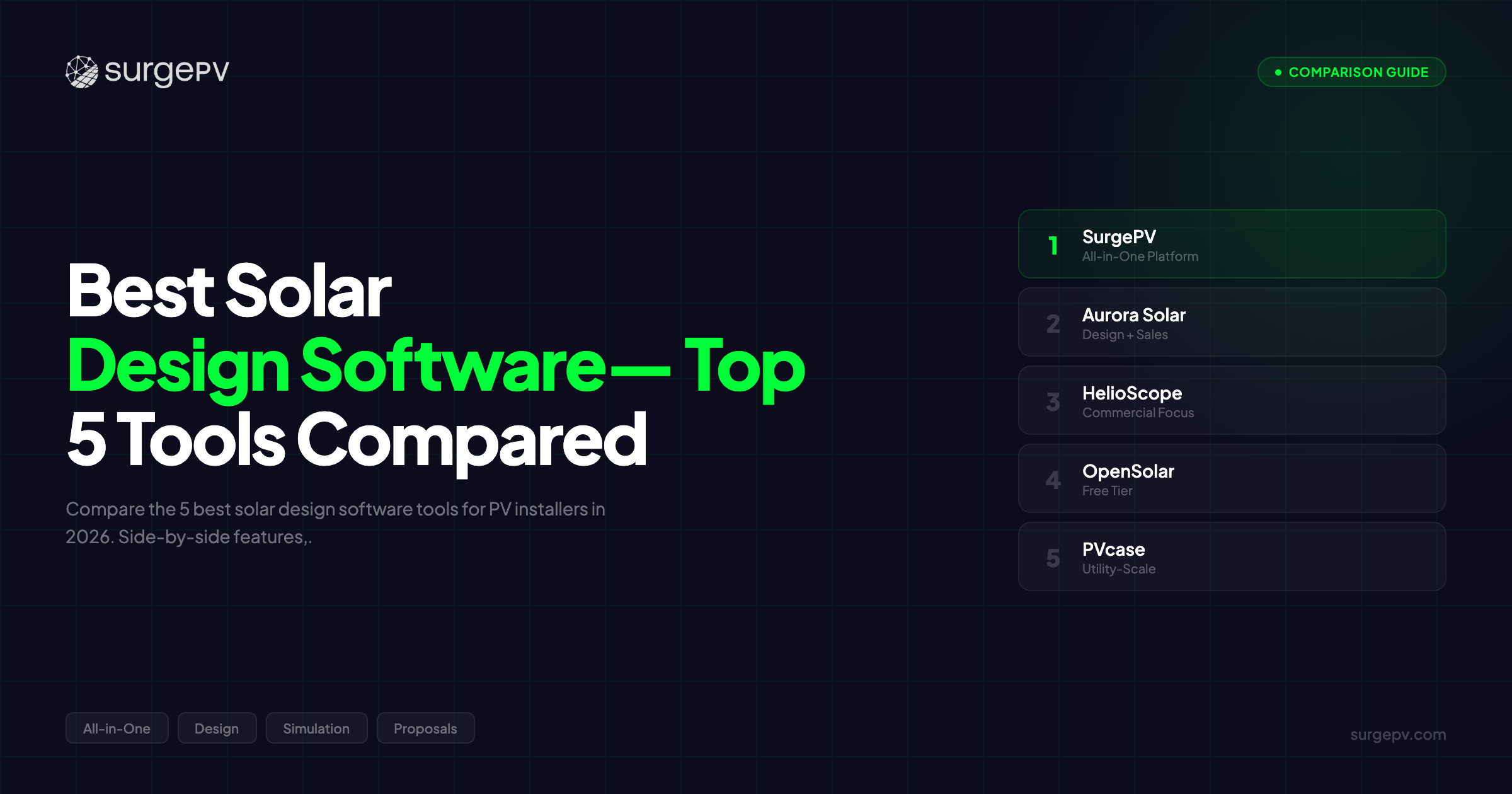
TL;DR: The average solar installer spends 2-3 hours per system design using legacy tools. The best solar design software in 2026 cuts that to under 30 minutes with bankable-grade accuracy. SurgePV combines AI-powered design with automated electrical engineering at $1,899/year for 3 users. Aurora Solar dominates residential sales with polished proposals but requires AutoCAD for electrical work. HelioScope delivers engineering-grade simulation for complex commercial projects. OpenSolar offers a free option for budget-conscious teams. PVcase leads utility-scale ground-mount design with AutoCAD integration.
Here is the truth about solar design in 2026: most installers and EPCs are still using tools designed for a different era.
They switch between three platforms, one for roof modeling, one for electrical engineering, one for proposals. They spend 2-3 hours per commercial project creating single line diagrams in AutoCAD. And they lose quotes to competitors who deliver accurate designs in 30 minutes, not 3 hours.
The solar software design market evolved fast over the past five years. AI roof detection became standard. Cloud collaboration replaced desktop silos. Shading analysis accuracy improved from +/-10% to +/-3%. And the best platforms started consolidating workflows that used to require three separate subscriptions.
But not all solar design software delivers on that promise. Some tools market themselves as “all-in-one” but still force you into AutoCAD for electrical documentation. Others excel at residential proposals but collapse when you try to design a 500 kW commercial rooftop or a carport structure. And the pricing models range from free (with severe limitations) to $10,000+/year for enterprise features that most mid-size EPCs do not need.
That matters when commercial EPCs are bidding on projects where design speed determines whether you win or lose the contract. When residential installers need to quote 50+ systems per month to hit revenue targets. And when accurate yield predictions are the difference between profitable projects and warranty claims.
We tested the top solar design software platforms across residential, commercial, and utility-scale projects. We evaluated each tool on design speed, electrical engineering capabilities, simulation accuracy, commercial structure support, pricing transparency, and total cost of ownership. We ran real projects: a 10 kW residential rooftop in California, a 250 kW commercial building in Texas, and a 2 MW carport installation in Arizona.
In this guide, you’ll learn:
- Which 5 design platforms deliver the best combination of speed, accuracy, and features
- Why SurgePV is the only tool with native carport solar design
- How Aurora Solar’s lack of electrical engineering forces EPCs to spend $2,000/year extra on AutoCAD
- Which tools produce bankable P50/P90 reports that lenders accept
- What to look for in solar design software based on your project type and team size
- How to choose between cloud-based platforms and desktop CAD workflows
Quick Comparison: 5 Best Solar Design Software Tools
| Feature | SurgePV | Aurora Solar | HelioScope | OpenSolar | PVcase |
|---|---|---|---|---|---|
| Best For | All-in-one commercial EPCs | High-volume residential sales | Engineering-grade simulation | Budget-conscious installers | Utility-scale ground-mount |
| Platform | Cloud | Cloud | Cloud | Cloud | Cloud + Desktop |
| 3D Modeling | AI-powered | Industry-leading AI | Manual + satellite | Basic satellite | Terrain-aware |
| Shading Analysis | 8760-hour (+/-3% vs PVsyst) | 8760-hour | 8760-hour (engineering-grade) | Basic annual | 8760-hour |
| Energy Simulation | P50/P75/P90 bankable | P50 only | P50/P90 bankable | Basic estimates | P50/P90 |
| SLD Generation | Automated (5-10 min) | No (requires AutoCAD) | No | No | Yes (requires AutoCAD) |
| Wire Sizing | Automated | No | No | No | Yes |
| Carport Design | Native support (ONLY) | No | No | No | Workarounds only |
| Tracker Support | Single/dual-axis | No | Limited | No | Yes |
| Proposals | Integrated | Beautiful, polished | Technical reports | Basic | Limited |
| Price/Year | $1,899 (3 users) | $4,800+ (contact sales) | $3,600-6,000 | Free | $990 + AutoCAD $2,000 |
| Onboarding Time | 2-3 weeks | 4-6 weeks (commercial) | 3-4 weeks | 1-2 weeks | 6-8 weeks (CAD required) |
| Our Rating | 9.2/10 | 8.8/10 | 8.5/10 | 7.8/10 | 8.0/10 |
Quick verdict: For commercial EPCs needing design, electrical engineering, and proposals in one workflow, SurgePV eliminates the Aurora + AutoCAD tool-switching trap. For pure residential sales velocity with polished customer-facing proposals, Aurora Solar leads. For engineering-grade shading simulation on complex commercial projects, HelioScope excels. For budget-conscious residential-only installers, OpenSolar provides free basic functionality. For utility-scale ground-mount with AutoCAD-based workflows, PVcase delivers terrain optimization.
See how SurgePV handles complete commercial design workflows. Book a free demo.
What to Look for in Solar Design Software
Before comparing specific platforms, understand the six core capabilities that separate professional design tools from basic calculators.
3D Roof and Site Modeling
Modern solar design platforms use satellite imagery, Google 3D maps, or LIDAR data to automatically detect roof planes, measure tilt and azimuth, and identify obstructions like chimneys, vents, and parapets.
So what? Manual roof modeling used to take 45-60 minutes per site. AI-powered tools like SurgePV and Aurora Solar reduce that to 15-20 minutes with +/-2-3 degree accuracy on tilt and orientation. For a residential installer quoting 50 homes per month, that saves 25-40 hours monthly.
Top platforms detect multiple roof planes automatically, handle complex residential architecture (dormers, valleys, hips), and support commercial flat roofs with setback requirements.
Shading Analysis and LIDAR Integration
Shading is the single biggest factor affecting solar production accuracy. A tree blocking 10% of your array during morning hours can reduce annual output by 15-20%, not the 10% you would expect.
Industry standard: 8760-hour shading analysis simulates every hour of the year, accounting for seasonal sun angle changes, tree leaf coverage variation, and adjacent building shadows.
Shading analysis software using LIDAR data (laser-measured terrain and object heights) delivers +/-3-5% accuracy. Satellite-only tools achieve +/-5-10% accuracy. Monthly-average tools can be off by 20-30%.
Bottom line: if your design tool does not run 8760-hour shading simulation, your production estimates are guesses.
Note
Shading analysis accuracy determines whether your yield predictions hold up in the real world. Tools running 8760-hour simulations with LIDAR data achieve +/-3-5% accuracy vs actual production. Satellite-only tools: +/-5-10%. Monthly-average calculators: +/-20-30%. That difference matters when clients compare your quote to three competitors and when production guarantees are on the line. Always verify your tool runs hourly simulation, not annual averages.
Energy Yield Simulation
Energy simulation calculates how many kWh your system produces annually, accounting for:
- Irradiance (location-specific solar resource)
- Temperature losses (panels lose 10-20% efficiency at high temps)
- Inverter efficiency curves
- Soiling and degradation
- System availability
Professional tools deliver P50/P75/P90 metrics: P50 is the median expected output, P75 is a conservative estimate (75% probability of exceeding), P90 is worst-case bankable output used by lenders.
Competitive gap: Aurora Solar provides P50 only. SurgePV, HelioScope, and PVcase deliver full P50/P75/P90, which is critical for project finance and commercial bids.
Proposal and Report Generation
After designing the system, you need to sell it. Solar proposal software transforms technical specs into customer-facing documents with:
- System visualization (roof renderings, 3D models)
- Financial analysis (ROI, payback period, NPV, IRR)
- Utility rate modeling (calculate savings vs current bills)
- Financing options (cash, loan, lease, PPA)
SurgePV and Aurora Solar generate interactive web-based proposals. HelioScope produces technical reports aimed at engineers, not homeowners. PVcase and OpenSolar offer basic PDFs.
BOM, SLD and Permitting Output
Commercial projects require engineering documentation beyond proposals:
- Bill of Materials (BOM): Equipment lists with quantities, specs, and costs
- Single Line Diagrams (SLD): Electrical schematics showing system architecture from modules to grid interconnection
- Permit packages: Code-compliant documentation for AHJ approval
Here is where most design tools fail commercial EPCs.
The Aurora + AutoCAD trap: Aurora Solar does NOT generate SLDs. EPCs must export designs to AutoCAD and spend 2-3 hours per project creating electrical diagrams manually. AutoCAD costs $2,000/year per user.
SurgePV advantage: Automated SLD generation in 5-10 minutes with NEC Article 690 compliance. Wire sizing, conduit calculations, panel schedules, all automated. No AutoCAD needed.
So what? A commercial EPC handling 100 projects per year saves 200-300 hours (5-7 weeks of engineering time) by eliminating manual AutoCAD work. At $75/hour engineering labor, that is $15,000-22,500 in annual productivity savings.
Pro Tip
Most solar design software lacks electrical engineering capabilities. Aurora Solar, OpenSolar, and HelioScope do NOT generate single line diagrams or calculate wire sizes, forcing commercial EPCs to purchase AutoCAD ($2,000/year) and spend 2-3 hours per project creating electrical documentation manually. SurgePV automates SLD generation in 5-10 minutes, eliminating the AutoCAD dependency and saving 1.5-2.5 hours per commercial project.
Integrations and API Connectivity
Modern solar businesses run on integrated software ecosystems. Your design tool should connect to:
- CRMs (Salesforce, HubSpot): Sync leads and project data
- Proposal tools: Seamless handoff to sales
- Monitoring platforms: As-built documentation for O&M
- Financing partners: Automated pre-approvals
Aurora Solar leads on CRM integrations (native Salesforce, HubSpot). SurgePV offers API access. OpenSolar integrates with basic CRMs. PVcase focuses on CAD workflows, not business systems.
See SurgePV’s complete design-to-electrical workflow. Request a walkthrough.
Top 5 Solar Design Software Platforms for 2026
SurgePV — Best All-in-One Solar Design Platform
Rating: 9.2/10 | Price: $1,899/year (3 users) | Book a demo | See pricing
SurgePV is a cloud-based, AI-powered solar design and simulation platform that combines design, electrical engineering, yield simulation, and professional proposals in one workflow. For commercial EPCs and installers handling both residential and commercial projects, it eliminates the tool-switching between Aurora Solar, AutoCAD, and Excel that slows down most teams.
Why SurgePV works for commercial EPCs:
The platform runs AI-powered 3D roof modeling that detects tilt, azimuth, and obstructions automatically using satellite imagery and Google 3D data. Design time for a typical residential system: 15-20 minutes. Commercial rooftops: 25-35 minutes.
SurgePV’s shading analysis delivers +/-3% accuracy compared to PVsyst, the industry bankability standard. That is engineering-grade precision using 8760-hour simulation with NREL TMY3 weather data. The platform generates P50/P75/P90 bankable yield forecasts that lenders and project financiers accept for commercial and utility-scale projects.
But here is what sets SurgePV apart: automated electrical engineering.
SurgePV generates code-compliant single line diagrams in 5-10 minutes, compared to 2-3 hours of manual AutoCAD drafting. The platform calculates DC and AC wire sizes automatically based on current, distance, voltage drop limits, and NEC Article 690 compliance. It produces conduit fill calculations, panel schedules, and equipment specifications, all the electrical documentation commercial projects require for permitting.
So what? A commercial EPC handling 100 projects per year saves 200-300 hours annually by eliminating manual AutoCAD work. At $75/hour engineering labor, that is $15,000-22,500 in productivity savings. And you avoid the $2,000/year per user AutoCAD license cost.
SurgePV is also the only platform with native carport solar design, relevant as commercial carport installations grow at supermarket parking lots, logistics facilities, and corporate campuses. The platform supports single cantilever, dual cantilever, and multi-column structures with span lengths from 15-40 feet and customizable clearance heights.
And SurgePV supports single-axis and dual-axis solar trackers (15-35% production gain), East-West racking (20-40% higher roof density), and complex commercial structures that residential-focused tools cannot handle.
Mini case study: A Texas-based commercial EPC switched from Aurora Solar + AutoCAD to SurgePV for their 100-500 kW commercial rooftop projects. Their previous workflow: 45 minutes in Aurora Solar for design and shading, export to AutoCAD, 2.5 hours creating electrical SLDs manually, 30 minutes finalizing proposals in Excel. Total: 4 hours per project. With SurgePV’s integrated workflow: 40 minutes for design and shading, 8 minutes for automated SLD generation, 25 minutes for proposal customization. Total: 73 minutes. Result: 2.5 hours saved per project. At 60 commercial projects per year, that is 150 hours saved annually (nearly 4 full work weeks). The EPC redirected their CAD technician to business development, increasing their project pipeline by 25% without hiring.
Reader objection: “Aurora Solar is the industry standard. When does SurgePV make more sense?” Aurora Solar excels for pure residential sales teams prioritizing speed and polished customer-facing proposals. But Aurora lacks electrical engineering capabilities. If your team handles commercial projects requiring SLDs, wire sizing, and permit-ready electrical documentation, Aurora forces you into the AutoCAD trap: $2,000/year per user + 2-3 hours per project of manual electrical work. SurgePV consolidates that entire workflow into one platform at $1,899/year for 3 users ($633/user/year), saving both software costs and engineering time.
Pros:
- AI-powered design with 8760-hour shading analysis (+/-3% vs PVsyst accuracy)
- P50/P75/P90 bankable yield forecasts accepted by lenders
- Automated SLD generation (5-10 min vs 2-3 hours manual AutoCAD)
- Wire sizing and conduit calculations (NEC Article 690 compliant)
- Only platform with native carport solar design (unique feature)
- Tracker support (single-axis, dual-axis) and East-West racking
- Integrated proposals with financial modeling
- Cloud-based collaboration (no desktop installation)
- Transparent pricing: $1,899/year for 3 users, all features included
- 70,000+ projects created globally
- 3-minute average support response time
- 2-3 week onboarding (vs 4-6 weeks Aurora commercial, 6-8 weeks PVcase)
Cons:
- Newer brand presence vs Aurora Solar’s market dominance
- CRM integrations developing (not as mature as Aurora’s native Salesforce)
- Utility-scale features advancing (Aurora and HelioScope more established for 5+ MW projects)
Best for: Commercial EPCs and installers handling residential to mid-scale commercial projects (10 kW - 5 MW) who need design, electrical engineering, simulation, and proposals in one platform without AutoCAD dependency.
Compare SurgePV’s integrated workflow to your current tools. Schedule a demo.
Aurora Solar — Best for 3D Visualization and Sales Proposals
Rating: 8.8/10 | Price: $4,800+/year (contact sales) | Aurora Solar | Aurora review
Aurora Solar is the market leader in residential solar design software. For high-volume installers processing 100+ residential quotes per month with sales teams prioritizing speed and proposal quality, Aurora’s combination of AI roof detection, 3D visualization, and polished customer-facing proposals is unmatched.
Why Aurora dominates residential sales:
Aurora’s AI roof detection is the fastest and most accurate in the industry. Upload a satellite image, wait 30-60 seconds, and Aurora delivers a complete roof model with accurate tilt, azimuth, and obstruction detection. For simple residential rooftops, design time can be under 10 minutes.
The platform’s 3D visualization capabilities produce renderings that homeowners love. Rotate the 3D model. Show before-and-after views. Render the system from street level. Aurora proposals are designed for sales conversion, not just technical accuracy.
Aurora integrates natively with Salesforce and HubSpot CRMs, automating lead-to-design workflows for solar businesses running modern sales operations. When a lead converts in your CRM, Aurora can auto-generate a preliminary design and proposal, saving reps 30-60 minutes per qualified lead.
The platform’s proposal builder includes financing options (cash, loan, lease, PPA), utility rate analysis, and ROI calculations with interactive sliders that let homeowners adjust assumptions in real time during the sales pitch.
Here is where Aurora forces commercial EPCs into extra costs:
Aurora Solar does NOT generate single line diagrams. It does NOT calculate wire sizes. It does NOT produce conduit fill analysis or panel schedules. For commercial projects requiring electrical documentation, EPCs must export Aurora designs to AutoCAD and spend 2-3 hours per project creating SLDs manually.
AutoCAD costs $2,000/year per user. For a 3-person engineering team, that is $6,000/year in additional software costs. Plus 2-3 hours per project in manual labor.
Total cost comparison (commercial EPC with 100 projects/year):
- Aurora Solar: ~$4,800/year + AutoCAD $2,000/year = $6,800/year per user
- SurgePV: $1,899/year for 3 users = $633/user/year
- Annual savings per user: $6,167 by choosing SurgePV over Aurora + AutoCAD
Aurora also lacks support for commercial structures: no carport design, no tracker support, no East-West racking configurations.
So what? If you are a pure residential installer with a dedicated sales team and no need for electrical engineering, Aurora’s strengths justify the premium. But if you handle commercial projects or need complete electrical documentation, the Aurora + AutoCAD combination costs 10x more than SurgePV while taking longer per project.
Pros:
- Industry-leading AI roof detection (fastest, most accurate)
- Beautiful 3D visualization and customer-facing proposals
- Native Salesforce and HubSpot CRM integration
- Strong brand recognition (trusted by homeowners)
- Polished user interface optimized for sales velocity
- 8760-hour shading analysis
- Excellent for high-volume residential sales teams
Cons:
- No SLD generation (requires separate AutoCAD at $2,000/year)
- No wire sizing or electrical engineering capabilities
- No carport design support
- No tracker support (single or dual-axis)
- P50 estimates only (no P75/P90 bankable metrics)
- Tiered pricing (contact sales, not transparent)
- 4-6 week onboarding for commercial features
- Total cost of ownership: $6,800+/year per user (Aurora + AutoCAD)
Best for: High-volume residential solar installers with dedicated sales teams who prioritize proposal quality and CRM integration over electrical engineering capabilities.
Further Reading
See our detailed Aurora Solar review for a complete feature breakdown and competitive comparison.
HelioScope — Best for Engineering-Grade Shading and Simulation
Rating: 8.5/10 | Price: $3,600-6,000/year | HelioScope | HelioScope review
HelioScope is an engineering-focused solar design and simulation platform built by Folsom Labs (a DNV company). For commercial EPCs and engineering consultants handling complex shading scenarios, large commercial rooftops, or projects requiring deep simulation accuracy, HelioScope delivers the technical depth that sales-focused tools lack.
Why HelioScope excels for engineering teams:
The platform’s shading analysis is among the most detailed available. HelioScope simulates 8760 hours with configurable shading objects (trees, buildings, terrain), adjustable canopy density (seasonal leaf coverage), and near-field vs far-field shading differentiation that affects string-level performance.
For a commercial rooftop surrounded by taller buildings with complex shadow patterns throughout the day, HelioScope’s simulation granularity reveals production losses that simpler tools miss. That accuracy matters when bidding fixed-price PPAs or sizing battery storage based on production curves.
HelioScope generates P50/P90 bankable yield reports with uncertainty analysis, critical for project finance. The platform’s loss waterfall diagrams break down exactly where system losses occur: shading, temperature, soiling, inverter clipping, wiring, availability. Engineers can fine-tune designs by identifying the biggest loss contributors.
The platform supports complex electrical configurations: multiple inverter types, DC optimizers, string-level monitoring, and custom loss assumptions calibrated to specific equipment performance curves.
Where HelioScope is NOT a complete solution:
HelioScope produces technical reports, not sales proposals. The output is designed for engineers and project financiers, not homeowners. There is no interactive web proposal, no 3D renderings optimized for sales, no financing calculator for residential clients.
HelioScope also does NOT generate single line diagrams or electrical engineering documentation. Like Aurora Solar, EPCs needing electrical drawings must use separate tools.
And the platform’s user interface prioritizes functionality over simplicity. Onboarding takes 3-4 weeks for teams to master the full feature set, longer than Aurora’s residential-focused simplicity but faster than PVcase’s CAD complexity.
Bottom line: HelioScope is the right tool for engineering teams that need simulation depth and accuracy over sales velocity. Pair it with a proposal platform like SurgePV for customer-facing documents, or use HelioScope’s technical reports internally while using separate sales tools.
Pros:
- Engineering-grade 8760-hour shading analysis (highly detailed)
- P50/P90 bankable reports with uncertainty analysis
- Loss waterfall diagrams for detailed performance optimization
- Strong for complex commercial rooftops and shading scenarios
- Owned by DNV (credibility with lenders and investors)
- Cloud-based with team collaboration features
- Excellent for technical validation and due diligence
Cons:
- Not a sales tool (technical reports, not customer-facing proposals)
- No SLD generation or electrical engineering
- No carport design support
- Steeper learning curve (3-4 weeks vs 1-2 weeks for simpler tools)
- Higher pricing ($3,600-6,000/year vs $1,899 for SurgePV)
- Limited residential installer appeal (engineering-focused)
Best for: Commercial EPCs, engineering consultants, and project developers handling complex commercial or utility-scale projects where simulation accuracy and bankable yield reports are priorities over sales proposal quality.
OpenSolar — Best Free Solar Design Software
Rating: 7.8/10 | Price: Free (with limitations) | OpenSolar | OpenSolar review
OpenSolar is the leading free solar design software. For budget-conscious residential installers, startups testing the solar business, or small teams handling simple installations, OpenSolar provides basic design, shading analysis, production estimates, and proposals at no upfront cost.
What OpenSolar delivers for free:
Basic 3D roof modeling using satellite imagery. Simple residential roof planes work well. Complex architectures (multiple dormers, valleys, hips) require manual adjustments.
Annual shading analysis with basic obstruction modeling. Not 8760-hour simulation. OpenSolar uses simplified monthly averages. Accuracy: +/-10-15% vs detailed tools.
Production estimates using location-based solar resource data. Adequate for residential quotes where precision within 10-15% is acceptable.
Basic proposals with system specs, production estimates, and simple financial projections. PDF export for email delivery to homeowners.
Where free OpenSolar hits limitations:
No electrical engineering capabilities. No SLD generation. No wire sizing. No conduit calculations. For commercial projects requiring electrical documentation, OpenSolar is non-viable.
No advanced commercial features. No carport design. No tracker support. No East-West racking. No complex string configurations.
No P75/P90 bankable metrics. Production estimates only (P50 equivalent). Not suitable for project finance or commercial PPAs requiring detailed yield analysis.
Limited customization. Templates are basic compared to Aurora’s polished proposals or SurgePV’s financial modeling depth.
So what? OpenSolar works for residential installers handling simple gable roofs, quoting 5-15 systems per month, without commercial expansion plans. For teams scaling to commercial projects, needing electrical documentation, or requiring accurate simulation for warranty guarantees, the free tier’s limitations force an upgrade to paid tools.
Pros:
- Free (no upfront cost, no credit card required)
- Fastest onboarding (1-2 weeks to productivity)
- Good for simple residential installations
- Basic proposals adequate for homeowner presentations
- Cloud-based, no software installation
- Transparent pricing (free tier clearly defined)
Cons:
- No electrical engineering (SLD, wire sizing, conduit)
- Annual shading averages only (not 8760-hour simulation)
- No P75/P90 bankable metrics
- No commercial structures (carports, trackers, East-West)
- Limited proposal customization vs paid tools
- Not suitable for scaling to commercial projects
- Accuracy +/-10-15% (adequate for residential, insufficient for commercial finance)
Best for: Budget-conscious residential installers, solar startups testing the market, or small teams handling simple residential installations without commercial expansion plans.
PVcase — Best for Utility-Scale Ground-Mount Design
Rating: 8.0/10 | Price: $990/year + AutoCAD $2,000/year | PVcase | PVcase review
PVcase is an AutoCAD-based solar design platform optimized for utility-scale and large commercial ground-mount installations. For EPCs building 1 MW+ solar plants with existing AutoCAD infrastructure and engineering teams trained in CAD workflows, PVcase delivers terrain-aware layout optimization, civil engineering integration, and electrical design depth that cloud-only tools cannot match.
Why PVcase works for utility-scale developers:
PVcase integrates directly into AutoCAD and Civil 3D, leveraging tools that civil engineering teams already use for grading, road design, and site planning. The workflow: import terrain data, run PVcase layout algorithms to optimize panel placement and minimize earthwork costs, generate electrical single line diagrams, export to civil drawings for integrated project documentation.
The platform’s terrain analysis accounts for slopes, drainage, and irregular ground conditions. For utility-scale projects on rolling terrain or hillsides, PVcase’s layout optimization reduces civil engineering costs by minimizing grading and reducing cable run distances.
PVcase generates electrical documentation including SLDs, wire sizing, and equipment specifications, capabilities that Aurora Solar and HelioScope lack.
The platform supports ground-mount trackers (single-axis), fixed-tilt racking, and complex electrical configurations for utility-scale plants with multiple inverter stations and medium-voltage collection systems.
Here is the AutoCAD dependency issue:
PVcase is NOT a standalone cloud solar software platform. It is an AutoCAD plugin. You must own AutoCAD ($2,000/year per user) to run PVcase.
That is acceptable for utility-scale EPCs with civil engineering teams already using AutoCAD for grading, road design, and site plans. But for residential or commercial installers without AutoCAD expertise, the learning curve is steep.
Onboarding time: 6-8 weeks to master PVcase + AutoCAD workflows. Compare that to 2-3 weeks for cloud-only platforms like SurgePV.
Total cost: PVcase $990/year + AutoCAD $2,000/year = $2,990/year per user. For utility-scale projects, that is justified by the civil integration value. For commercial rooftops or residential, it is overkill.
PVcase also lacks proposal tools. The output is engineering documentation, not sales presentations. EPCs must use separate tools for customer-facing proposals.
Bottom line: PVcase is the right tool for utility-scale EPCs with AutoCAD-based engineering teams. For commercial rooftop or residential installers, cloud platforms like SurgePV deliver faster workflows without CAD dependency.
Pros:
- Terrain-aware layout optimization (reduces civil costs on complex sites)
- AutoCAD and Civil 3D integration (leverages existing engineering workflows)
- SLD generation and electrical engineering capabilities
- Strong for utility-scale ground-mount (1 MW+)
- Tracker support (single-axis)
- 1,500+ customers globally including major developers
Cons:
- Requires AutoCAD license ($2,000/year additional cost)
- 6-8 week onboarding (CAD expertise required)
- Desktop-dependent (not pure cloud collaboration)
- No customer-facing proposal tools
- Limited residential and commercial rooftop features
- Overkill for installers without CAD infrastructure
- Total cost: $2,990/year per user (PVcase + AutoCAD)
Best for: Utility-scale EPCs and developers working on ground-mount solar plants (1 MW+) with existing AutoCAD-based engineering teams who need terrain optimization and civil engineering integration.
Honorable Mentions: Other Solar Design Software Worth Knowing
SolarGraf — Best for quick residential proposals within the Enphase ecosystem. Limited to Enphase microinverters. Fast quoting tool but lacks engineering depth. See SolarGraf review.
PVsyst — Gold standard for bankable energy simulation, not a design platform. PVsyst validates production estimates with the deepest loss chain analysis available. Banks and investors universally accept PVsyst reports for project finance. Use PVsyst for bankable validation alongside a design platform for operational workflows. See PVsyst review.
PV*SOL — Strong thermal + PV simulation popular in German and EU markets. Desktop-only platform with deep technical simulation but limited design and proposal capabilities.
Arka360 — Rising AI-powered design platform popular in India and Asia-Pacific. Developing electrical engineering features but not yet at SurgePV’s automation level for SLD generation.
Solar Design Software Comparison Table
| Feature | SurgePV | Aurora Solar | HelioScope | OpenSolar | PVcase |
|---|---|---|---|---|---|
| Design Type | Residential to 5 MW | Residential focus | Commercial/utility | Residential only | Utility-scale ground |
| 3D Modeling | AI-powered satellite | Industry-leading AI | Manual + satellite | Basic satellite | Terrain-aware |
| Shading Analysis | 8760-hour (+/-3%) | 8760-hour | 8760-hour (engineering) | Annual averages | 8760-hour |
| Energy Simulation | P50/P75/P90 | P50 only | P50/P90 | Basic estimates | P50/P90 |
| SLD Generation | Yes (5-10 min) | No | No | No | Yes (requires CAD) |
| Wire Sizing | Automated | No | No | No | Yes |
| Proposals | Integrated | Beautiful | Technical only | Basic | Limited |
| BOM Output | Automated | Yes | Yes | Basic | Yes |
| Carport Design | Native (ONLY) | No | No | No | Workarounds |
| Tracker Support | Single/dual-axis | No | Limited | No | Single-axis |
| East-West Racking | Yes | No | Yes | No | Yes |
| Platform | Cloud | Cloud | Cloud | Cloud | Cloud + Desktop |
| Onboarding Time | 2-3 weeks | 4-6 weeks (comm.) | 3-4 weeks | 1-2 weeks | 6-8 weeks |
| Price/Year | $1,899 (3 users) | $4,800+ (sales) | $3,600-6,000 | Free | $990 + CAD $2,000 |
| Best For | All-in-one commercial | Residential sales | Engineering depth | Budget residential | Utility ground-mount |
Pricing notes: SurgePV pricing includes all features for 3 users at $1,899/year ($633/user/year). Aurora + AutoCAD totals $6,800/year per user for commercial EPCs needing electrical documentation. PVcase requires AutoCAD adding $2,000/year to base cost.
Compare all features side-by-side. Request SurgePV demo.
Cloud-Based vs Desktop Solar Design Software
The platform architecture determines workflow speed, collaboration capabilities, and total cost of ownership.
Cloud-Based Platforms (SurgePV, Aurora Solar, HelioScope, OpenSolar)
Advantages:
- No software installation (access from any browser)
- Automatic updates (no manual version management)
- Team collaboration (multiple users on same project simultaneously)
- Remote access (design from anywhere with internet)
- Lower IT overhead (no local server management)
Limitations:
- Requires internet connection (offline mode limited or unavailable)
- Less CAD-level customization than desktop tools
- Dependent on vendor uptime
Best for: Installers and EPCs with distributed teams, remote sales reps, or cloud-first business operations.
Desktop/CAD-Based Platforms (PVcase, PVsyst, PV*SOL)
Advantages:
- Deepest CAD-level customization and control
- Works offline (no internet dependency)
- Integrates with existing civil engineering workflows (AutoCAD, Civil 3D)
- Familiar interface for engineering teams trained in CAD
Limitations:
- Requires desktop installation and maintenance
- Limited real-time collaboration (file-based workflows)
- Higher IT overhead (version control, license management)
- Requires AutoCAD expertise (6-8 week learning curve)
Best for: Utility-scale EPCs with AutoCAD-based engineering teams, engineers preferring desktop control, or businesses with offline work requirements.
Decision framework: If your team is cloud-first, handling residential to mid-scale commercial projects (10 kW - 5 MW), and prioritizing speed over CAD-level customization, choose cloud platforms. If you are a utility-scale developer with AutoCAD infrastructure and civil engineering integration needs, desktop/CAD tools deliver more value.
Solar Design Software for Residential vs Commercial Projects
Design requirements change dramatically based on project scale and complexity.
Residential Design Needs (3-15 kW)
Speed is king. Residential installers quote 20-50+ systems per month. Design time must be under 30 minutes to maintain velocity.
Proposal quality matters more than engineering depth. Homeowners compare proposals from 3-6 installers. Beautiful 3D visualization, interactive ROI calculators, and polished presentations win deals.
Electrical complexity is low. Residential systems use simple string configurations. SLD generation is helpful but not always permit-required depending on jurisdiction.
Best tools: Aurora Solar (sales-optimized proposals), SurgePV (all-in-one with electrical included), OpenSolar (budget-friendly free option).
Commercial Design Needs (50 kW - 5 MW)
Engineering accuracy is non-negotiable. Commercial projects involve large capital investments, fixed-price PPAs, and production guarantees. Shading analysis must be +/-3-5% accurate, not +/-10-15%.
Electrical documentation is always required. AHJs require code-compliant SLDs, wire sizing calculations, panel schedules, and equipment cut sheets for permitting.
Bankable yield reports matter. Projects financed by commercial lenders or sold under PPAs require P50/P75/P90 yield analysis with uncertainty quantification.
Structures get complex. Carports, trackers, East-West configurations, and custom racking systems that residential tools do not support.
Best tools: SurgePV (design + electrical + proposals in one platform), HelioScope (engineering-grade simulation), PVcase (if AutoCAD-based workflows already established).
Pro Tip
Residential and commercial projects require different design tool capabilities. Residential installers prioritize speed and proposal quality (Aurora Solar excels here). Commercial EPCs need electrical engineering depth: automated SLD generation, wire sizing, and bankable P50/P90 reports. SurgePV is the only platform consolidating both residential speed and commercial engineering depth in one workflow, eliminating the Aurora + AutoCAD tool-switching that slows down EPCs scaling from residential to commercial.
Compare residential vs commercial features. See SurgePV capabilities.
How to Choose the Right Solar Design Software for Your Business
The right tool depends on your company type, project scale, feature priorities, and budget.
By Company Type
Residential Installer (primarily single-family homes, 5-15 kW systems, 20-50 quotes/month):
- Priorities: Speed, proposal quality, CRM integration
- Recommended: Aurora Solar (sales velocity), SurgePV (all-in-one if expanding to commercial), OpenSolar (budget-friendly)
Commercial EPC (rooftop commercial, 100 kW - 2 MW):
- Priorities: Electrical documentation, engineering accuracy, commercial structures
- Recommended: SurgePV (integrated electrical engineering), HelioScope (simulation depth), avoid Aurora unless willing to add AutoCAD
Utility-Scale Developer (ground-mount, 1 MW+):
- Priorities: Terrain optimization, bankable reports, civil integration
- Recommended: PVcase (AutoCAD-based workflows), HelioScope (engineering simulation), PVsyst (bankable validation)
Solar Consultant (multi-client operations, varied project types):
- Priorities: Flexibility, simulation accuracy, professional reporting
- Recommended: SurgePV (residential to commercial range), HelioScope (technical depth), PVsyst (validation)
By Project Scale
Small residential (under 10 kW): OpenSolar (free), Aurora Solar (sales-optimized), SurgePV (all-in-one)
Large residential (10-20 kW): Aurora Solar, SurgePV
Commercial rooftop (50 kW - 1 MW): SurgePV (electrical included), HelioScope (engineering)
Large commercial (1-5 MW): SurgePV, HelioScope, PVcase (if CAD-based)
Utility-scale (5 MW+): PVcase, HelioScope, PVsyst (validation)
By Budget and Total Cost of Ownership
Free tier: OpenSolar (residential-only, limited features)
$1,500-2,500/year: SurgePV ($1,899/year for 3 users = $633/user/year, all features)
$3,000-4,000/year: PVcase + AutoCAD ($2,990/user/year)
$4,000-7,000/year: Aurora Solar + AutoCAD ($6,800/year per user for commercial with electrical)
Do not forget hidden costs: Aurora Solar saves design time but forces AutoCAD purchase for electrical work. PVcase requires AutoCAD expertise (6-8 week learning curve). SurgePV eliminates AutoCAD dependency entirely, saving both software costs ($2,000/year per user) and labor time (1.5-2.5 hours per project).
By Feature Priorities
Need electrical engineering (SLD, wire sizing, conduit): SurgePV (automated), PVcase (CAD-based)
Need carport design: SurgePV (ONLY platform with native support)
Need tracker support: SurgePV (single/dual-axis), PVcase (single-axis)
Need polished sales proposals: Aurora Solar (industry-leading), SurgePV (strong)
Need bankable P50/P90 reports: SurgePV, HelioScope, PVcase
Need CRM integration: Aurora Solar (native Salesforce/HubSpot), SurgePV (API available)
Not sure which fits your business? Compare tools with SurgePV team.
See Why 70,000+ Projects Use SurgePV
AI-powered design, automated electrical engineering, and bankable simulations — one platform, one workflow.
Book a DemoNo commitment required · 20 minutes · Live project walkthrough
Why Your Solar Design Software Should Do More Than Just Design
The best platforms integrate design with downstream workflows, eliminating tool-switching and data re-entry that waste time.
Design-to-Proposal Workflow Integration
After designing a system, you must sell it. Platforms like SurgePV and Aurora Solar generate customer-facing proposals directly from design data. No export/import, no manual data entry, no copy-paste errors.
Integrated workflow: Design roof, run shading, generate production estimate, auto-populate proposal with system specs, costs, financing options, ROI calculations, send web link or PDF to customer.
Disconnected workflow: Design in one tool, export specs, manually enter data into separate proposal tool, cross fingers on typos, generate proposal.
So what? Integrated workflows save 15-30 minutes per project. For a residential installer quoting 50 systems per month, that is 12-25 hours saved monthly (1.5-3 full work days).
BOM and SLD Automation for Permitting
Commercial projects require electrical documentation for AHJ approval. The best tools generate bills of materials and single line diagrams automatically from design data.
Automated workflow (SurgePV): Design system, click “Generate SLD,” 5-10 minutes, permit-ready electrical diagrams with wire sizes, breaker specs, conduit calculations.
Manual workflow (Aurora + AutoCAD): Design system in Aurora, export design, open AutoCAD, manually draw SLD, calculate wire sizes in spreadsheet, add to CAD drawing, 2-3 hours.
Annual savings (100 commercial projects): 200-300 hours engineering time saved = $15,000-22,500 at $75/hour labor cost.
CRM and Project Management Integration
Modern solar businesses run on CRM systems (Salesforce, HubSpot, Pipedrive). Design tools that sync with CRMs automate lead-to-proposal workflows.
Aurora Solar leads here with native Salesforce and HubSpot integrations. When a lead reaches “design” stage in your CRM, Aurora can auto-trigger preliminary design creation.
SurgePV offers API access for custom CRM integrations.
OpenSolar and HelioScope have basic CRM connections.
PVcase focuses on engineering workflows, not business system integration.
See how SurgePV consolidates design, electrical, and proposals. Request demo.
Further Reading
For solar proposal software specifically, see our best solar proposal software comparison. For all-in-one platforms consolidating design, CRM, and project management, see best all-in-one solar software.
Looking for Solar Design Software in Your Region?
Design software requirements vary by market due to regulatory differences, utility rate structures, and regional solar resources.
Germany: German EPCs prioritize tools with strong EU compliance, KfW financing integration, and German-language support. See best solar design software in Germany.
Italy: Italian installers need tools modeling GSE incentives, Italian grid codes, and regional irradiance variations (Milan vs Sicily). See solar design software Italy.
Netherlands: Dutch market requires SDE++ subsidy modeling, Dutch grid connection procedures, and tools handling low-tilt roofs common in Dutch architecture. See solar design software Netherlands.
Poland: Polish installers need MEW regulation compliance, Polish utility rate structures, and tools supporting emerging Polish autoconsumo frameworks. See solar design software Poland.
Spain: Spanish market demands autoconsumo modeling under RD 244/2019, OMIE pricing integration, and tools handling Spain’s 1,500-2,000 kWh/m2/year irradiance. See best solar design software Spain.
For broader international comparisons, see best solar software overall.
Conclusion: Which Solar Design Software Is Right for Your Business?
The solar design software market does not stand still. AI roof detection improves every quarter. Cloud platforms add features monthly. And the gap between all-in-one platforms and point solutions widens as integrated workflows prove their productivity advantages.
Here is the bottom line by use case:
For commercial EPCs handling rooftop projects (100 kW - 5 MW) who need design, electrical engineering, simulation, and proposals in one workflow: SurgePV eliminates the Aurora + AutoCAD tool-switching trap, saving $5,301/year per user in total cost of ownership and 1.5-2.5 hours per project in electrical engineering time.
For high-volume residential installers prioritizing sales velocity and customer-facing proposal quality: Aurora Solar’s industry-leading AI roof detection, 3D visualization, and CRM integrations optimize for quote-to-close speed.
For engineering teams handling complex commercial or utility-scale projects where simulation accuracy matters more than sales velocity: HelioScope delivers engineering-grade shading analysis, P50/P90 bankable reports, and loss waterfall diagrams that optimize system performance.
For budget-conscious residential installers handling simple installations without commercial expansion plans: OpenSolar provides free basic functionality adequate for straightforward residential quotes.
For utility-scale developers with AutoCAD-based engineering teams: PVcase offers terrain-aware layout optimization and civil engineering integration that cloud-only tools cannot match.
The tools that lead in 2026 consolidate workflows that used to require three separate platforms. SurgePV proves that design, electrical engineering, simulation, and proposals can coexist in one cloud platform, without sacrificing accuracy or forcing teams into expensive CAD dependencies.
Every week without the right design software is another set of projects designed the hard way. Slower quotes. Manual electrical work. Tool-switching friction. Missed bids because competitors delivered faster.
The best solar design software does not just design systems faster. It eliminates the downstream friction that turns 30-minute designs into 3-hour projects.
Start designing with integrated electrical engineering. Book your SurgePV demo.
Further Reading
For shading analysis tools, see best shading analysis software. For solar proposal tools, see best solar proposal software. For all-in-one platforms, see best all-in-one solar software.
Frequently Asked Questions About Solar Design Software
What is the best solar design software in 2026?
SurgePV is the best all-in-one solar design platform for commercial EPCs and installers needing electrical engineering in one workflow at $1,899/year for 3 users. Aurora Solar excels for high-volume residential sales with polished customer-facing proposals but requires AutoCAD ($2,000/year) for electrical documentation. HelioScope is best for engineering-grade shading analysis and energy simulation on complex commercial projects. OpenSolar is the best free option for budget-conscious residential installers. PVcase is best for utility-scale ground-mount design with AutoCAD integration. The right choice depends on your project type (residential vs commercial), team size, and whether you need integrated electrical documentation or separate tools.
What is solar design software and what does it do?
Solar design software creates technical blueprints for photovoltaic systems. Core capabilities include 3D roof modeling (detecting tilt, orientation, obstructions using satellite imagery or LIDAR), shading analysis (8760-hour simulations calculating losses from trees, buildings, seasonal sun angles), energy yield simulation (predicting annual kWh production accounting for irradiance, temperature, inverter efficiency, soiling, degradation), electrical engineering (string layouts, inverter sizing, wire calculations, single line diagrams), and proposal generation (customer-facing reports with ROI, financing options, system specifications). Professional tools automate workflows that used to take 3-6 hours of manual CAD work into 30-60 minute processes.
Is there a free solar design software?
OpenSolar is the leading free solar design software with no upfront cost for basic residential functionality. It includes 3D roof modeling using satellite imagery, annual shading analysis, basic production estimates, and simple proposals. Limitations: no electrical engineering (SLD generation, wire sizing), no advanced commercial features (carports, trackers), accuracy +/-10-15% vs +/-3-5% for paid tools, and limited customization. For teams needing complete electrical documentation, commercial structure support, or bankable yield reports, paid platforms like SurgePV (starting at $1,899/year for 3 users) or Aurora Solar are necessary. SurgePV offers a free demo to evaluate features before committing.
Which solar design software is best for residential projects?
For high-volume residential installers prioritizing speed and sales conversion, Aurora Solar excels with industry-leading AI roof detection (designs completed in 10-15 minutes), 3D visualization, polished customer-facing proposals, and native CRM integrations (Salesforce, HubSpot). SurgePV is best for residential installers who also handle commercial projects or need electrical documentation, as automated SLD generation saves 2-3 hours per project vs manual AutoCAD work. OpenSolar works for budget-conscious residential-only teams handling simple installations. All three handle residential workflows effectively. Aurora optimizes for sales velocity, SurgePV for technical completeness and scalability to commercial, OpenSolar for affordability.
What is the difference between solar design software and solar simulation software?
Solar design software creates complete system blueprints: panel layouts, electrical schematics, equipment specifications, proposals, and bills of materials for operational project delivery. Solar simulation software focuses exclusively on energy modeling, calculating hourly or annual kWh production with detailed loss chain analysis (shading, soiling, temperature, degradation, inverter efficiency).
PVsyst and PV*SOL are simulation-only tools requiring separate design platforms to create system layouts. SurgePV, Aurora Solar, and HelioScope combine both design and simulation in integrated workflows. Most installers and EPCs need design tools with integrated simulation for daily operations. Utilities, project financiers, and independent engineers often require standalone PVsyst validation for bankable yield reports with P50/P90 confidence intervals.
How much does solar design software cost?
Solar design software pricing ranges from free (OpenSolar basic tier) to $10,000+/year (enterprise Aurora Solar). SurgePV costs $1,899/year for 3 users ($633/user/year) with all features included: design, electrical engineering, simulation, proposals. Aurora Solar pricing varies by plan (contact sales, estimated $4,800+/year).
HelioScope runs approximately $3,600-6,000/year. PVcase costs $990/year but requires AutoCAD ($2,000/year additional), totaling $2,990/year per user. Total cost of ownership matters more than list price: SurgePV at $1,899/year eliminates AutoCAD dependency, saving $2,000/year in software costs plus 1.5-2.5 hours per project in manual electrical engineering labor.
Aurora Solar without electrical features forces commercial EPCs to purchase AutoCAD separately, totaling $6,800+/year per user (Aurora + AutoCAD).
What solar design software do the largest EPCs use?
Large commercial and utility-scale EPCs typically use multiple specialized tools rather than single platforms: Aurora Solar or HelioScope for design and customer-facing proposals, PVsyst for bankable energy validation required by lenders and investors, and AutoCAD or PVcase for electrical engineering on complex projects.
This multi-tool approach works for enterprises with dedicated engineering teams managing software integration. SurgePV is gaining adoption among mid-size EPCs (10-100 employees) because it consolidates the Aurora + AutoCAD + Excel workflow into one platform, eliminating tool-switching, reducing software costs from $6,800/year per user to $633/user/year, and decreasing the engineering team footprint needed.
Can solar design software generate proposals and BOMs?
SurgePV and Aurora Solar include integrated proposal generation with financial modeling (cash, loan, lease, PPA options), ROI calculations, utility rate analysis, and automated bills of materials calculated directly from design geometry with 98% accuracy. HelioScope generates technical engineering reports suitable for project developers and financiers but limited customer-facing sales proposals. PVcase produces engineering documentation and equipment BOMs but not sales-optimized proposals for homeowners or commercial clients. OpenSolar includes basic proposals suitable for residential installations. Tools focused purely on simulation (PVsyst, PV*SOL) do not generate proposals or BOMs. They validate energy production only and require separate platforms for design and sales workflows.
Does solar design software work with satellite and LIDAR imagery?
SurgePV, Aurora Solar, and HelioScope all support satellite imagery (Google 3D, Bing Maps, Esri) and LIDAR data for roof detection and terrain modeling. Satellite-only tools detect tilt and azimuth within +/-2-3 degrees for most residential and commercial rooftops. LIDAR integration (laser-measured terrain and object heights) improves accuracy for tree shading analysis, complex rooflines, and adjacent building shadows that affect commercial projects.
PVcase uses terrain data for utility-scale ground-mount optimization. OpenSolar supports satellite imagery but not advanced LIDAR. For commercial projects with complex shading (mature trees, adjacent buildings, irregular terrain), LIDAR-enhanced tools deliver +/-3-5% production estimate accuracy vs +/-5-10% for satellite-only platforms vs +/-15-20% for tools using regional irradiance averages without site-specific modeling.
How accurate is solar design software for energy yield prediction?
Top solar design tools achieve +/-3-5% accuracy vs actual field measurements when using proper weather databases (NREL TMY3, PVGIS) and calibrated performance models. SurgePV delivers +/-3% accuracy compared to PVsyst, the industry bankability standard universally accepted by lenders and investors. Aurora Solar and HelioScope achieve similar +/-3-5% accuracy ranges.
Accuracy depends on data quality and simulation methodology: tools running 8760-hour simulations with site-specific weather data and detailed loss chains (shading, soiling, temperature, inverter efficiency, degradation) outperform tools using monthly averages or regional irradiance estimates. PVsyst is the gold standard for bankable yield reports with P50/P90 confidence intervals and uncertainty analysis.
How does SurgePV compare to Aurora Solar and HelioScope?
SurgePV combines Aurora’s design speed with complete electrical engineering capabilities that Aurora lacks, eliminating the need for AutoCAD and saving 1.5-2.5 hours per commercial project. SurgePV generates automated single line diagrams in 5-10 minutes (vs 2-3 hours manual AutoCAD work), includes wire sizing and conduit calculations compliant with NEC Article 690, and supports commercial structures like carports (only platform with native carport design), single/dual-axis trackers, and East-West racking that Aurora does not handle.
HelioScope excels in engineering-grade shading analysis with deeper simulation detail than SurgePV but lacks customer-facing proposal tools and electrical documentation. SurgePV costs $1,899/year for 3 users ($633/user/year) vs Aurora + AutoCAD at $6,800/year per user. Choose Aurora for pure residential sales velocity with polished proposals, HelioScope for engineering depth and simulation accuracy, SurgePV for complete commercial design-to-electrical workflow in one platform.
What makes SurgePV different from other solar design tools?
SurgePV is the only platform combining AI-powered design, electrical engineering, bankable simulations, and sales proposals without tool-switching between separate applications. Key differentiators: automated SLD generation (5-10 min vs 2-3 hours manual AutoCAD), native carport solar design (only platform with this commercial structure feature), tracker support (single-axis and dual-axis for 15-35% production gains), P50/P75/P90 bankability metrics accepted by lenders, wire sizing and conduit calculations, 8760-hour shading analysis with +/-3% accuracy vs PVsyst, and transparent all-inclusive pricing starting at $1,899/year for 3 users.
Over 70,000 projects created globally with 98% BOM accuracy and 3-minute average support response time. SurgePV eliminates the Aurora + AutoCAD + Excel workflow that commercial EPCs struggle with, saving 1.5-2.5 hours per project and $5,301/year per user in total cost of ownership.
Transparency Note
SurgePV publishes this content. We are transparent about this relationship. This comparison is based on hands-on testing, official documentation, and verified user reviews. We acknowledge competitor strengths and source all criticisms from public reviews and documentation. See our editorial standards.
Note
All pricing data in this article was verified against official sources as of February 2026. Prices may have changed since publication.