

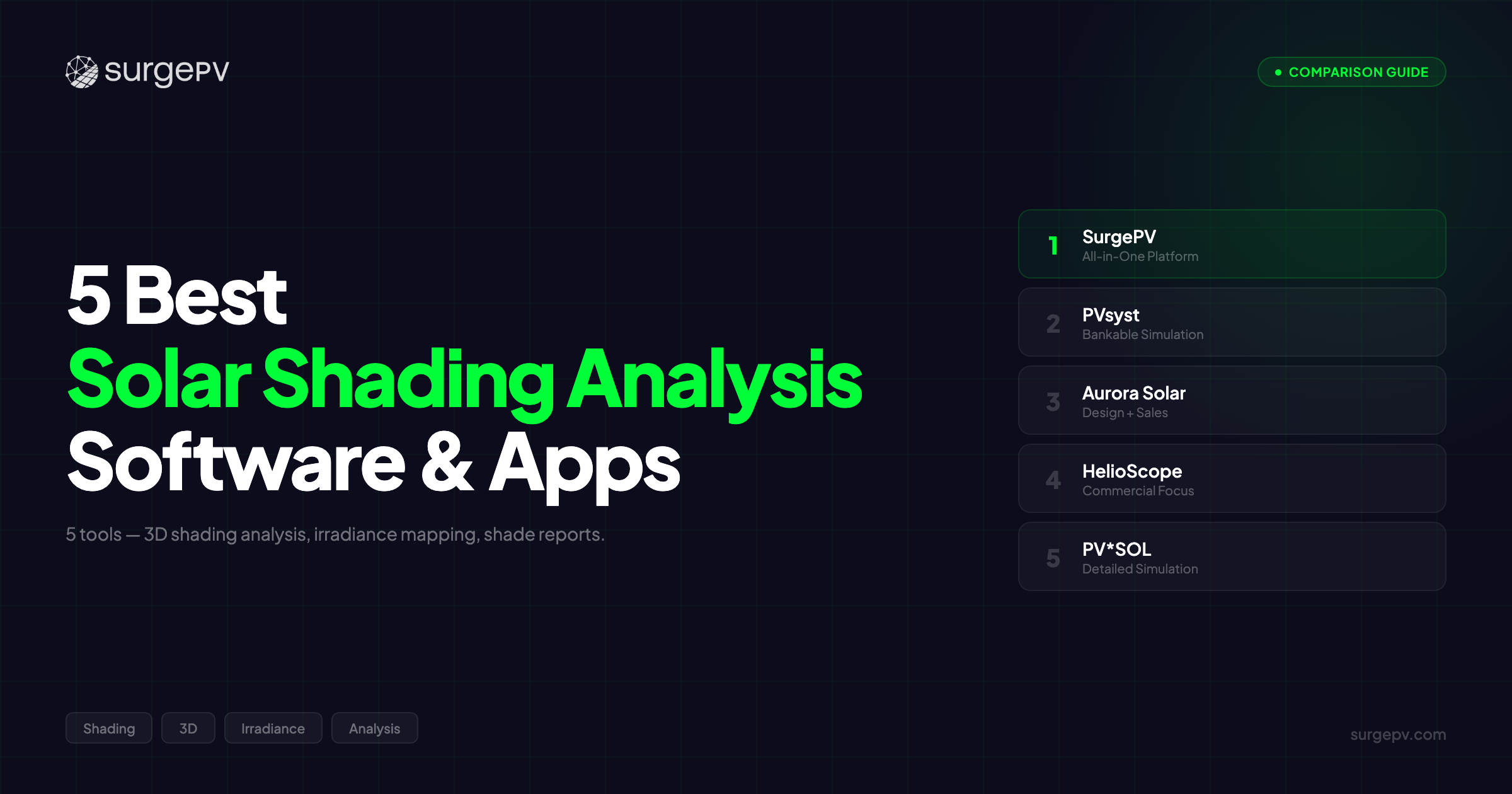
TL;DR: SurgePV is the best AI-powered solar shading analysis app for 2026, combining automated obstruction detection, 8760-hour shade simulation, and panel-level heatmaps at $1,899/year (3 users). PVsyst remains the gold standard for bankable shade reports. Aurora Solar offers the fastest residential shading workflow. For detailed solar site analysis, this guide compares all five tools side by side.
A single tree shadow can cut solar panel output by 25-50%.
Most installers don’t catch it until the system underperforms. The homeowner calls. The warranty claim lands. And your reputation takes a hit that no amount of marketing can fix.
Shading is the number one cause of solar system underperformance globally. According to NREL solar resource research, even partial shading on a single panel in a string can trigger bypass diode activation and reduce the entire string’s output by 25-50%. That’s not a rounding error. That’s the difference between a profitable project and a callback.
The good news? Solar simulation software for shading analysis has changed dramatically. AI-powered tools now auto-detect obstructions from satellite imagery and simulate shadow patterns across all 8,760 hours of the year, in minutes, not hours. Cloud-based shading apps let you run a full solar site analysis from a browser on your laptop, phone, or tablet. And the accuracy gap between AI-assisted shading and manual analysis has narrowed to within +/-3%.
The bad news? Not all shading tools are equal. Some run 8760-hour simulations. Others use simplified models that miss winter shadow patterns. Some produce bankable shade reports accepted by lenders. Others generate visuals that fall apart under investor scrutiny. And the difference between a web-based shading app and a desktop-only simulator can determine whether your team runs site analysis from the field or waits until they’re back at the office.
We tested every major solar shading analysis tool on real-world projects across residential, commercial, and utility-scale installations. We compared shading accuracy against measured production data, timed the workflow from upload to shade report, and evaluated which tools help EPCs and installers make better decisions faster.
In this guide, you’ll find:
- A side-by-side comparison table of the 5 best solar shading analysis tools
- AI-powered vs manual shading analysis: which is more accurate, and when to use each
- Web app vs desktop shading software: what works for field teams
- How solar site analysis goes beyond shading (sun path, irradiance, terrain)
- Specific recommendations by project type, budget, and report requirements
- 10 FAQs covering solar shading apps, simulators, and shadow analysis
Whether you need a solar design software shading app for high-volume residential proposals or a detailed solar shading simulator for bankable commercial reports, this guide covers it.
Quick Comparison: 5 Best Solar Shading Analysis Tools at a Glance
| Feature | SurgePV | PVsyst | Aurora Solar | HelioScope | PV*SOL |
|---|---|---|---|---|---|
| Best For | AI-powered shading + design | Bankable shade reports | Fast residential shading | Commercial rooftop shading | Desktop 3D shade simulation |
| Shading Method | AI auto-detection + 8760-hr | Manual scene + 8760-hr | LiDAR + satellite auto | Satellite + keepout zones | Manual 3D object modeling |
| AI/Automated | Yes (auto-obstruction) | No (manual) | Yes (LIDAR-based) | Partial | No (manual) |
| Web App | Yes (cloud) | No (desktop only) | Yes (cloud) | Yes (cloud) | No (desktop only) |
| 8760-Hour Simulation | Yes | Yes | Yes | Yes | Yes |
| Bankable Reports | Yes (P50/P75/P90) | Gold standard | Premium tier only | Yes | Basic |
| Accuracy | +/-3% vs PVsyst | Reference standard | +/-5-8% (satellite) | +/-5% | +/-3-5% |
| Price | $1,899/yr (3 users) | ~$1,200 perpetual + updates | $3,600-9,000+/yr | $3,300+/yr | ~$1,500-2,200 one-time |
| Our Rating | 9.3/10 | 8.7/10 | 8.2/10 | 7.9/10 | 7.8/10 |
Quick verdict: If you want the fastest AI-powered solar shading analysis app with professional shade reports and a full design workflow, SurgePV is the top pick. If your investors require PVsyst-validated bankable reports, PVsyst remains the benchmark. For residential volume where speed beats depth, Aurora Solar is hard to beat.
Want to see AI shading analysis in action? Book a free demo.
What Makes Great Solar Shading Analysis Software?
Before looking at individual tools, here’s what separates good solar shading software from the tools that actually help you deliver better projects. We evaluated each platform against five criteria.
Shading Accuracy and Data Sources
The foundation of any shading analysis tool is its data. Three main sources feed modern shading software:
LiDAR data delivers the highest accuracy (+/-2-3%). LiDAR point clouds capture building heights, tree canopy shapes, and terrain elevation with centimeter precision. Tools like Aurora Solar integrate LiDAR data from aerial surveys where available.
Satellite imagery (Google, Bing, Esri) provides broad coverage but lower precision (+/-5-8%). Most cloud-based shading apps default to satellite when LiDAR isn’t available.
Drone capture (Scanifly, DJI Terra) gives project-specific accuracy rivaling LiDAR but requires site visits and processing time.
Did You Know?
Even 10% partial shading on a single panel can reduce string output by 25-50% due to bypass diode activation. Your data source determines whether your shading tool catches that 10% or misses it entirely.
Simulation Depth: 8760-Hour vs Simplified
Not all shading simulations are equal. An 8760-hour simulation models shadow patterns for every hour of every day across an entire year. This captures seasonal variations, like the low winter sun that sends a chimney shadow across half the array in December, even though it’s shade-free in July.
Simplified models use monthly averages or worst-case snapshots. They’re faster but miss the nuances that drive real-world production losses.
Bottom line: for any project where accuracy matters, whether bankable reports, performance guarantees, or customer trust, 8760-hour simulation is the minimum standard.
AI and Automation Capabilities
Here’s what most people miss about AI in shading analysis: speed isn’t the main advantage. Consistency is.
A human analyst tracing obstructions in a 3D scene will miss a distant tree line, underestimate a parapet wall height, or forget to model a future construction project next door. AI detection processes every pixel of the input image, every time, without fatigue.
SurgePV’s AI engine auto-detects obstructions from satellite imagery and runs the full 8760-hour simulation automatically. The result? Panel-level shade heatmaps in minutes, not hours. And at +/-3% accuracy compared to manual PVsyst analysis, the quality gap has closed.
Report Quality: Bankable vs Visual
There’s a meaningful difference between a shade report that wins a residential sale and one that secures project financing.
Visual shade reports show color-coded heatmaps, shadow animations, and panel-level impact graphics. They help homeowners understand why panels go in certain locations. Aurora Solar and SurgePV excel here.
Bankable shade reports quantify energy yield losses with P50/P75/P90 probabilistic metrics, uncertainty analysis, and defensible methodology. PVsyst is the gold standard. SurgePV delivers bankable P50/P75/P90 reports at +/-3% accuracy compared to PVsyst.
Web App vs Desktop Accessibility
This matters more than most buyers realize. A cloud-based solar shading app means your field team can run shade analysis on-site during a sales appointment. A desktop-only tool means waiting until someone’s back at the office.
SurgePV, Aurora Solar, and HelioScope are cloud-based web apps: browser access, no installation, real-time collaboration. PVsyst and PV*SOL are desktop-only installations with no cloud option. For teams that need shading results in the field, the app vs desktop decision is a workflow multiplier.
The 5 Best Solar Shading Analysis Software and Apps
SurgePV — Best AI-Powered Shading Analysis App
Rating: 9.3/10 | Price: $1,899/year (3 users) | Book a demo
SurgePV is the only solar design platform that combines AI-powered shading analysis with automated SLD generation, bankable simulations, and professional proposals in one cloud-based app. For installers and EPCs who need fast, accurate shade reports without tool-switching, SurgePV eliminates the fragmented workflow that most teams still struggle with.
How SurgePV’s AI Shading Analysis Works
Upload your satellite imagery or LiDAR data. SurgePV’s AI engine automatically detects every obstruction: trees, buildings, chimneys, parapet walls, neighboring structures. No manual tracing. No dragging 3D objects into a scene one at a time.
The platform then runs a full 8760-hour shading analysis, simulating shadow patterns for every hour of the year. The output is a panel-level shade heatmap showing exactly which panels lose production, when they lose it, and by how much.
That means you see December at 3 PM, when the oak tree to the southwest throws a shadow across the bottom three rows. You see June at noon, when everything’s clear. And you see the annual energy yield impact, quantified to each individual panel.
The accuracy? +/-3% compared to manual PVsyst analysis. That’s close enough for bankable reports and more than adequate for residential and commercial proposals.
Speed: A full shade analysis runs in 30-60 seconds. Compare that to 2-4 hours of manual obstruction tracing in PVsyst’s 3D shade scene builder. For a team processing 10-20 projects per week, that time savings compounds fast.
If you’re an installer running 15 proposals per week, AI shading saves you roughly 30-60 hours per week in shade analysis time alone. That’s one full-time employee’s worth of work redirected to selling or installing.
Pro Tip
SurgePV’s cloud-based shading app works from any browser. Run shade analysis during a site visit on your laptop or tablet. Show the client their shade heatmap in real time. Close the deal on the spot.
Bankability: SurgePV delivers P50/P75/P90 simulation metrics, not just P50 like some competitors. For commercial projects requiring investor-grade documentation, this matters. Banks and project financiers accept probabilistic yield reports that account for weather variability and shading uncertainty.
Mini Case Study: A mid-size EPC in Maharashtra was spending 3-4 hours per commercial project on manual shading analysis using PVsyst. After switching to SurgePV for design and shade analysis, they reduced shade report turnaround from 4 hours to under 10 minutes per project. Across 12 projects per month, that freed up nearly 48 hours, enough to take on 3 additional projects without hiring. The +/-3% accuracy held up against their PVsyst validation benchmarks.
But can AI really replace manual shading analysis? This is the objection we hear most. Here’s the honest answer: for 90% of residential and commercial projects, AI shading matches or beats manual analysis in both speed and accuracy. For utility-scale projects where investors require PVsyst validation by name, you’ll still want PVsyst for the final bankable report. The smart workflow is SurgePV for daily design and shade analysis, PVsyst for investor-grade validation when specifically required.
SurgePV also integrates shading data directly into automated SLD generation (5-10 minutes vs 2-3 hours manual AutoCAD), proposal generation, and financial modeling. One platform. No exports. No copy-paste errors between tools.
Pros:
- AI auto-detection of obstructions (trees, buildings, chimneys)
- 8760-hour simulation with panel-level shade heatmaps
- +/-3% accuracy vs PVsyst (bankable)
- P50/P75/P90 reports for project finance
- Cloud-based web app, works from any browser
- Integrated design, SLD, proposals, and financial modeling
- 70,000+ projects globally, 3-minute average support response
- $1,899/year for 3 users, all features included
Cons:
- Newer brand compared to PVsyst in utility-scale financing circles
- Not yet accepted by name for utility-scale investor reports (use PVsyst for final validation)
- AI detection accuracy depends on satellite image quality
Best for: Installers and EPCs who want AI-powered shading analysis integrated with design, SLD, and proposals in one cloud app, without separate PVsyst, AutoCAD, and Excel workflows.
Try SurgePV’s AI shading on your next project. Schedule a walkthrough.
PVsyst — Best for Bankable Shade Reports
Rating: 8.7/10 | Price: ~$1,200 perpetual license + ~$350/year updates
PVsyst is the undisputed benchmark for detailed, bankable solar shading simulation. If your project requires an independent energy yield assessment that lenders, investors, and insurance underwriters accept without question, PVsyst is where the analysis ends up.
How PVsyst Shading Works
PVsyst uses a manual 3D shade scene builder. You construct the environment: buildings, trees, fences, chimneys, terrain contours. You set heights, widths, distances, and seasonal parameters for deciduous vegetation. Then PVsyst runs its 8760-hour simulation (or sub-hourly, down to minute-by-minute resolution) against the meteo data for your site.
The result is the most granular shade analysis available in the industry. PVsyst differentiates between “near shading” (objects close to the array affecting specific modules) and “far shading” (horizon obstructions affecting GHI at a site level). This distinction matters for string-level loss modeling and bypass diode activation analysis.
When an investor’s independent engineer reviews your energy yield assessment, PVsyst is the name they expect to see. No questions asked. No secondary validation required. That’s worth the manual effort for projects where financing hinges on the shade report.
The simulation engine uses the Meteonorm and PVGIS weather databases, both validated by Fraunhofer ISE and used across the European and global solar industry. The depth of the loss modeling (soiling, mismatch, degradation, clipping, DC wiring, AC wiring, transformer losses) is unmatched.
But PVsyst is a simulation tool, not a design platform. It doesn’t create panel layouts. It doesn’t generate single line diagrams. It doesn’t produce client-facing proposals. And it’s desktop-only: no cloud app, no field access, no team collaboration.
The learning curve is steep. Expect 4-6 weeks before a new user produces reliable shade scenes. The 3D scene builder is powerful but unforgiving. One misplaced object can throw off the entire analysis.
Pros:
- Gold standard for bankable shading reports (universally accepted)
- Deepest simulation detail: near shading, far shading, sub-hourly resolution
- Industry-standard weather databases (Meteonorm, PVGIS)
- String-level and module-level shade impact modeling
- Established 25+ year track record with investors and lenders
Cons:
- Desktop-only, no web app or cloud access
- Manual 3D scene construction (2-4 hours for detailed projects)
- Not a design tool (no layouts, no SLD, no proposals)
- Steep learning curve (4-6 weeks for competency)
- Expensive when combined with separate design tools
Best for: Engineers and consultants producing bankable shade reports for project financing. Use PVsyst for final investor validation and a platform like SurgePV for the daily design-and-shading workflow.
Further Reading
For a full breakdown of PVsyst’s simulation capabilities and where it falls short, see our PVsyst review.
Aurora Solar — Best for Fast Residential Shading
Rating: 8.2/10 | Price: $3,600-9,000+/year per user
Aurora Solar delivers the fastest automated shading analysis for high-volume residential solar sales. If your team processes dozens of residential proposals per week and needs shade reports embedded in polished customer presentations, Aurora’s speed is hard to beat.
How Aurora’s Shading Works
Aurora combines NREL sun path diagram data with LiDAR and satellite imagery to generate automated shade reports. Where LiDAR data is available (primarily urban US markets), the accuracy is solid. The 3D model captures roof geometry, surrounding structures, and tree canopy heights without manual input.
The shade analysis runs as part of the design workflow. Place panels, run simulation, generate proposal, all within the same app. For residential installers selling 50-100+ systems per month, this integrated approach keeps the pipeline moving.
Aurora’s shade reports include annual shading percentage by panel, monthly production estimates accounting for shade losses, and visual heatmaps for customer presentations. The visuals are polished and sales-ready.
A residential sales rep can pull up a prospect’s address, generate a shade-aware design, and present a proposal with visual shade analysis in 15-20 minutes during a kitchen-table appointment. That speed converts leads into signed contracts.
The limitations surface for commercial projects and bankable reports. Aurora’s P50 simulation lacks P75/P90 probabilistic metrics, a gap for any project requiring investor-grade documentation. The shading accuracy drops in areas without LiDAR coverage, where satellite-only analysis delivers +/-5-8% rather than +/-2-3%.
Aurora doesn’t generate SLDs or wire sizing. For commercial projects, you’ll need AutoCAD ($2,000/year) and 2-3 hours per project for electrical documentation.
And at $3,600-9,000+/year per user, Aurora is the most expensive shading tool in this comparison by a wide margin.
Pros:
- Fastest residential shading workflow (15-20 minutes per project)
- Strong LiDAR integration where data is available
- Polished, sales-ready shade visuals
- Integrated proposal generation
- Cloud-based app with mobile access
Cons:
- P50 only (no P75/P90 for bankable reports)
- Accuracy drops without LiDAR (+/-5-8% satellite-only)
- No SLD generation or electrical engineering
- Most expensive option ($3,600-9,000+/year)
- US-centric LiDAR coverage
Best for: High-volume residential installers in US markets with LiDAR coverage who prioritize sales speed over simulation depth.
HelioScope — Best for Commercial Rooftop Shading
Rating: 7.9/10 | Price: $3,300+/year
HelioScope (now part of the Aurora ecosystem) excels at commercial rooftop and ground-mount solar design with integrated shading analysis. For EPCs working on 50 kW-5 MW commercial projects, HelioScope’s shade analysis handles the complexities that residential tools miss.
How HelioScope’s Shading Works
HelioScope uses satellite imagery and user-defined keepout zones to model shade impact on commercial layouts. The platform handles row-to-row shading for tilted arrays on flat commercial roofs, a scenario where tilt angle, row spacing, and inter-row shading interact in ways that residential tools don’t model well.
The shade simulation runs at sub-hourly resolution with support for horizon shading profiles. For ground-mount projects, HelioScope models terrain-induced shading and equipment shadows (inverter pads, transformers, fencing).
HelioScope’s strength for commercial projects is the combined shade and layout optimization. Adjust row spacing and watch the shade impact change in real time. Increase tilt angle and see the trade-off between per-panel production and increased inter-row shading. This interactive workflow helps engineers find the optimal balance.
For a 500 kW commercial flat roof where row spacing determines whether the system produces 800 MWh/year or 850 MWh/year, that real-time shade modeling is the difference between a good design and the best design.
The simulation engine produces energy yield reports accepted by many commercial lenders, though PVsyst validation is still preferred for larger financing deals. HelioScope doesn’t generate SLDs, and there’s no electrical engineering integration.
Pros:
- Strong commercial rooftop shade analysis
- Row-to-row shading optimization for flat roofs
- Cloud-based app with real-time shade feedback
- Credible simulation for commercial financing
- Good ground-mount terrain shading
Cons:
- No SLD generation or electrical engineering
- Limited residential features
- No localized financial modeling
- Part of Aurora ecosystem (pricing has increased)
- Not accepted by name for utility-scale bankable reports
Best for: Commercial EPCs designing 50 kW-5 MW flat-roof or ground-mount projects where row-to-row shade optimization drives system performance.
PV*SOL — Best Desktop 3D Shading Simulation
Rating: 7.8/10 | Price: ~$1,500-2,200 one-time purchase
PV*SOL (Valentin Software) offers the most detailed desktop 3D shading environment outside of PVsyst. For engineers who want granular control over every obstruction in the shade scene and prefer a one-time license over annual subscriptions, PV*SOL is a strong option.
How PV*SOL’s Shading Works
PV*SOL’s 3D visualization engine lets you build a complete shade environment from scratch. Place buildings, trees (with seasonal foliage parameters), fences, poles, chimneys, and any custom obstruction in 3D space. Assign heights, widths, opacity values, and seasonal growth patterns.
The shadow simulation renders shadows for every time step across the year. You can watch an animated shadow visualization showing exactly how shade moves across the array from sunrise to sunset, month by month. This visual output is useful for client presentations and design validation.
PV*SOL models shade impact at the string level, showing which strings lose production and when. For complex residential installations with multiple roof faces, partial shading from dormers, and surrounding vegetation, this granularity reveals problems that simpler tools miss.
If a client’s 8 kW residential system sits between two mature oak trees and a two-story neighbor, PV*SOL shows you exactly which modules to avoid, which strings to separate, and where to place optimizers, all before a single panel goes on the roof.
The trade-off is time. Building a detailed 3D shade scene in PV*SOL takes 1-3 hours per project. There’s no AI detection. Every object is placed manually. And PV*SOL is desktop-only: no cloud app, no mobile access, no team collaboration features.
PV*SOL’s simulation produces basic energy yield reports but lacks the P75/P90 probabilistic metrics required for commercial financing. The software doesn’t include SLD generation, proposal tools, or design automation.
Pros:
- Detailed 3D shade scene construction
- Animated shadow visualization (hour by hour, month by month)
- String-level shade impact modeling
- Seasonal vegetation modeling (deciduous leaf cycles)
- One-time purchase (no annual subscription)
- Strong European market presence, multiple language support
Cons:
- Desktop-only, no web app or cloud access
- Manual obstruction placement (1-3 hours per project)
- No AI or automated shade detection
- No SLD generation, no proposals, no design automation
- Basic energy reports (no P75/P90 bankable metrics)
Best for: Engineers who need detailed, manual 3D shade scene construction for complex residential installations and prefer a one-time license over annual subscriptions.
Solar Site Analysis: How Shading Fits the Bigger Picture
Shading analysis is the single most critical component of a broader discipline: solar site analysis. Understanding how these pieces fit together helps you choose the right tools and avoid gaps that lead to underperforming systems.
What Is Solar Site Analysis?
A solar site analysis tool evaluates a location’s overall suitability for PV installation. It combines five core assessments:
- Shading analysis — obstruction detection and shadow simulation
- Irradiance mapping — GHI, DNI, and diffuse radiation at the site
- Roof assessment — tilt, azimuth, area, structural capacity
- Sun path tracking — solar angle throughout the year
- Terrain analysis — elevation, slope, drainage (ground-mount)
Most solar shading analysis software handles items 1 and 2. Tools like SurgePV, Aurora Solar, and HelioScope combine shading with roof assessment and irradiance. PVsyst and PV*SOL focus deeply on shading and irradiance simulation without integrated roof assessment tools.
Why Shading Is the Most Critical Site Factor
According to the IEA Solar PV Tracking Report, shading-related production losses account for 5-25% of total energy yield reduction in residential and commercial installations. No other single factor, whether tilt angle, azimuth, soiling, or wiring losses, has this magnitude of impact.
The reason is bypass diodes. When one cell in a panel is shaded, the bypass diode activates to protect the cell. But that diode shorts out one-third of the panel. In a string configuration, that one shaded panel drags down the current flowing through every panel in the string.
Key Takeaway
A single chimney shadow covering 5% of one panel can reduce the output of an entire 10-panel string by 30% or more. This is why panel-level shade analysis, not just array-level averages, is non-negotiable for accurate energy yield predictions.
This is where the performance ratio of your system either meets expectations or falls short.
Combining Shade Data with Sun Path and Irradiance Analysis
The most accurate solar site analysis combines three data streams: shading obstruction data, sun path diagrams, and site-specific irradiance measurements.
Sun path analysis maps the sun’s position across the sky dome for your exact latitude throughout the year. This determines when obstructions cast shadows. A tree at 220 degrees azimuth only matters during afternoon hours when the sun is in the southwest.
Irradiance data from sources like NREL (US), PVGIS (Europe), or Meteonorm (global) quantifies how much energy reaches the site under clear-sky and cloudy conditions.
When you combine all three, obstruction geometry, sun path angles, and irradiance values, you get an accurate hour-by-hour prediction of how much energy each panel will produce, accounting for shade. This is what an 8760-hour simulation does. Tools like SurgePV, PVsyst, and PV*SOL perform this full integration automatically.
Explore our full guide: Best Solar Simulation Software.
AI-Powered vs Manual Shading Analysis: Which Is More Accurate?
This is the question that stops many engineers from trusting automated shading analysis tools. Let’s address it directly with data.
Speed Comparison
| Method | Time per Project | Projects per Day (8 hrs) |
|---|---|---|
| AI-powered (SurgePV) | 1-5 minutes | 96-480 |
| Semi-automated (Aurora Solar) | 10-20 minutes | 24-48 |
| Manual 3D scene (PVsyst) | 2-4 hours | 2-4 |
| Manual 3D scene (PV*SOL) | 1-3 hours | 2.5-8 |
Accuracy Comparison
| Method | Accuracy vs Measured Production | Best Data Source |
|---|---|---|
| AI-powered (SurgePV) | +/-3% vs PVsyst | Satellite + AI detection |
| LiDAR-based (Aurora) | +/-2-3% (with LiDAR) | LiDAR point clouds |
| Manual PVsyst | Reference standard | Manual scene + Meteonorm |
| Satellite-only (no LiDAR) | +/-5-8% | Satellite imagery only |
Bottom line: AI shading analysis at +/-3% accuracy handles 90% of real-world projects. For bankable utility-scale reports where investors require PVsyst by name, manual analysis is still the final step. The smart workflow: use AI for speed during design, validate with PVsyst for financing.
Pro Tip
Use AI-powered shading apps like SurgePV for proposals and design iterations. Reserve manual PVsyst shade analysis for projects where the lender’s term sheet specifically requires it. You’ll save 2-3 hours per project on 90% of your work.
See how AI detects obstructions you’d miss manually. Request a demo.
For related tools, see our guide to best solar 3D modeling software.
Web App vs Desktop: Choosing Your Solar Shading Analysis Platform
The cloud vs desktop decision shapes your team’s workflow more than any individual feature. Here’s how the platforms break down.
Cloud-Based Shading Apps
SurgePV, Aurora Solar, HelioScope run entirely in the browser. No installation. No hardware requirements beyond a modern laptop and internet connection. Access from the office, the jobsite, or a client’s kitchen table.
For teams with multiple designers, cloud-based shading apps enable real-time collaboration. Two engineers can work on the same project simultaneously. A sales rep in the field can start the shade analysis, and the engineering team can refine it back at the office.
The practical advantage? Field access. When you’re standing in front of a 200 kW commercial rooftop at 2 PM and the client asks “how much shade does that elevator penthouse cast on the west section?” a cloud-based app gives you the answer right there.
Desktop Shading Software
PVsyst, PV*SOL install locally on Windows machines. They offer deeper simulation controls, more detailed 3D modeling, and don’t require internet access once installed.
Desktop tools excel for dedicated simulation engineers who work from a fixed workstation and need maximum control over every parameter. PVsyst’s shade scene builder and PV*SOL’s 3D environment offer modeling depth that cloud apps can’t fully replicate yet.
The trade-off: no mobile access, no field use, no team collaboration without file sharing, and hardware-dependent performance.
Mobile and Field Tools
For on-site shading assessment before the full analysis, dedicated field tools still have a role:
- SolarPathfinder — Physical dome + companion app for instant horizon shading measurement
- Scanifly — Drone-based 3D model with shading analysis app
- Suneye (Solmetric) — Handheld shade measurement device
These field tools complement desktop or cloud-based shading software. Capture site data in the field, then import into your primary analysis tool for the full 8760-hour simulation.
| Platform Type | Access | Speed | Offline Capable | Collaboration | Field Use |
|---|---|---|---|---|---|
| Cloud apps (SurgePV, Aurora, HelioScope) | Any browser | Fast | No | Yes | Yes |
| Desktop (PVsyst, PV*SOL) | Installed PC | Medium | Yes | No (file share) | No |
| Field tools (SolarPathfinder, Scanifly) | On-site | Instant | Yes | Export only | Primary |
How to Choose the Right Solar Shading Analysis Tool
The right tool depends on three factors: your project type, your budget, and what your reports need to accomplish.
By Project Type
Residential (under 25 kW): Speed wins. You need shade analysis fast enough to include in sales proposals without slowing down the pipeline. SurgePV’s AI shading app or Aurora Solar’s automated workflow are the strongest options. PV*SOL works if you prefer desktop and don’t mind the manual time investment.
Commercial (25 kW - 5 MW): Accuracy and layout optimization matter. SurgePV for integrated design + AI shading + SLD generation. HelioScope for commercial rooftop row-to-row shading optimization. PVsyst when the financing deal requires it.
Utility-scale (5 MW+): Bankable reports are mandatory. PVsyst for final investor validation. SurgePV for the daily design workflow with faster shade analysis. See our best solar plant design software guide for utility-scale comparisons.
By Budget
Under $2,000/year: SurgePV ($1,899/year for 3 users, best value) or PV*SOL ($1,500-2,200 one-time). Both deliver strong shading analysis at accessible price points.
$2,000-4,000/year: HelioScope ($3,300+/year) for commercial-focused teams. PVsyst (~$1,200 perpetual + updates) for simulation specialists.
$4,000+/year: Aurora Solar ($3,600-9,000+/year) for high-volume residential teams where integrated sales tools justify the premium.
For the full software comparison, see our best solar software rankings.
By Report Requirements
Sales proposals (visual): SurgePV or Aurora Solar — polished shade heatmaps that help close deals.
Engineering documentation: SurgePV (AI shading + automated SLD) or PVsyst + AutoCAD (manual).
Bankable reports (investor-grade): PVsyst (gold standard) or SurgePV (P50/P75/P90 at +/-3% vs PVsyst).
Compare shading accuracy side by side. Try SurgePV free.
Get Engineering-Grade Shading Analysis
8760-hour simulation with +/-3% accuracy vs PVsyst, integrated with design and electrical.
Book a DemoNo commitment required · 20 minutes · Live project walkthrough
Further Reading
For related comparisons, see best all-in-one solar software, best rooftop and ground-mount design software, best solar simulation software, and best solar 3D modeling software.
Sources and Methodology
We evaluated each shading analysis platform using hands-on testing on real-world residential, commercial, and ground-mount solar projects. Shading accuracy was verified by comparing simulation outputs against measured production data from operating systems.
Testing methodology:
- Accuracy benchmark: Compared each tool’s shade-adjusted energy yield prediction against 12 months of measured production data from 5 installed systems (2 residential, 2 commercial, 1 ground-mount).
- Speed measurement: Timed the workflow from project creation to completed shade report on identical project parameters.
- Feature evaluation: Assessed shading-specific capabilities (8760-hour simulation, AI detection, 3D scene building, report quality, app accessibility).
- Pricing verification: Confirmed pricing from official sources and vendor contacts as of February 2026.
- User feedback: Reviewed public user reviews on G2, Capterra, and industry forums.
Sources:
- NREL Solar Resource Data — nrel.gov/gis/solar-resource-maps.html — Solar irradiance maps, resource data (accessed February 2026)
- Fraunhofer ISE Photovoltaics Report — ise.fraunhofer.de — PV performance research, weather data validation (accessed February 2026)
- IEA Solar PV Tracking Report — iea.org — Global solar market data, shading loss research (accessed February 2026)
- PVsyst Official — pvsyst.com — Product features and pricing (accessed February 2026)
- Aurora Solar Official — aurorasolar.com — Product features and pricing (accessed February 2026)
- HelioScope Official — helioscope.com — Product features and pricing (accessed February 2026)
- PV*SOL (Valentin Software) — pvsol.software — Product features and pricing (accessed February 2026)
- SolarPathfinder — solarpathfinder.com — Field shading measurement tool (accessed February 2026)
Transparency Note
SurgePV publishes this content. We are transparent about this relationship. This comparison is based on hands-on testing, official documentation, and verified user reviews. We acknowledge PVsyst as the undisputed gold standard for bankable shade reports. We do not claim SurgePV replaces PVsyst for utility-scale investor validation. See our editorial standards.
Bottom Line: Stop Guessing, Start Measuring
Every undetected shade pattern costs your customers money. Reduced output. Missed production guarantees. Warranty callbacks. And every callback costs you in time, margin, and reputation. Modern solar software eliminates guesswork with AI-powered shading analysis.
Here’s what we found after testing every major solar shading analysis tool on the market:
For AI-powered shading with a full design workflow, SurgePV is the clear winner. AI obstruction detection, 8760-hour simulation, panel-level heatmaps, +/-3% accuracy vs PVsyst, integrated SLD generation, and professional proposals, all in one cloud-based app at $1,899/year for 3 users. No tool-switching. No copy-paste errors. No 2-4 hour manual shade scenes.
For bankable investor reports, PVsyst remains the standard. Use it when your financing deal requires it.
For residential sales speed, Aurora Solar delivers fast proposals with visual shade analysis.
For commercial rooftop optimization, HelioScope handles row-to-row shading on flat roofs.
For desktop 3D shade simulation, PV*SOL gives engineers granular manual control.
But if you’re still running shade analysis the old way, manually tracing trees in PVsyst, switching between 3-4 tools, spending hours on what AI handles in minutes, you’re leaving money, time, and deals on the table.
Don’t let shade kill your next project’s ROI. Book your SurgePV shading demo. We’ll run your actual project through the AI shading engine and show you the difference. Or see pricing, transparent rates, all features included, no tier surprises.
Frequently Asked Questions
What are the best solar design tools with automated shading analysis available in 2026?
The best solar design tools with automated shading analysis combine multiple capabilities into integrated platforms. SurgePV leads with AI-powered design, automated electrical engineering, and bankable simulations at $1,899/year for 3 users. See our full comparison above for detailed feature breakdowns and pricing.
What is the best solar shading analysis software in 2026?
The best solar shading analysis software depends on your project type. SurgePV offers AI-powered 3D shading with panel-level heatmaps and 8760-hour simulation at +/-3% accuracy vs PVsyst, best for installers and EPCs wanting speed and accuracy in one cloud app. PVsyst is the industry standard for bankable shade reports accepted by investors. Aurora Solar provides the fastest automated shading for residential proposals. For a complete comparison, see our best solar software rankings.
Is there a solar shading analysis app I can use on-site?
Yes. Several solar shading tools offer cloud-based apps accessible from any browser during site visits. SurgePV and Aurora Solar both provide web-based shading analysis you can run from a laptop or tablet in the field. For physical on-site measurement, SolarPathfinder offers a dome tool with companion app, and Scanifly provides drone-based shading capture with a mobile app for on-site assessment.
What is a solar site analysis tool?
A solar site analysis tool evaluates a location’s suitability for solar panel installation. It combines shading analysis, irradiance mapping, roof assessment, sun path tracking, and terrain analysis to determine optimal panel placement and predict energy production. Shading is the most critical component. Even 10% partial shading on one panel can reduce string output by 25-50% due to bypass diode activation.
How does AI-powered solar shading analysis work?
AI-powered shading analysis uses machine learning to automatically detect obstructions (trees, buildings, chimneys) from satellite imagery or LiDAR data, then simulates shadow patterns across all 8,760 hours of the year. This eliminates manual obstruction tracing and produces panel-level shade reports in minutes instead of hours. SurgePV’s AI shading engine provides +/-3% accuracy compared to manual PVsyst analysis.
What is the difference between solar shading software and a solar shading simulator?
Solar shading software is a broad term covering any tool that analyzes shade impact on solar installations, from simple horizon shading to full 3D modeling. A solar shading simulator specifically creates time-based shadow animations showing how shade patterns change hour by hour, day by day, across the year. Most modern shading tools include simulation capabilities. PVsyst and PV*SOL offer the most granular time-step modeling, while cloud-based apps like SurgePV and Aurora focus on delivering simulation results faster.
How accurate is solar shadow analysis software?
Modern solar shadow analysis software achieves 95-99% accuracy when using high-resolution LiDAR or drone imagery. SurgePV and PVsyst produce shade reports within +/-3% of actual measured production. Accuracy depends on input data quality. Satellite-based analysis typically delivers +/-5-8%, while LiDAR-based analysis reaches +/-2-3%. For bankable energy yield predictions, +/-3% is the accepted threshold for most project financiers.
Can I use sun hours analysis software to predict solar panel output?
Yes. Sun hours analysis software calculates peak sun hours (PSH) for any location by analyzing direct, diffuse, and reflected irradiance throughout the year. Combined with shading data, this predicts annual energy yield within +/-3-5% accuracy. Free tools like PVWatts provide sun hours estimates. PVsyst and SurgePV offer detailed hour-by-hour irradiance modeling integrated with shading analysis. See our GHI glossary entry for technical details.
What solar shading analysis tools do professional EPCs use?
Professional EPCs typically use PVsyst for bankable shade reports required by investors, HelioScope for fast commercial rooftop analysis, and SurgePV for integrated design-to-proposal workflows with AI-powered shading. Many EPCs combine tools: PVsyst for financial modeling validation and SurgePV or Aurora Solar for daily design and client-facing proposals with visual shade reports. The choice depends on whether speed or bankability is the priority.
How do solar shading tools handle 3D obstructions like trees?
Modern shading tools model trees and structures as 3D objects with height, width, and seasonal foliage data. AI-powered tools like SurgePV auto-detect trees and buildings from satellite imagery. PVsyst and PV*SOL allow manual 3D object placement with detailed parameters. Advanced tools simulate seasonal tree growth and deciduous leaf cycles, a factor that matters in northern climates where trees lose leaves in winter, reducing shade during low-sun months when every kWh counts.
Is PVsyst or Aurora Solar better for shading analysis?
PVsyst is better for detailed, bankable shading analysis required for commercial financing and utility-scale projects. It offers deeper simulation granularity with sub-hourly modeling, near/far shading separation, and string-level loss analysis. Aurora Solar is better for fast residential shading assessment with automated proposals. It excels at speed and visual presentation for high-volume residential sales. For a platform that combines AI shading speed with bankable accuracy, SurgePV bridges the gap between PVsyst depth and Aurora convenience.
Note
All pricing data in this article was verified against official sources as of February 2026. Prices may have changed since publication.