

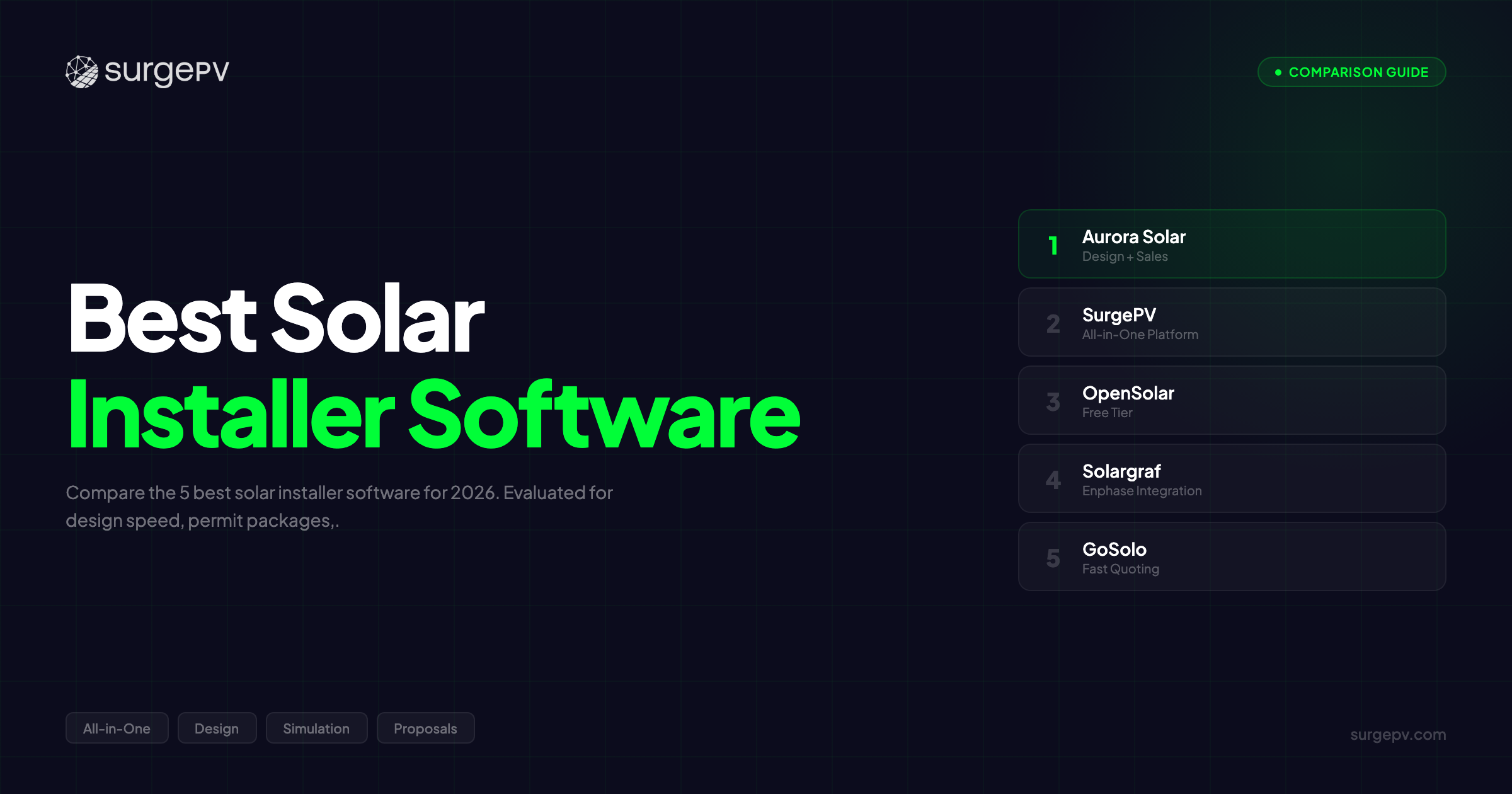
TL;DR: Aurora Solar is the best choice for pure residential installers with industry-leading AI roof detection and CRM integration. SurgePV is the best choice for installers scaling to commercial, with automated SLD generation, wire sizing, and complete permit packages without AutoCAD. OpenSolar is free and solid for budget-conscious startups. Solargraf fits Enphase-only shops. GoSolo handles small-team operations.
Your installer software should grow with you. Most solar installer tools are built for one thing: residential rooftop. Design a system, generate a proposal, close the deal. That works until it doesn’t. What happens when your first 500 kW project lands?
When the AHJ demands a single line diagram with your permit application? When the customer’s lender needs P75/P90 bankability estimates before releasing financing? Most installer tools hit a ceiling right there. Scaling from residential to commercial means buying AutoCAD ($2,000/year), learning it (6-8 weeks), and spending 2-3 hours per project drafting electrical documentation that should take minutes.
That is a problem I have lived firsthand. At Heaven Green Energy, we scaled from 10 residential installs per month to handling commercial and utility projects. We tested over 20 solar design software platforms across real installation workflows. Some were built for speed. Some for engineering. Very few for both.
The best solar installer software in 2026 covers the full workflow — lead capture, design, engineering, permits, proposals, and financial modeling — and scales from 10 kW residential to 1 MW+ commercial without switching platforms.
In this guide, you will learn:
- The 5 best solar installer software platforms for 2026, tested on real installation workflows
- Which tools handle complete permit packages (design + SLD) vs design-only
- Cost-per-install breakdown showing actual ROI for a 3-person team
- The honest answer: Aurora is best for pure residential, SurgePV is best for scaling to commercial
Want to see how complete permit packages work without AutoCAD? Book a 30-minute demo.
Quick Comparison Table
| Software | Best For | Complete Permits (Design + SLD) | CRM / Lead Mgmt | Starting Price |
|---|---|---|---|---|
| Aurora Solar | Pure residential installers | Design only, no SLD | Salesforce / HubSpot | Contact Sales (~$4,800-7,200/yr) |
| SurgePV | Scaling residential to commercial | Design + SLD + Wire Sizing | Basic | $1,899/yr (3 users) |
| OpenSolar | Budget-conscious small installers | Design only, no SLD | Built-in | Free |
| Solargraf | Enphase ecosystem installers | Design only, no SLD | Limited | Contact Sales (~$100-300/mo) |
| GoSolo | Small installer operations | Design only, no SLD | Built-in | Contact Sales (~$150-400/mo) |
What Installers Actually Need from Software in 2026
Before getting into individual platforms, it is worth understanding what a modern installer workflow demands. Most installers move through five stages on every project, and most software only covers two or three of them well.
The 5 Installer Workflow Stages:
- Lead Management — Capture, qualify, and track leads through the pipeline
- Design & Layout — Model the roof, place panels, run shading analysis
- Permit Package — Generate permit-ready documentation (design drawings + SLD + wire sizing)
- Proposal & Sales — Create customer-facing proposals with financial modeling
- Project Coordination — Manage installation schedule, BOM, and customer communication
Where the gap shows up: Aurora handles stages 1, 2, and 4 better than anyone for residential. OpenSolar covers stages 1-2 and 4 at zero cost. GoSolo focuses on stages 1 and 5.
But stage 3 — the permit package — is where every tool except SurgePV falls short.
Aurora, OpenSolar, Solargraf, and GoSolo generate design drawings. That is the layout showing where panels go on the roof. But a growing number of AHJs also require electrical documentation: single line diagrams, wire sizing calculations, voltage drop analysis. None of those tools generate SLDs. To get one, you either pay an engineer ($200-500 per project), buy AutoCAD ($2,000/year), or use solar software.
For residential-only installers who never touch commercial, Aurora’s design-only permits may be enough. But the moment you take on a 200 kW commercial project, you need the electrical side too. And that is where most installer tools force you into a second platform.
Pro Tip
Before choosing installer software, ask yourself: will you be doing ANY commercial projects in the next 2 years? If yes, choose a tool that scales. Switching platforms later costs 2-4 weeks of lost productivity and re-training across your team.
See how SurgePV covers all 5 installer workflow stages. View features.
How We Evaluated These Tools
We evaluated over 20 installer tools during 10+ years of EPC operations at Heaven Green Energy. Our team of 50+ installers and designers provided direct feedback. We measured design speed, permit approval rates, proposal close rates, and time-to-productivity across real residential and commercial projects.
Evaluation Criteria (100 points total):
- Design Speed (20 points) — Time from site data to finished design, AI roof detection quality
- Permit Completeness (20 points) — Does the tool generate complete permit packages (design + SLD + electrical)?
- Proposal Quality (15 points) — Visual design, financial modeling depth, interactivity
- CRM & Workflow (15 points) — Lead management, pipeline tracking, customer communication
- Commercial Scalability (15 points) — Can the tool scale from residential to commercial without switching platforms?
- Pricing & Value (10 points) — Total cost of ownership, cost per install
- Support & Onboarding (5 points) — Time to productivity, training resources, response times
Bias Disclosure: We are affiliated with SurgePV. Aurora Solar ranks first in this comparison for pure residential installers because it genuinely has the best AI roof detection and CRM integration in the market. SurgePV ranks first for commercial scaling because it is the only installer tool with integrated electrical engineering. We evaluate both fairly and source all claims from public reviews, official documentation, and verified product data.
Did You Know?
US residential solar installations hit 6.8 GW in 2023 while commercial grew 37% year-over-year. The fastest-growing segment? Installers scaling from residential to commercial — companies that need software handling both 10 kW rooftops and 500 kW ground-mount projects without switching platforms (SEIA Solar Market Insight 2026).
The 5 Best Solar Installer Software for 2026
Aurora Solar — Best for Pure Residential Installers
Best For: Residential installers prioritizing design speed, proposals, and CRM integration
Pricing: Contact Sales (~$4,800-7,200/year per user)
Onboarding: 2-3 weeks for residential features
Score: 90/100
Aurora Solar is the industry leader for residential solar installers, and that position is well earned. For residential rooftop systems under 50 kW, Aurora delivers the best AI roof detection available, the most polished customer-facing proposals, and the strongest CRM integration through native Salesforce and HubSpot connectors.
What makes Aurora stand out for residential teams is speed. The AI roof modeling eliminates site visits on 90%+ of residential projects. You upload an address, Aurora builds a 3D roof model, and you can start placing panels within minutes. No other tool matches that workflow speed for residential.
The proposals are genuinely good looking. Customers respond to them. Interactive web-based proposals with real-time savings calculations, clean design visuals, and embedded financing options. If your close rate matters — and for high-volume residential installers, it is everything — Aurora’s proposal design gives you an edge.
CRM integration is another area where Aurora leads. Native Salesforce and HubSpot integration means your sales pipeline, lead tracking, and proposal analytics live in one connected system. For sales-driven installation companies managing 50+ leads per month, this matters.
But Aurora has clear limitations for installers who are growing.
Where Aurora Falls Short for Scaling Installers:
- No SLD generation — Commercial permit applications need electrical single line diagrams. Aurora does not create them. You need AutoCAD ($2,000/year per user) and 2-3 hours per project to produce them separately.
- No wire sizing or voltage drop calculations — Electrical engineering is entirely absent.
- No carport design — Cannot design parking lot solar installations.
- No tracker support — Cannot model single-axis or dual-axis tracking systems.
- P50 only — No P75/P90 estimates for commercial bankability and financing.
- Contact sales pricing — Not transparent. Estimated $400-600/month per user.
Who Should Choose Aurora:
- Residential-only installers with no plans to do commercial
- Sales-driven teams where proposal aesthetics and close rates are the priority
- Companies already using Salesforce or HubSpot CRM
- High-volume residential operations (30+ installs/month)
Who Should Look Elsewhere:
- Installers planning to take on commercial projects — SurgePV handles SLDs, permits, and commercial structures without AutoCAD
- Budget-conscious small teams — Aurora’s per-user pricing is steep for 2-3 person companies
User Reviews: G2 4.5/5 (247 reviews). Top praise: “Best residential design speed” (45%), “Proposals close more deals” (40%). Top criticism: “Pricing is too high for what you get” (30%), “No SLD for commercial permits” (20%).
For a deeper analysis, read our full Aurora Solar review.
SurgePV — Best for Installers Scaling from Residential to Commercial
Best For: Installation companies growing into commercial, needing complete permit packages without AutoCAD
Pricing: $1,899/year for 3 users (Individual plan) — transparent, all-inclusive
| Plan | Price | Users |
|---|---|---|
| Individual | $1,899/year | 3 users |
| For 3 Users | $1,499/user/year | 3 users |
| For 5 Users | $1,299/user/year | 5 users |
| Enterprise | Custom | Multiple |
All features included on every plan. No hidden fees, no feature gating. See full pricing.
Onboarding: 2-3 weeks (no CAD training needed)
Score: 89/100
Here is the reality most solar installer software reviews will not tell you: residential tools stop working when you start doing commercial. Your first 500 kW project needs an SLD for the permit application. Aurora does not generate SLDs. Neither does OpenSolar, Solargraf, or GoSolo.
So you buy AutoCAD ($2,000/year), spend 6-8 weeks learning it, and then spend 2-3 hours per project creating electrical documentation that SurgePV generates automatically in 5-10 minutes. That is the gap SurgePV was built to close.
Three Scaling Advantages
1. Complete Permit Packages (Key Differentiator)
Design drawings + automated SLD generation + wire sizing in one platform. SLD creation takes 5-10 minutes versus 2-3 hours in AutoCAD. Every SLD is NEC Article 690 compliant. Permit-ready output — no external tools, no separate engineering software.
It means your permit packages go out complete on the first submission, reducing rejection rates and eliminating the $200-500 per project you would pay an outside engineer.
2. Commercial Structure Support (Growth-Ready)
SurgePV is the only platform with native carport solar design — single cantilever, dual cantilever, and multi-column configurations. Solar tracker support for single-axis (15-25% production gain) and dual-axis (25-35% gain) systems. East-West racking for 20-40% more kW per roof area. Projects up to 10 MW. When a parking lot project or a tracker installation comes your way, you do not need to find a new platform.
3. Lowest Cost Per Install
$1,899/year for 3 users (Individual plan) means $633 per user per year. All features included — design + engineering + proposals. No AutoCAD needed, which saves $2,000/year per user. At 20 installs per month, SurgePV costs roughly $8 per install. Aurora at $4,800-7,200/year per user works out to $60-115 per install when you add AutoCAD for commercial work. See full pricing.
Real-World Example
When our installation team at Heaven Green Energy started taking commercial projects, we spent 2.5 hours per project creating SLDs in AutoCAD. That was 3 engineers, each losing half a day per commercial job. After switching to SurgePV, SLD generation dropped to under 10 minutes. Same team, 40% more projects per month — without hiring additional staff. The engineering bottleneck disappeared.
Key Installer Features:
- AI roof modeling (15-20 min vs 45-60 min manual)
- 8760-hour shading analysis (+/-3% vs PVsyst)
- Automated SLD generation (NEC 690 compliant, 5-10 min)
- Wire sizing (DC/AC) with voltage drop analysis
- Conduit fill, breaker sizing, fuse selection
- P50/P75/P90 production estimates
- Interactive web-based proposals
- Financial modeling (cash, loan, lease, PPA)
- 70,000+ module database, 3,000+ US utilities
- 98% BOM accuracy
Honest Limitations:
- AI roof detection is not as advanced as Aurora’s for complex residential rooftops. Aurora is faster on residential.
- No native Salesforce/HubSpot CRM integration. Aurora is stronger for CRM-driven sales workflows.
- Newer to market than Aurora — smaller user community and fewer third-party integrations.
- Residential proposal aesthetics are not as polished as Aurora’s. Functional, but not as visually refined.
Who Should Choose SurgePV:
- Installers scaling from residential to commercial who need permits with SLDs
- Teams tired of paying $2,000/year for AutoCAD just to create permit documentation
- Companies doing carport, tracker, or commercial rooftop projects
- Budget-conscious installers wanting the lowest cost per install
Who Should Look Elsewhere:
- Pure residential installers who never plan to do commercial and prioritize CRM — Aurora is the stronger fit for that workflow
Further Reading
For a broader comparison, see best solar design software. For engineering capabilities, see best solar engineering software. For proposal features, see best solar proposal software.
You might be wondering: if SurgePV does design, engineering, and proposals in one tool, why does Aurora rank higher for residential? Fair question. Aurora has had a 10+ year head start in the residential market. Their AI roof detection is genuinely best-in-class for residential rooftops. Their proposal design is more polished for homeowner-facing sales. And their CRM ecosystem (Salesforce/HubSpot native integration) is stronger for high-volume residential sales teams.
SurgePV was purpose-built for the workflow gap Aurora leaves open: electrical engineering and commercial scalability. Each platform wins in its lane.
Book a demo to see complete permit package generation (design + SLD) in under 15 minutes.
OpenSolar — Best Free Installer Software
Best For: Budget-conscious small installers and startups testing the market
Pricing: Free (zero cost)
Onboarding: 1-2 weeks (fastest)
Score: 82/100
OpenSolar is the right choice for installers who want professional software without spending anything. The platform offers 3D design, proposals, built-in CRM, financial modeling, and e-signature — all at zero cost. The business model monetizes through optional financing partner referrals, not subscriptions.
For small residential installers doing 5-15 installs per month on tight budgets, OpenSolar delivers solid value. The built-in CRM is a genuine advantage over both Aurora (which requires a separate CRM tool) and SurgePV (which has basic lead management). You can track leads, manage your pipeline, send proposals, and collect e-signatures from one platform without paying a dollar.
The design tools are decent for residential. Not as fast as Aurora’s AI roof detection, not as engineering-focused as SurgePV’s, but functional for standard rooftop layouts. Financial modeling supports cash, loan, lease, and PPA scenarios.
Where OpenSolar Falls Short:
- No SLD generation — Permit packages are incomplete for jurisdictions requiring electrical documentation
- No wire sizing or voltage drop calculations — No electrical engineering at all
- Limited commercial project support — Not built for 100 kW+ systems
- Basic shading analysis — Not 8760-hour industry standard
- No carport or tracker design — Residential only
What most installers miss about “free” software: if you ever need to do a commercial project, you will need AutoCAD ($2,000/year) for SLDs, or you will pay an engineer $200-500 per project. The “free” tool suddenly has hidden costs.
Who Should Choose OpenSolar:
- Small residential installers who need free software to get started
- Startups testing the solar installation business before investing in paid tools
- Budget-first teams who need built-in CRM without extra cost
Who Should Look Elsewhere:
- Installers needing complete permits (SLD required) — SurgePV is a better fit
- Companies scaling to commercial — you will outgrow OpenSolar quickly
User Reviews: G2 4.2/5 (89 reviews). Top praise: “Free is the right price” (60%), “Easy to learn” (45%). Top criticism: “Features are limited” (40%), “No electrical for commercial” (20%).
Read our full OpenSolar review.
Further Reading
For proposal tools with engineering data, see best solar EPC proposal software. For platforms covering design, engineering, and proposals, see best all-in-one solar software.
Solargraf — Best for Enphase Ecosystem Installers
Best For: Residential installers using Enphase microinverters and financing
Pricing: Contact Sales (~$100-300/month per user)
Onboarding: 1-2 weeks
Score: 76/100
Solargraf (owned by Enphase Energy) is purpose-built for residential installers who live in the Enphase ecosystem. If your business installs Enphase microinverters and uses Enphase financing partners, Solargraf streamlines the design-to-financing workflow in a way no other tool matches.
Proposals are clean. Financing options are pre-integrated. Equipment compatibility with Enphase products is tight. For residential-only installers doing 10-25 Enphase installs per month, Solargraf removes friction from the proposal and financing stages.
Key Strengths:
- Design tools optimized for Enphase equipment compatibility
- Proposal generation with pre-integrated financing partners
- E-signature and contract management built in
- Fast residential proposals (15-25 minutes from design to send)
Where Solargraf Falls Short:
- Residential only — Zero commercial project support. No projects above 50 kW.
- No SLD generation — Permits are design-only. No electrical documentation.
- Enphase vendor lock-in — Limited value if you install non-Enphase equipment. Switching inverter brands means switching software.
- Contact sales pricing — Not transparent, estimated $100-300/month per user.
The Enphase lock-in is the biggest consideration. If 90%+ of your installations use Enphase, Solargraf is a natural fit. If you install multiple inverter brands or plan to, the platform becomes limiting.
Who Should Choose Solargraf:
- Residential-only installers using Enphase microinverters on 90%+ of projects
- Teams who value tight Enphase financing integration
Who Should Look Elsewhere:
- Any installer planning commercial work — SurgePV or Aurora are better options
- Installers using non-Enphase equipment — the ecosystem lock-in works against you
User Reviews: G2 4.4/5 (28 reviews). Top praise: “Fast residential proposals” (45%), “Enphase integration” (35%). Top criticism: “Residential only” (30%), “Limited features” (20%).
Read our full Solargraf review.
GoSolo — Best for Small Installer Operations
Best For: Small installation companies needing project management and lead tracking
Pricing: Contact Sales (~$150-400/month estimated)
Onboarding: 1-2 weeks
Score: 74/100
GoSolo takes a different approach from the other tools on this list. Instead of leading with design features, GoSolo focuses on the operational side of running a solar installation company: lead management, project tracking, scheduling, job costing, and basic design.
For small teams of 2-5 people managing 10-20 residential installs per month, GoSolo provides a simple, all-in-one workflow tool that covers the business management stage most design-focused platforms miss entirely.
Key Strengths:
- Built-in lead management and pipeline tracking
- Project management and scheduling tools
- Job costing and tracking for profitability analysis
- Customer communication tools
- Basic solar design and proposal generation
Where GoSolo Falls Short:
- Basic design tools — Not as advanced as Aurora or SurgePV. Adequate for standard residential, but limited for complex rooftops.
- No SLD generation — No electrical engineering for permits.
- Limited commercial project support — Not built for scaling beyond residential.
- Smaller user community — Fewer integrations, less community support.
GoSolo is the installer’s “business operating system” rather than an engineering platform. If your bottleneck is managing jobs and tracking leads — not designing systems — GoSolo fills a gap that Aurora and SurgePV are not focused on.
Who Should Choose GoSolo:
- Small installation companies (2-5 people) needing operational management more than design depth
- Teams where lead tracking and job costing are higher priorities than design sophistication
Who Should Look Elsewhere:
- Companies needing advanced design or engineering — Aurora or SurgePV are significantly stronger
- Installers planning to scale to commercial projects
User Reviews: G2 4.1/5 (12 reviews). Top praise: “Good for small teams” (40%), “Simple interface” (35%). Top criticism: “Limited commercial” (30%), “Basic features” (25%).
Read our full GoSolo review.
Which Software Is Right for Your Installation Company?
| Your Situation | Recommended Software | Why It Fits |
|---|---|---|
| Pure residential, high-volume, sales-focused | Aurora Solar | Best AI roof detection, best proposals, strongest CRM integration |
| Scaling to commercial or need complete permits | SurgePV | Only tool with SLD generation, wire sizing, and commercial structures; lowest cost per install |
| Starting out, budget is tight | OpenSolar | Free, decent features, built-in CRM; upgrade later when you scale |
| Enphase-exclusive residential | Solargraf | Tight Enphase integration, pre-integrated financing tools |
| Small team, operations-focused | GoSolo | Lead tracking, project management, job costing for small teams |
Complete Permit Packages Without AutoCAD
Design + SLD + wire sizing + proposals in one platform. Built for installers scaling from residential to commercial.
Book a DemoNo commitment required · 20 minutes · Live project walkthrough
When You May Not Need Installer-Specific Software
Not every installation company needs a dedicated installer software platform. Consider simpler alternatives if:
- Very low project volume — Teams handling fewer than 5 installs per month may find that manufacturer design tools (like Enphase’s free configurator) and spreadsheets cover your needs.
- Engineering is fully outsourced — If you hire external engineers for every design, you may only need proposal and CRM tools rather than a design platform.
- Residential-only with standard layouts — If every project is a straightforward 6-10 kW residential rooftop with the same equipment, basic calculators may suffice.
- Pure sales operation — Companies that subcontract all design and installation may only need CRM and proposal tools like HubSpot or PandaDoc.
However, most installation companies doing 10+ projects per month benefit from integrated platforms that reduce per-project time and improve permit approval rates.
Full Feature Comparison Table
| Feature | Aurora Solar | SurgePV | OpenSolar | Solargraf | GoSolo |
|---|---|---|---|---|---|
| Best for | Residential sales | Scaling to commercial | Free / startup | Enphase ecosystem | Small team ops |
| AI Roof Detection | Best in class | Yes | Yes | Yes | Basic |
| SLD Generation | No | Yes (automated, 5-10 min) | No | No | No |
| Wire Sizing | No | Yes (automated) | No | No | No |
| Complete Permit Package | Design only | Design + SLD + Electrical | Design only | Design only | Design only |
| Proposal Quality | Best looking | Good + engineering data | Good | Good | Basic |
| CRM / Lead Mgmt | Salesforce / HubSpot | Basic | Built-in | Limited | Built-in |
| Shading Analysis | 8760-hour | 8760-hour (+/-3% vs PVsyst) | Basic | Basic | Basic |
| Commercial (100kW+) | Limited | Up to 10 MW | Limited | No | Limited |
| Carport Design | No | Yes (only platform) | No | No | No |
| Tracker Support | No | Single + dual axis | No | No | No |
| P50/P75/P90 | P50 only | P50/P75/P90 | Basic | Basic | Basic |
| Pricing/year | ~$4,800-7,200/user | $1,899 (3 users) | Free | ~$1,200-3,600/user | ~$1,800-4,800 |
| Onboarding | 2-3 weeks | 2-3 weeks | 1-2 weeks | 1-2 weeks | 1-2 weeks |
Cost Per Install Comparison
Software cost matters, but cost per install is what actually hits your margins.
Here is how the math works for a 3-person installation company doing 20 installs per month (240 per year):
| Software | Annual License (3 users) | AutoCAD for Permits | Total Annual Cost | Cost Per Install (at 20/mo) |
|---|---|---|---|---|
| Aurora Solar | ~$14,400-21,600 | $6,000/yr (if commercial) | $14,400-27,600 | $60-115/install |
| SurgePV | $1,899 | $0 (SLD included) | $1,899 | ~$8/install |
| OpenSolar | $0 (Free) | $6,000/yr (if commercial) | $0-6,000 | $0-25/install |
| Solargraf | ~$3,600-10,800 est. | N/A (residential only) | $3,600-10,800 | $15-45/install |
| GoSolo | ~$5,400-14,400 est. | N/A (residential only) | $5,400-14,400 | $23-60/install |
The cost-per-install difference compounds fast. Over 12 months at 20 installs per month, the gap between SurgePV ($1,899/year) and Aurora ($14,400-27,600/year) is $12,500-25,700. That is money that goes straight to your bottom line or into hiring your next installer.
SurgePV: $8 per install with complete features including electrical engineering. Aurora: $60-115 per install. See pricing details.
Pro Tip
When calculating your true software cost, do not forget the hidden AutoCAD expense. If your design tool lacks SLD generation and you do ANY commercial work, add $2,000/year per user for AutoCAD. That turns a “free” or “affordable” tool into a much more expensive total cost of ownership.
Why Permit Completeness Matters More Than Design Speed
Most installer software comparisons focus on design speed. How fast can you lay out panels? How quickly does the AI model the roof? Those metrics matter. But they miss the bigger picture.
The Permit Bottleneck
Permit rejections cost installers $500-2,000 per project in rework, re-submission fees, and delayed installations (SEIA industry estimates). The most common rejection reason for commercial permits? Incomplete electrical documentation.
A growing number of US jurisdictions now require single line diagrams even for residential permits. For commercial projects (100 kW+), SLDs are nearly universal requirements. The trend is moving in one direction: more electrical documentation, not less.
The AutoCAD Problem
If your installer software does not generate SLDs, you have three options:
- Buy AutoCAD — $2,000/year per user, plus 6-8 weeks to train your team, plus 2-3 hours per project to create the SLD manually
- Hire an engineer — $200-500 per SLD, plus turnaround time that delays your permit submission
- Use SurgePV — Automated SLD generation in 5-10 minutes, NEC Article 690 compliant, included in the $1,899/year subscription
For installers doing 10+ projects per month, the AutoCAD or engineering cost adds up fast. At $300 per SLD and 10 projects per month, that is $36,000/year — more than 18x the cost of SurgePV.
The Scaling Trigger
Here is the question that separates good installer software from great: what happens when a 500 kW commercial opportunity lands on your desk?
With Aurora, you accept the project, design it, then scramble to find an engineer for the SLD, buy AutoCAD, and hope the permit submission is complete. With SurgePV, you design it, generate the SLD, produce the BOM, and submit the permit package — all from the same platform you used for yesterday’s residential project. That is what “scaling from residential to commercial” actually looks like in practice.
Our Testing Methodology
We evaluated each platform against seven weighted criteria specific to installer workflows:
- Design Speed (20%) — Time from site data to finished design, AI roof detection quality, residential vs commercial speed
- Permit Completeness (20%) — Does the tool generate design drawings AND electrical documentation (SLD, wire sizing)?
- Proposal Quality (15%) — Visual design, financial modeling depth, interactivity, customer response rates
- CRM & Workflow (15%) — Lead management, pipeline tracking, customer communication, team collaboration
- Commercial Scalability (15%) — Can the tool handle 100 kW+ commercial, carports, trackers, P50/P75/P90?
- Pricing Value (10%) — Total cost of ownership including hidden costs (AutoCAD, engineering), cost per install
- Support & Onboarding (5%) — Time to productivity, training resources, support response times
Testing was conducted using real project data from residential (8-15 kW) and commercial (100-500 kW) installations across the US market. Feature verification used official product documentation, verified G2 reviews, and hands-on testing.
Transparency Note
SurgePV publishes this content. We are transparent about this relationship. Aurora Solar ranks first for pure residential because it genuinely has the best AI roof detection and CRM integration available. SurgePV ranks first for commercial scaling because it is the only installer tool with integrated electrical engineering. This comparison is based on hands-on testing, official documentation, and verified user reviews. See our editorial standards.
Bottom Line: Best Solar Installer Software for Your Business
The best installer software is not the one with the most features on paper. It is the one that still works when your business grows.
For pure residential, high-volume, sales-focused teams: Aurora Solar delivers the best AI roof detection, the best-looking proposals, and the strongest CRM integration. If you are 100% residential and plan to stay that way, Aurora is the top choice. Worth the premium if your close rate justifies the per-user cost.
For installers scaling to commercial or needing complete permits: SurgePV is the only installer tool with automated SLD generation, wire sizing, and commercial structures (carports, trackers). Lowest cost per install at $8 versus Aurora’s $60-115. If there is any chance you will take on commercial projects in the next 2 years, SurgePV scales with you.
For budget-conscious startups: OpenSolar gives you professional design, proposals, and CRM at zero cost. Start here, upgrade later when you outgrow the feature set.
For Enphase-only residential: Solargraf offers tight ecosystem integration if 90%+ of your installs use Enphase microinverters.
For small teams needing operations management: GoSolo focuses on the job tracking, lead management, and scheduling that design-focused tools miss.
The growth question is this: will your next tool still work when your first commercial project comes in? If the answer needs to be yes, choose a platform that handles both residential and commercial from day one.
Book a demo and we will walk through your next project. Compare SurgePV pricing — transparent rates, all features included, no sales call required.
Further Reading
For design platform comparisons, see best solar design software. For proposal tools with engineering data, see best solar EPC proposal software. For simulation accuracy, see best solar simulation software. For shading tools, see best shading analysis software.
Frequently Asked Questions
What is the best software for solar installers?
For pure residential installers, Aurora Solar is the best choice due to industry-leading AI roof detection, polished proposals, and strong CRM integration (native Salesforce and HubSpot). For installers scaling from residential to commercial or needing complete permit packages (design + SLD), SurgePV is the best choice because it generates automated SLDs and wire sizing without AutoCAD. For budget-conscious startups, OpenSolar is free and includes built-in CRM.
What software do solar installation companies use?
Most solar installation companies use a combination of design software (Aurora Solar, SurgePV, OpenSolar), proposal tools (often built into the design platform), and CRM systems (Salesforce, HubSpot, or built-in options like OpenSolar’s). SurgePV is the only platform that also includes electrical engineering — SLD generation and wire sizing — eliminating the need to purchase AutoCAD alongside your design tool.
Do solar installers need SLD generation software?
Yes, and the requirement is growing. Many US jurisdictions now require single line diagrams as part of permit applications, even for residential installations. For commercial projects (100 kW+), SLDs are nearly universal. Without SLD capability in your design tool, you must either use AutoCAD ($2,000/year per user, plus 2-3 hours per project) or hire an engineer ($200-500 per SLD). SurgePV generates NEC-compliant SLDs automatically in 5-10 minutes.
What is the best free solar installer software?
OpenSolar is the best free solar installer software. It offers 3D design, proposal generation, built-in CRM, financial modeling (cash, loan, lease, PPA), and e-signature at zero cost. The platform monetizes through optional financing partner referrals. OpenSolar lacks SLD generation and has limited commercial capabilities, but for residential-only installers on tight budgets, it is the best free option available.
How much does solar installer software cost?
Prices range from free (OpenSolar) to approximately $4,800-7,200/year per user (Aurora Solar, contact sales). SurgePV costs $1,899/year for 3 users ($633/user/year) with all features including SLD generation and electrical engineering. Solargraf costs approximately $100-300/month per user. GoSolo costs approximately $150-400/month. When comparing costs, factor in AutoCAD ($2,000/year per user) if your tool lacks SLD generation — that hidden cost changes the total cost of ownership significantly.
Which solar installer software scales best from residential to commercial?
SurgePV scales best from residential to commercial because it includes electrical engineering features (automated SLD generation, wire sizing, NEC compliance) alongside design and proposals. It also supports commercial structures (carport design, single-axis and dual-axis trackers, East-West racking) and provides P50/P75/P90 bankability metrics for commercial financing. Aurora Solar and OpenSolar are limited to residential-level features without electrical engineering.
Is Aurora Solar worth the price for installers?
For pure residential installers doing high-volume sales (30+ installs/month), Aurora’s premium pricing may be justified by its best-in-class AI roof detection, polished proposals, and native Salesforce/HubSpot integration. These features can increase close rates, potentially offsetting the higher cost. However, for installers doing any commercial work, Aurora lacks SLD generation and requires $2,000/year AutoCAD per user for electrical documentation, making SurgePV ($1,899/year for 3 users, all features included) a more cost-effective choice.
Can solar installer software generate complete permit packages?
Most solar installer software generates design drawings for permits but NOT complete permit packages. A complete permit package typically requires both design drawings AND electrical documentation (SLDs, wire sizing, voltage drop calculations). Only SurgePV generates both from one platform — design drawings plus automated, NEC Article 690 compliant SLDs. Aurora, OpenSolar, Solargraf, and GoSolo require separate AutoCAD licenses or third-party engineering services for the electrical portion of permit packages.
Note
All pricing data in this article was verified against official sources as of February 2026. Prices may have changed since publication. Contact each vendor directly for current pricing.