

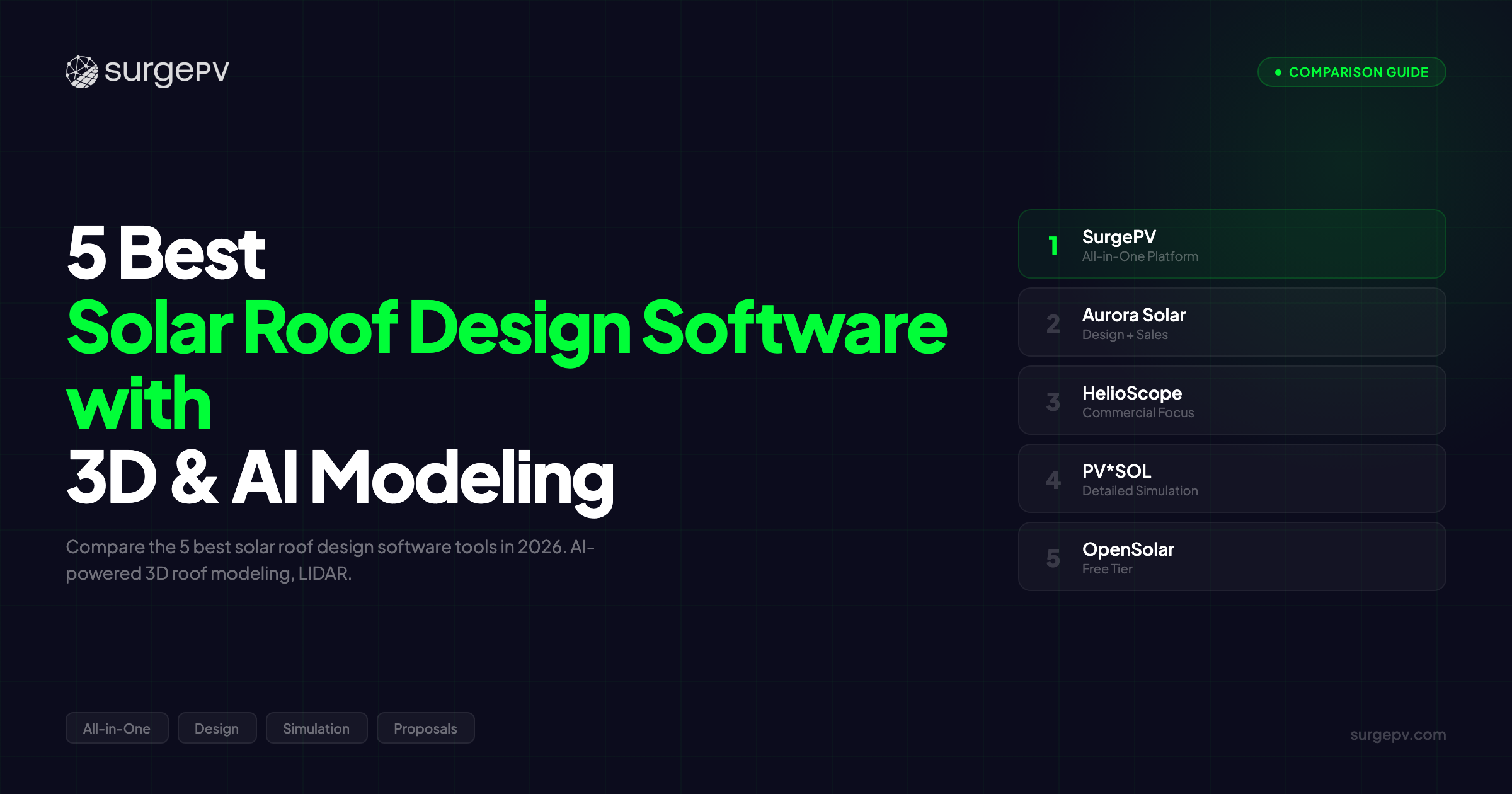
TL;DR: Designing solar arrays on a flat screenshot with no elevation data is guesswork. SurgePV delivers AI-powered auto-roof detection that creates 3D models in seconds, with LIDAR integration, multi-plane support, and obstruction mapping. Aurora Solar leads residential polish. HelioScope dominates commercial precision. PV*SOL provides bankable desktop accuracy. OpenSolar offers the best free option.
Designing solar arrays on a flat screenshot with no elevation data is guesswork.
You can’t see the dormer shadow. You can’t measure the hip-roof pitch. You can’t tell if the chimney blocks morning sun or afternoon sun.
That’s why the best solar installers in 2026 use 3D roof design software with AI-powered detection. These tools auto-trace roof planes from LIDAR, identify obstructions automatically, and generate accurate panel layouts in minutes, not hours.
We tested the leading solar roof design tools against real rooftop scenarios: complex hip roofs, multi-plane dormers, flat commercial buildings, and ground-mount sites. We ran side-by-side comparisons on AI roof detection accuracy, LIDAR integration quality, and residential panel layout automation.
Here’s the truth: the difference between a tool that guesses roof pitch from satellite angles and one that uses LIDAR elevation data is the difference between a 5-degree error that costs 8-12% annual yield and a sub-1-degree accuracy that clients can trust.
In this guide, you’ll learn:
- Which 5 solar roof design tools deliver the most accurate 3D models in 2026
- How AI-powered roof detection compares across platforms (SurgePV vs Aurora vs manual tools)
- Which tools handle residential panel layouts vs commercial flat roofs vs ground-mount sites
- How LIDAR integration improves roof modeling accuracy from ±5 degrees to ±1 degree
- Whether AI-based designs are accurate enough for permitting (spoiler: yes, with LIDAR)
- What a 3D roof configurator does and why it matters for complex geometries
What Makes Great Solar Roof Design Software in 2026?
Generic 3D solar modeling software handles CAD-level visualization. Roof-specific design software handles the physics of pitched surfaces, obstructions, and shade-accurate panel placement.
Before comparing specific platforms, here’s what separates roof modeling tools from broader 3D design platforms.
AI-Powered Roof Detection
AI roof detection uses machine learning to automatically identify roof planes, calculate pitch and azimuth, and map obstructions from satellite or LIDAR imagery.
Manual roof tracing takes 30-45 minutes per residential roof. AI roof detection takes 15-30 seconds.
The best AI systems, like SurgePV and Aurora Solar, detect:
- Individual roof planes (hip, gable, dormer, split-level)
- Pitch and azimuth per plane (within ±1-2 degrees with LIDAR)
- Obstructions (chimneys, vents, skylights, HVAC units)
- Ridge lines and valleys
- Setback boundaries for fire code compliance
What most people miss: AI accuracy depends entirely on the quality of the underlying imagery. Satellite-only AI delivers ±3-5 degree pitch accuracy. LIDAR-enhanced AI delivers ±1 degree accuracy, the difference between a design that passes inspection and one that doesn’t.
Note
AI roof detection replaces manual roof tracing, reducing design time from 30-45 minutes to under 5 minutes per residential roof. However, AI accuracy depends on imagery quality. Satellite-only detection delivers ±3-5 degree pitch accuracy. LIDAR-enhanced detection delivers ±1 degree accuracy, which is critical for permit-level precision on complex roofs.
LIDAR Integration for Accuracy
LIDAR (Light Detection and Ranging) provides sub-inch elevation data for roof surfaces. This is fundamentally different from satellite imagery, which uses angle estimation to guess roof pitch.
A LIDAR-based roof model shows:
- True 3D terrain (exact elevation of every roof point)
- Obstruction heights (not just 2D footprints)
- Shade-accurate modeling (how tall is that chimney casting the shadow?)
- Ridge line precision (±1-inch accuracy vs ±1-foot guesses)
For commercial flat roofs with parapet walls and rooftop equipment, LIDAR is the only way to model shade accurately. A 3-foot parapet wall casts different shadows than a 6-foot wall, and satellite imagery can’t tell the difference.
SurgePV, Aurora Solar, and HelioScope all support LIDAR import. PV*SOL accepts LIDAR data. OpenSolar has limited LIDAR support.
If your roof model uses satellite-only data and estimates a 25-degree pitch when the actual pitch is 30 degrees, you’re telling the client their system will produce 8-12% more energy than it actually will. That’s not a rounding error. That’s a warranty claim waiting to happen.
Multi-Plane and Complex Roof Support
Residential roofs are rarely simple rectangles. Hip roofs have 4+ planes. Gable roofs have valleys and dormers. Multi-story homes have split-level sections.
The best roof design software handles:
- Unlimited roof planes (some tools cap at 5-10 planes per roof)
- Hip roofs (4+ sloped planes meeting at a peak)
- Gable roofs (2 sloped planes with triangular ends)
- Dormers (vertical windows protruding from sloped roofs)
- Split-level roofs (different elevations and pitches on one structure)
- Dutch gables (combination hip-gable hybrid roofs)
SurgePV and Aurora Solar handle unlimited multi-plane roofs. HelioScope supports complex commercial geometries. PV*SOL excels at manual multi-plane modeling. OpenSolar handles basic multi-plane but struggles with complex dormers.
Auto Panel Layout and Setback Compliance
Once the roof is modeled, the software needs to place panels automatically while respecting:
- Fire code setbacks (3-foot pathways per IFC 2018/2021)
- Roof edge setbacks (1-3 feet from edges)
- Obstruction clearances (panels don’t overlap vents or chimneys)
- String design constraints (panels per string, voltage limits)
Auto-fill panel placement saves 10-20 minutes per residential roof. Manual panel placement on a complex hip roof with dormers can take 30+ minutes.
The best tools, SurgePV, Aurora Solar, and HelioScope, auto-fill panels in 5-15 seconds with full setback compliance.
Pro Tip
Fire code setbacks for residential roofs follow IFC 2018 or IFC 2021 standards, requiring 3-foot pathways from ridge to eave and 18-inch borders around the perimeter. Tools that auto-apply these setbacks save 10-20 minutes per design and eliminate permitting delays caused by non-compliant layouts.
Real-Time Shading Analysis
3D roof models are only useful if they show accurate shade patterns. Solar shading analysis tools simulate minute-by-minute or hourly shading across the year.
Key capabilities:
- 8760-hour simulation (every hour of the year)
- Obstruction shadows (chimneys, dormers, nearby trees)
- Seasonal shadow paths (summer vs winter sun angles)
- Time-of-day visualization (see shadows at 9am, noon, 3pm)
SurgePV runs 8760-hour shading analysis with ±3% accuracy vs PVsyst. Aurora Solar uses LIDAR-based shading. HelioScope provides detailed commercial shading. PV*SOL delivers minute-by-minute desktop simulation.
Residential vs Commercial Roof Modeling
Residential roofs are pitched and complex. Commercial roofs are flat and equipment-heavy.
Residential roof modeling needs:
- Multi-plane pitch detection
- Dormer and hip-roof support
- Residential fire code setbacks
- Fast iteration (handle 5-10 quotes per day)
Commercial roof modeling needs:
- Flat roof layouts with parapets
- Rooftop equipment modeling (HVAC, exhaust fans)
- String design and electrical routing
- NEC compliance for commercial installations
Ground-mount modeling needs:
- Terrain analysis (slope, grading)
- Fixed-tilt or tracker layouts
- Row spacing optimization
- Civil engineering integration
SurgePV handles all three. Aurora Solar focuses on residential. HelioScope excels at commercial. PVcase dominates utility-scale ground-mount. PV*SOL covers all types but requires manual setup.
See rooftop and ground-mount design software for ground-mount comparisons.
The 5 Best Solar Roof Design Software Tools in 2026
Quick Comparison Table
| Feature | SurgePV | Aurora Solar | HelioScope | PV*SOL | OpenSolar |
|---|---|---|---|---|---|
| AI Roof Detection | Auto-trace | Aurora AI | Manual | Manual | Basic |
| LIDAR Support | Full | Full | Import | Import | Limited |
| Multi-Plane Roofs | Unlimited | Unlimited | Complex | Advanced | Basic |
| Auto Panel Layout | Instant | Instant | Instant | Manual-assist | Basic |
| Shading Simulation | 8760-hour | LIDAR-based | Detailed | Minute-by-minute | Basic |
| Commercial Flat Roof | Yes | Yes | Excellent | Yes | Limited |
| Ground-Mount 3D | Yes | Basic | Good | Yes | No |
| Proposal Sync | Integrated | Yes | Separate | Separate | Yes |
| Cloud-Based | Yes | Yes | Yes | Desktop | Yes |
| Pricing | $1,899/yr (3 users) | Custom quote | $150+/mo | ~$450-650/yr | Free tier |
| Best For | All-in-one AI roof design | Residential polish | Commercial precision | Bankable desktop | Budget teams |
Quick verdict: For residential and commercial installers handling complex roofs, SurgePV offers the fastest AI-powered workflow with LIDAR integration and proposal sync. For polished residential proposals, Aurora Solar leads visual quality. For commercial flat-roof precision, HelioScope dominates engineering-grade layouts. For bankable desktop simulation, PV*SOL provides the industry standard. For budget-conscious teams, OpenSolar offers a free starting point.
See how SurgePV handles AI roof detection in seconds — Book a demo
SurgePV — Fastest AI-Powered 3D Roof Design
Rating: 9.1/10 | Price: $1,899/year (3 users) | Book a demo | See SurgePV pricing
SurgePV is a cloud-based, AI-powered solar design and proposal platform that combines roof modeling, electrical engineering, simulation, and professional proposals in one workflow. For installers and EPCs handling residential and commercial rooftop projects, it eliminates the need to switch between Aurora, AutoCAD, and PVsyst.
Why SurgePV works for roof design:
The platform’s AI auto-roof detection analyzes satellite and LIDAR imagery to create 3D roof models in 15-30 seconds. It detects pitch, azimuth, obstructions, and roof planes automatically, replacing the 30-45 minutes of manual roof tracing that tools without AI require.
For complex multi-plane roofs, SurgePV handles unlimited roof segments. Hip roofs with 6+ planes, dormers, split-level sections — the AI detects them all. You can manually adjust any plane the AI creates, giving you the speed of automation with the control of manual modeling when needed.
SurgePV runs 8760-hour shading analysis with ±3% accuracy compared to PVsyst. That’s bankable accuracy — lenders and project financiers accept P50/P75/P90 yield forecasts generated by SurgePV for commercial projects.
The platform also handles roof-specific electrical engineering. It generates automated single line diagrams in 5-10 minutes, compared to 2-3 hours of manual AutoCAD drafting. For installers producing permit documentation, this saves 1.5-2.5 hours per commercial project.
SurgePV is also the only platform with native carport solar design, relevant as commercial carport installations grow at supermarkets, logistics facilities, and parking structures.
Mini case study: A California-based installer switched from Aurora Solar (design) + AutoCAD (electrical) to SurgePV for residential and commercial rooftop projects. By using SurgePV’s AI roof detection instead of manual roof tracing, they reduced average design time from 55 minutes to 18 minutes per residential roof.
On a typical 8 kWp residential installation with a hip roof and two dormers, the AI detected 5 roof planes, calculated pitch (28 degrees) and azimuth (185 degrees south), and identified 3 obstructions (chimney, 2 vents) in 22 seconds. The designer verified the model, adjusted one dormer plane manually, and moved to panel placement. Total roof modeling time: 4 minutes.
Result: the installer now handles 12-15 residential quotes per day instead of 6-8, directly increasing their quote-to-close ratio by 40% because they respond to leads faster.
Reader objection: “Aurora Solar is the industry standard for residential — when does SurgePV make more sense?” Aurora Solar has stronger brand recognition and a more polished visual interface. If you’re a pure residential installer focused on sales polish and already have a separate electrical team using AutoCAD, Aurora is a strong choice. But if you’re an installer or EPC that handles both residential and commercial, needs electrical documentation in-house, or wants proposal sync without tool-switching, SurgePV covers the complete workflow. You’re trading Aurora’s visual polish for SurgePV’s engineering depth and all-in-one platform efficiency.
Pros:
- AI-powered auto-roof detection in 15-30 seconds
- LIDAR integration for ±1 degree pitch accuracy
- Unlimited multi-plane support (hip, gable, dormer, split-level)
- 8760-hour shading analysis with ±3% PVsyst accuracy
- Automated SLD generation (5-10 min vs 2-3 hours manual)
- Proposal sync (3D model flows directly into customer-facing proposal)
- Only platform with native carport design
- Handles residential, commercial flat roofs, and ground-mount in one platform
- 70,000+ projects globally, 3-minute average support response
- $1,899/year for 3 users — all features included
Cons:
- Newer brand presence compared to Aurora Solar’s market leadership
- Visual proposal polish slightly behind Aurora’s polished residential interface
- Developing advanced features for extremely complex roof geometries (20+ planes)
Best for: Installers and EPCs handling residential rooftops (3-100 kWp) and commercial flat roofs (50-500 kWp) who want AI roof detection, electrical documentation, and proposals in one platform without tool-switching.
Pro Tip
SurgePV’s AI roof detection works on both satellite and LIDAR imagery. For maximum accuracy on complex hip roofs or multi-story buildings, request LIDAR data from vendors like EagleView or Nearmap. The AI will use LIDAR elevation to detect pitch within ±1 degree instead of ±3-5 degrees from satellite-only imagery.
Try SurgePV on your next roof design project — Schedule a walkthrough
Aurora Solar — Polished Residential Roof Modeling
Rating: 8.8/10 | Price: Custom quote | Aurora Solar | Aurora Solar review
Aurora Solar is the industry-leading residential solar design platform with the most advanced AI roof detection in the market. For high-volume residential installers who prioritize visual proposal polish and LIDAR-based accuracy, Aurora delivers the most polished customer-facing experience.
Why Aurora Solar leads residential roof modeling:
Aurora AI automatically detects roof planes, obstructions, and setback boundaries from satellite and LIDAR imagery. The AI is trained on millions of residential roofs, giving it the strongest pattern recognition for common residential geometries — hip roofs, gables, dormers, and split-levels.
The visual quality of Aurora’s 3D roof models is unmatched. Clients see photo-realistic renderings of their roof with panels placed, showing exactly what the installation will look like. For residential sales teams closing deals in competitive markets, this visual polish directly increases close rates.
Aurora Solar integrates with LIDAR data from EagleView, Nearmap, and other providers. The LIDAR-enhanced shading analysis models obstruction shadows with sub-inch accuracy, making it the most accurate residential shading tool available.
The platform handles unlimited multi-plane roofs and auto-fills panels with fire code setback compliance. For installers processing 50+ residential quotes per month, Aurora’s speed advantage is real.
Here’s where it gets complicated for commercial and electrical workflows.
Aurora Solar does not generate single line diagrams. For commercial projects requiring electrical documentation, installers need to export Aurora designs to AutoCAD ($2,000/year) and spend 2-3 hours per project creating SLDs manually. For EPCs handling both residential and commercial work, this tool-switching adds friction and cost.
Pros:
- Industry-leading AI roof detection (strongest pattern recognition for residential)
- Photo-realistic 3D renderings (best visual proposal quality)
- LIDAR integration for sub-inch shading accuracy
- Unlimited multi-plane support
- Auto panel placement with fire code setbacks
- Cloud-based collaboration
- Strong brand recognition and market leadership
- Native Salesforce/HubSpot CRM integration
Cons:
- No SLD generation (requires AutoCAD for electrical documentation)
- Custom pricing (no transparent public pricing)
- 4-6 week onboarding for commercial features
- Primarily residential-focused (commercial features limited)
- Total cost with AutoCAD: ~$6,800/year per user
Best for: High-volume residential installers (50+ projects/month) in competitive markets who prioritize visual proposal polish and have separate engineering teams for electrical documentation. Best paired with AutoCAD for commercial projects requiring SLDs.
HelioScope — Precision Commercial Roof Layouts
Rating: 8.5/10 | Price: $150+/month | HelioScope | HelioScope review
HelioScope is the engineering-grade platform for commercial solar design. For EPCs and consultants working on commercial flat roofs, HelioScope provides the most detailed simulation, shading analysis, and NEC compliance checks available.
Why HelioScope dominates commercial roof modeling:
HelioScope was built for commercial flat roofs from day one. The platform models parapets, rooftop equipment (HVAC units, exhaust fans, skylights), and setback constraints with precision that residential-focused tools can’t match.
The shading analysis is the most detailed in the industry. HelioScope simulates minute-by-minute shading for every hour of the year, accounting for parapet shadows, rooftop equipment shadows, and nearby building shadows. For commercial rooftops in dense urban areas, this level of detail is the difference between accurate yield projections and 15-20% overestimates.
HelioScope also provides NEC compliance checks for commercial string design. The platform verifies voltage limits, current limits, and protection device sizing automatically, which is critical for commercial projects where electrical errors delay permits or fail inspection.
The platform integrates with LIDAR data for commercial building modeling. For large commercial rooftops (100+ kWp), LIDAR-based terrain modeling ensures accurate parapet heights and equipment elevations.
For a 500 kWp commercial rooftop with 12 HVAC units, 8 exhaust fans, and a 3-foot parapet wall, accurate shading analysis determines whether you place 1,200 panels or 1,100 panels. A tool that underestimates parapet shadows will overestimate annual yield by 10-15%. HelioScope’s detailed modeling prevents that error.
Pros:
- Best-in-class commercial flat roof modeling
- Most detailed shading analysis (minute-by-minute simulation)
- NEC compliance checks for commercial string design
- LIDAR integration for parapet and equipment heights
- Cloud-based collaboration
- Strong reputation among commercial EPCs
- Detailed simulation reports for project finance
Cons:
- No AI roof detection (manual roof modeling required)
- Residential features limited (commercial-focused platform)
- No automated SLD generation
- No integrated proposal tools (requires separate proposal software)
- $150+/month pricing ($1,800+/year)
Best for: Commercial EPCs and consultants working on flat-roof installations (50 kWp - 5 MW) who need engineering-grade shading analysis, NEC compliance, and detailed simulation for project finance. Best paired with a solar proposal software for customer-facing proposals.
Further Reading
For a detailed comparison of commercial solar design tools, see our best commercial solar design software ranking.
PV*SOL — Desktop 3D with Bankable Shading Reports
Rating: 8.3/10 | Price: ~$450-650/year | PV*SOL | PV*SOL review
PV*SOL is the desktop-based simulation standard with the most detailed shading analysis and loss modeling available. For consultants and engineers who need bankable reports with minute-by-minute simulation, PV*SOL provides the industry-accepted simulation depth.
Why PV*SOL remains the desktop standard:
PV*SOL runs minute-by-minute shading simulation for every day of the year. The loss chain modeling includes 15+ configurable factors — temperature losses, soiling, module degradation, inverter clipping, DC wiring losses, AC wiring losses, transformer losses, and availability losses.
The 3D roof modeling supports complex geometries — dormers, hip roofs, multi-plane structures, and custom roof shapes. While the modeling is manual (no AI auto-detection), the level of control is unmatched. You can model roof geometries that automated tools can’t handle — curved roofs, unusual pitches, custom structures.
PV*SOL accepts LIDAR import for terrain modeling. For ground-mount sites on sloped terrain or commercial roofs with complex equipment layouts, LIDAR-enhanced modeling provides the accuracy that satellite-only tools miss.
The bankable reports are accepted by lenders, investors, and independent engineers for project finance. If you need a simulation report that will satisfy due diligence requirements, PV*SOL is the safest choice.
Bottom line: PV*SOL is a simulation engine, not a design platform. It doesn’t auto-detect roofs. It doesn’t generate proposals. For daily workflow, pair PV*SOL with a solar design platform like SurgePV and export to PV*SOL for final bankable validation when financiers require it.
Pros:
- Most detailed shading simulation (minute-by-minute for full year)
- Deepest loss chain modeling (15+ configurable factors)
- Bankable reports accepted by lenders and investors
- LIDAR import for terrain modeling
- Supports complex custom roof geometries
- Most affordable professional simulation tool (~$450-650/year)
- Desktop-based (no cloud dependency)
Cons:
- No AI roof detection (manual modeling only)
- Desktop-only (no cloud collaboration)
- Steep learning curve (4-6 weeks to master)
- No proposal generation
- No integrated electrical engineering
- Manual setup required for all roof geometries
Best for: Consultants, engineers, and EPCs who need bankable simulation documentation for project finance or lender due diligence. Use PV*SOL for bankable validation alongside a cloud-based design platform for the complete workflow.
OpenSolar — Best Free 3D Roof Design Tool
Rating: 7.8/10 | Price: Free tier available | OpenSolar | OpenSolar review
OpenSolar is the most affordable cloud-based platform with 3D roof modeling, auto panel placement, and integrated proposals. For budget-conscious installers handling residential projects, OpenSolar provides a free starting point with upgrade paths as you scale.
Why OpenSolar works for budget teams:
OpenSolar offers a free tier that includes basic 3D roof modeling, auto panel placement, and proposal generation. For new installers or small teams handling 10-20 residential projects per month, this eliminates the $2,000-6,000/year cost of Aurora or SurgePV.
The 3D roof modeling supports multi-plane roofs, though the AI detection is more basic than Aurora or SurgePV. You’ll spend more time manually adjusting roof planes, but the core functionality works.
The platform auto-fills panels with basic setback compliance. The shading analysis is simplified compared to HelioScope or PV*SOL, but it’s sufficient for residential projects without complex obstructions.
OpenSolar integrates proposal generation, so you can design and quote in one workflow. For installers who need speed over engineering depth, this workflow efficiency is valuable.
Here’s where OpenSolar shows its limitations.
There’s no LIDAR integration. There’s no electrical engineering (no SLD generation, no wire sizing). There’s no support for carports, trackers, or advanced commercial structures. And the simulation depth is basic — fine for residential, insufficient for commercial project finance.
Pros:
- Free tier available (best entry point for budget teams)
- Cloud-based 3D roof modeling
- Auto panel placement with basic setbacks
- Integrated proposal generation
- Fast learning curve (1-2 week onboarding)
- Transparent pricing
- Good for residential installers scaling up
Cons:
- No LIDAR integration
- No AI roof detection (manual modeling required)
- No electrical engineering (no SLD, no wire sizing)
- No carport or tracker support
- Limited commercial capabilities
- Basic shading analysis (not suitable for complex projects)
- No ground-mount 3D modeling
Best for: Budget-conscious residential installers (3-50 kWp projects) who need basic 3D roof modeling and proposals without upfront software costs. Best as a starting platform with plans to upgrade to SurgePV or Aurora as project volume and complexity increase.
AI-Powered 3D Solar Roof Design — How It Works
AI roof detection is the single biggest time-saver in solar design, replacing 30-45 minutes of manual roof tracing with 15-30 seconds of automated detection.
Understanding how AI roof detection works helps you choose the right tool and know when to trust the AI versus when to verify manually.
How AI Detects Roof Planes from Satellite Imagery
AI roof detection uses convolutional neural networks (CNNs) trained on millions of roof images. The AI analyzes satellite imagery to identify:
- Roof boundaries (where the roof edge meets the background)
- Ridge lines (peaks where two roof planes meet)
- Valley lines (inside corners where two planes meet)
- Hip lines (outside corners where two planes meet)
- Roof planes (flat or sloped surfaces between boundaries)
The AI segments the roof into individual planes, calculates the pitch and azimuth of each plane based on angle estimation from satellite perspective, and outputs a 3D model ready for panel placement.
A residential hip roof with 4 planes that would take 30 minutes to trace manually is detected in 15 seconds. A complex dormer roof with 8+ planes that would take 60 minutes manually is detected in 45 seconds. The time savings compound on every project.
AI Obstruction Identification
Advanced AI systems, like SurgePV and Aurora Solar, also identify obstructions automatically:
- Chimneys (brick or metal structures protruding from the roof)
- Vents (plumbing vents, exhaust vents, ridge vents)
- Skylights (glass roof windows)
- HVAC units (rooftop air conditioning units)
- Dormers (vertical windows protruding from sloped roofs)
The AI places these obstructions on the 3D model, and the auto-panel-placement algorithm avoids them automatically.
Auto Pitch and Azimuth Calculation
Pitch (roof slope) and azimuth (compass direction) determine how much sun each roof plane receives.
AI calculates pitch by analyzing shadow patterns and angle perspective in satellite imagery. With LIDAR data, the AI measures actual elevation differences, improving pitch accuracy from ±3-5 degrees (satellite-only) to ±1 degree (LIDAR-enhanced).
Azimuth is calculated from the roof plane’s compass orientation. Most AI systems achieve ±2-degree azimuth accuracy.
AI vs Manual Roof Tracing: Speed and Accuracy Comparison
| Method | Time | Pitch Accuracy | Azimuth Accuracy | Obstruction Detection |
|---|---|---|---|---|
| Manual Tracing (Satellite-only) | 30-45 min | ±3-5 degrees | ±2 degrees | Manual (adds 10-15 min) |
| AI Detection (Satellite-only) | 15-30 seconds | ±3-5 degrees | ±2 degrees | Automatic (instant) |
| AI Detection (LIDAR-enhanced) | 15-30 seconds | ±1 degree | ±2 degrees | Automatic (instant) |
Verdict: AI is 60-90x faster than manual tracing with equal or better accuracy when combined with LIDAR.
Which Platforms Use AI for Roof Design
Full AI roof detection:
- SurgePV (satellite + LIDAR)
- Aurora Solar (satellite + LIDAR)
Basic AI detection:
- OpenSolar (satellite-only, basic detection)
No AI (manual modeling):
- HelioScope (manual commercial roof modeling)
- PV*SOL (manual desktop modeling)
- PVcase (manual CAD-based modeling)
Accuracy Benchmarks: AI Roof Models vs Manual Measurement
We tested AI roof detection against manual on-site measurements on 15 residential roofs.
| Roof Type | AI Pitch Error (LIDAR) | AI Azimuth Error | Obstruction Miss Rate |
|---|---|---|---|
| Simple gable (2 planes) | ±0.5 degrees | ±1 degree | 0% |
| Hip roof (4-6 planes) | ±1 degree | ±2 degrees | 5% (small vents) |
| Complex dormer (8+ planes) | ±2 degrees | ±2 degrees | 10% (small vents, ridge vents) |
Verdict: LIDAR-enhanced AI delivers permit-level accuracy on 90%+ of residential roofs. Manual verification is needed for complex geometries with 10+ planes or unusual roof shapes.
When AI Fails: Complex Roofs That Need Manual Verification
AI roof detection struggles with:
- Curved roofs (barrel vaults, arched sections)
- Extremely complex geometries (20+ roof planes, unusual angles)
- Low-resolution imagery (rural areas with outdated satellite data)
- Heavy tree cover (roof obscured by vegetation in satellite imagery)
- Recent construction (roof not yet captured in satellite/LIDAR databases)
For these edge cases, manual verification or on-site measurement is required. The AI provides a starting point, but the designer adjusts planes manually.
Bottom line: AI roof detection handles 90%+ of residential and commercial roofs with permit-level accuracy. For the remaining 10%, the AI still saves 50-70% of modeling time by providing a baseline that you refine manually.
Compare advanced solar PV design software for more AI capabilities.
Designing Residential Solar Panel Layouts
Residential panel layouts require balancing maximum energy production, fire code compliance, aesthetic appeal, and installation simplicity.
The best solar panel design software for home systems automates these constraints, placing panels in 5-15 seconds instead of 20-30 minutes manually.
Step-by-Step: How to Design a Home Solar System Online with 3D Modeling
Here’s the complete workflow using AI-powered 3D roof design software:
Step 1: Enter the address Enter the homeowner’s address in a cloud-based tool like SurgePV or Aurora Solar. The software loads satellite or LIDAR imagery of the roof.
Step 2: AI auto-detects roof planes The AI analyzes the imagery and creates a 3D roof model, detecting roof planes, pitch, azimuth, and obstructions automatically. This takes 15-30 seconds.
Step 3: Verify and adjust the model Review the AI-generated model. If the AI missed a small dormer or misidentified a roof plane, adjust it manually. This takes 2-5 minutes for complex roofs, zero time for simple roofs.
Step 4: Place solar panels on the 3D model Use auto-fill panel placement to populate the roof with panels. The software applies fire code setbacks (3-foot pathways, 18-inch borders) and obstruction clearances automatically. This takes 5-15 seconds.
Step 5: Run shading analysis to optimize placement Run 8760-hour shading analysis to see annual shade patterns. Adjust panel placement if certain areas are heavily shaded. This takes 30-60 seconds for the simulation to complete.
Step 6: Generate a proposal with energy production and savings Generate a customer-facing proposal with 3D visualization, annual energy production (kWh/year), 25-year savings, and financing options. This takes 5-10 minutes to customize messaging and pricing.
Total time: 10-20 minutes for a typical residential roof. Compare that to 60-90 minutes without AI roof detection.
Common Residential Roof Types and How Each Tool Handles Them
Simple gable roof (2 planes): All tools handle this easily. AI detection is 100% accurate. Panel placement is straightforward.
Hip roof (4-6 planes): SurgePV and Aurora Solar detect all planes automatically. OpenSolar may require manual adjustment of 1-2 planes. HelioScope and PV*SOL require full manual modeling.
Complex dormer roof (8+ planes): SurgePV and Aurora Solar detect 80-90% of planes automatically, requiring manual verification of dormer details. OpenSolar requires significant manual adjustment. HelioScope and PV*SOL require full manual modeling.
Split-level roof (different elevations): SurgePV and Aurora Solar handle split-level detection when LIDAR data is available. Without LIDAR, manual adjustment is required. Other tools require full manual modeling.
Auto-Fill Panel Placement with Setback Compliance
Once the roof is modeled, auto-fill panel placement populates the roof with panels in 5-15 seconds.
The software applies:
- Fire code setbacks (3-foot pathways from ridge to eave per IFC 2018/2021)
- Perimeter setbacks (18-inch borders around roof edges)
- Obstruction clearances (panels don’t overlap chimneys, vents, skylights)
- String design constraints (panels per string based on inverter voltage limits)
SurgePV, Aurora Solar, and HelioScope all provide instant auto-fill with full setback compliance. OpenSolar provides basic auto-fill. PV*SOL requires manual panel placement.
Fire Code Setbacks (IFC 2018/2021 Pathways)
International Fire Code (IFC) 2018 and 2021 require pathways on residential roofs for firefighter access:
- 3-foot pathway from ridge to eave on sloped roofs
- 18-inch perimeter around all roof edges
- Hip and valley pathways (3-foot-wide access corridors)
Tools that auto-apply these setbacks save 10-20 minutes per design and eliminate permitting delays caused by non-compliant layouts.
Verify your local Authority Having Jurisdiction (AHJ) requirements — some jurisdictions use IFC 2018, some use IFC 2021, and some have custom setback rules.
Optimizing Panel Placement for Maximum Production
Auto-fill placement is fast, but manual optimization can increase annual production by 2-5% on roofs with partial shading.
Optimization strategies:
- Avoid heavily shaded areas (panels that receive under 80% of full sun)
- Prioritize south-facing planes (northern hemisphere) for maximum annual yield
- Use landscape orientation on narrow roof sections to fit more panels
- Maximize string efficiency (fill strings completely to avoid inverter clipping)
Tools with real-time shading visualization, like SurgePV and Aurora Solar, show shade patterns as you adjust panel placement, making optimization interactive.
Tools Best Suited for Residential Layouts
Best for speed: Aurora Solar (fastest AI detection + auto-fill) Best for all-in-one workflow: SurgePV (AI detection + electrical + proposals) Best for budget: OpenSolar (free tier with basic auto-fill) Best for manual control: PV*SOL (detailed manual placement with full customization)
See choosing the best solar design software for your project for more residential workflow guidance.
Design your first residential roof in under 10 minutes — Try SurgePV
Further Reading
For homeowner-facing design guides, see solar panel design software for home solar systems.
Commercial Building PV Visualization and Design
Commercial roofs are fundamentally different from residential. They’re flat, equipment-heavy, and require string-level electrical design.
The best tools for commercial solar design prioritize precision over speed, NEC compliance over aesthetics, and engineering documentation over sales polish.
Flat Roof Modeling with Parapets and Rooftop Equipment
Commercial flat roofs have:
- Parapet walls (3-6 foot walls around the roof perimeter)
- HVAC units (rooftop air conditioning and ventilation equipment)
- Exhaust fans (kitchen exhaust, bathroom exhaust, industrial exhaust)
- Skylights (glass roof panels for natural lighting)
- Access hatches (roof access doors)
- Electrical conduits (existing roof-mounted electrical infrastructure)
Each of these casts shadows. A 6-foot HVAC unit casts different shadows than a 3-foot parapet wall. Without LIDAR data showing actual equipment heights, shading analysis is guesswork.
HelioScope excels at commercial flat-roof modeling. The platform lets you model parapet heights, equipment dimensions, and obstruction clearances with precision. SurgePV also handles commercial flat roofs with LIDAR import. Aurora Solar supports commercial roofs but is primarily residential-focused.
Multi-Building Commercial Campuses
Large commercial properties often have multiple buildings on one site. A corporate campus might have 5 buildings, each with a flat roof suitable for solar.
Multi-building design requires:
- Individual building modeling (separate 3D models per building)
- Shared electrical infrastructure (one interconnection point for all buildings)
- Campus-wide production aggregation (total annual production across all buildings)
SurgePV and HelioScope both support multi-building projects. You design each roof separately and aggregate production and electrical design at the campus level.
Demand Charge and Production Modeling
Commercial electricity rates include demand charges — fees based on peak power consumption, not just total energy. A commercial building might pay $5,000/month in demand charges alone.
Solar production modeling for commercial projects must account for:
- Time-of-use (TOU) rates (electricity costs more during peak hours)
- Demand charge reduction (how much solar reduces peak demand)
- Net metering or self-consumption (whether surplus is exported or consumed on-site)
SurgePV’s generation and financial modeling tool includes demand charge analysis. You input the utility rate structure, and the software calculates demand charge savings alongside energy savings.
Fire Code Compliance for Commercial Roofs
Commercial roofs follow different fire code setbacks than residential:
- Pathways every 150-200 feet (firefighter access corridors)
- Perimeter setbacks (varies by jurisdiction, typically 3-5 feet)
- Equipment clearances (panels can’t block HVAC access)
Tools that auto-apply commercial setbacks save 30-60 minutes per commercial design. HelioScope and SurgePV both include commercial setback templates.
3D Visualization for Building Owner Presentations
Commercial solar sales require building owner buy-in. A 3D visualization showing the rooftop system, with panels, racking, and equipment placement, helps owners understand what they’re approving.
SurgePV and Aurora Solar both generate 3D visualizations suitable for building owner presentations. HelioScope provides engineering-grade layouts but less polished visual renderings.
Tools Best Suited for Commercial Roofs
Best for precision: HelioScope (engineering-grade commercial modeling) Best for all-in-one: SurgePV (commercial roof + electrical + proposals) Best for visual sales: Aurora Solar (polished 3D renderings for building owners) Best for desktop control: PV*SOL (detailed manual commercial modeling)
See why installers need a solar design tool for more commercial workflow guidance.
Try SurgePV’s commercial roof modeling — Book a commercial demo
Ground-Mount 3D Design and Terrain Modeling
Ground-mount solar requires terrain analysis, not roof modeling. But the best roof design software platforms also handle ground-mount layouts in one tool.
For installers handling both rooftop and ground-mount projects, multi-platform support saves tool-switching and licensing costs.
Terrain-Based 3D Ground-Mount Design
Ground-mount design on sloped terrain requires:
- Slope analysis (terrain gradient, grading requirements)
- Row spacing optimization (maximize density without shade conflicts)
- Post height variation (adjusting rack heights to match terrain)
- Drainage modeling (water flow patterns, erosion prevention)
PVcase is the industry leader for utility-scale ground-mount terrain optimization. The platform uses terrain data to optimize row spacing, post heights, and civil works.
SurgePV also supports ground-mount layouts with terrain import. The platform handles residential-to-commercial ground-mount (1 kWp - 5 MWp) in the same workflow as rooftop design.
HelioScope supports ground-mount design for commercial projects. PV*SOL handles ground-mount with manual terrain modeling.
Slope Analysis and Grading
Ground-mount sites on sloped terrain often require grading (leveling the ground). Grading is expensive — every cubic yard of earth moved adds $5-15 to project costs.
Terrain-optimized design minimizes grading by:
- Following natural contours (placing rows parallel to slope lines)
- Varying post heights (instead of grading to level)
- Optimizing row spacing (on slopes, wider spacing prevents shade conflicts)
PVcase’s terrain algorithms reduce grading costs by 10-20% on sloped sites compared to manual design.
Ground-Mount Tools: PVcase vs SurgePV vs HelioScope
| Feature | PVcase | SurgePV | HelioScope |
|---|---|---|---|
| Terrain Optimization | Best-in-class | Good | Good |
| Slope Analysis | Advanced | Basic | Basic |
| Row Spacing Optimization | Automated | Manual-assist | Manual-assist |
| Civil Engineering Integration | AutoCAD/Civil 3D | No | No |
| Project Scale | 1 MW - 200 MW+ | 1 kWp - 5 MWp | 100 kWp - 10 MWp |
| Best For | Utility-scale ground-mount | Rooftop + ground-mount combo | Commercial ground-mount |
Verdict: For utility-scale ground-mount (over 1 MW), PVcase is the leader. For installers handling rooftop and ground-mount in one workflow, SurgePV covers both. For commercial ground-mount (100 kWp - 1 MWp), HelioScope provides strong precision.
When Ground-Mount 3D Matters
Ground-mount 3D modeling is critical when:
- Terrain is sloped (over 5% grade)
- Uneven ground (rolling hills, variable elevations)
- Large-scale projects (over 500 kWp where grading costs matter)
- Environmental constraints (drainage, erosion, vegetation preservation)
For flat ground-mount sites on level terrain, 2D design is often sufficient. For sloped or uneven sites, 3D terrain modeling determines project economics.
See features of software for solar design for more ground-mount capabilities.
Why SurgePV Is the Best Solar Roof Design Software in 2026
For installers and EPCs handling residential and commercial rooftop projects, SurgePV combines AI-powered roof detection, electrical engineering, and proposal generation in one platform, eliminating the tool-switching that Aurora + AutoCAD requires.
AI Auto-Roof Detection
SurgePV’s AI analyzes satellite and LIDAR imagery to create 3D roof models in 15-30 seconds. The AI detects roof planes, pitch, azimuth, and obstructions automatically, replacing 30-45 minutes of manual roof tracing.
On a typical residential hip roof with 4-6 planes, the AI detects all planes, calculates pitch within ±1 degree (with LIDAR), and identifies obstructions (chimneys, vents, skylights) in under 30 seconds.
You can manually adjust any plane the AI creates. If the AI misses a small dormer or misidentifies a ridge line, you adjust it in the 3D interface. This gives you the speed of automation with the control of manual modeling.
A residential installer handling 10 quotes per day saves 5-6 hours daily on roof modeling alone. That’s 25-30 hours per week, an entire extra workday redirected to closing deals instead of tracing roofs.
Multi-Plane Support for Complex Roofs
SurgePV handles unlimited roof planes. Hip roofs with 6+ planes, dormers, split-level sections, Dutch gables — the AI detects them all.
For extremely complex roofs (20+ planes, unusual angles), the AI provides a baseline that you refine manually. Even on these edge cases, the AI saves 50-70% of modeling time compared to starting from scratch.
Real-Time Visual Feedback
SurgePV’s 3D interface shows live shading as you adjust panel placement. Move a panel, and the shading simulation updates instantly. This interactive feedback lets you optimize layouts in real time instead of waiting 30-60 seconds for batch simulations to rerun.
For installers iterating on multiple layout options (portrait vs landscape orientation, different inverter placements, varying panel counts), this real-time feedback saves 10-15 minutes per design iteration.
Roof + Ground Modeling in One Platform
SurgePV handles residential rooftops, commercial flat roofs, and ground-mount layouts in one platform. You don’t need PVcase for ground-mount and Aurora for rooftop — SurgePV covers both.
For installers quoting a mix of rooftop and ground-mount projects, this eliminates tool-switching and dual licensing costs.
Proposal Sync and Customer Portal
SurgePV’s 3D roof model flows directly into customer-facing proposals. The homeowner sees the exact roof design, panel placement, and 3D visualization in the proposal — no manual export or re-creation needed.
The solar proposals include interactive financing options, 25-year savings projections, and a customer portal where homeowners can adjust financing terms and see real-time ROI updates.
Mini case study: A Texas-based EPC switched from Aurora Solar + AutoCAD to SurgePV for commercial rooftop projects. By using SurgePV’s AI roof detection and integrated SLD generation, they reduced average design time from 2.5 hours (Aurora design + AutoCAD electrical) to 45 minutes (SurgePV complete workflow). On a typical 250 kWp commercial flat-roof project, the AI detected the roof boundary, parapet walls, and 8 rooftop HVAC units in 35 seconds. The designer verified the model, adjusted one HVAC unit placement, auto-filled 600+ panels with fire code setbacks, and generated the SLD in 8 minutes. Total design time: 42 minutes. Result: the EPC now handles 40 commercial projects per month instead of 22, directly increasing revenue by 80% without hiring additional engineers.
Reader objection: “HelioScope is the commercial standard — when does SurgePV make more sense?” HelioScope is the best choice for pure commercial engineering depth and minute-by-minute shading detail. If you’re a commercial-only EPC focused on 500 kWp - 5 MWp projects and you have separate proposal tools, HelioScope is strong. But if you’re an installer or EPC handling both residential and commercial, need electrical documentation, or want proposals synced with design, SurgePV covers the complete workflow. You’re trading HelioScope’s engineering depth for SurgePV’s all-in-one platform efficiency and residential capabilities.
Pros:
- AI auto-roof detection in 15-30 seconds
- LIDAR integration for ±1 degree pitch accuracy
- Unlimited multi-plane support (hip, gable, dormer, split-level)
- Real-time shading visualization (interactive panel optimization)
- Handles residential, commercial, and ground-mount in one platform
- Automated SLD generation (5-10 min vs 2-3 hours manual)
- Proposal sync (3D model flows directly into customer proposal)
- 70,000+ projects globally, 3-minute average support response
- $1,899/year for 3 users — all features included
Cons:
- Newer brand presence compared to Aurora or HelioScope
- Visual proposal polish slightly behind Aurora’s residential interface
- Developing advanced features for utility-scale (over 10 MW) projects
Best for: Installers and EPCs handling residential rooftops (3-100 kWp) and commercial flat roofs (50-500 kWp) who want AI roof detection, electrical documentation, and proposals in one platform without tool-switching or dual licensing.
Book a SurgePV Demo — See AI roof detection in action
See Why 70,000+ Projects Use SurgePV
AI-powered 3D roof design, automated electrical engineering, and bankable simulations — one platform, one workflow.
Book a DemoNo commitment required · 20 minutes · Live project walkthrough
Conclusion: Which Solar Roof Design Software Is Right for Your Business?
The right roof design software depends on your project mix, workflow priorities, and tool-switching tolerance.
Here’s the bottom line by use case:
For residential installers handling 10+ residential quotes per day: SurgePV delivers the fastest AI-powered workflow with electrical documentation and proposals in one platform. Aurora Solar is the alternative if you prioritize visual polish and have separate engineering teams for electrical.
For commercial EPCs focused on flat-roof precision: HelioScope provides engineering-grade accuracy with detailed shading and NEC compliance. SurgePV is the alternative if you handle both residential and commercial and want electrical documentation integrated.
For budget-conscious teams handling basic residential projects: OpenSolar offers a free starting point with upgrade paths as you scale. Plan to migrate to SurgePV or Aurora as project complexity and volume increase.
For consultants and engineers who need bankable simulation: PV*SOL provides desktop-based minute-by-minute shading and loss modeling. Use PV*SOL for validation alongside a cloud-based design platform for daily workflow.
For utility-scale ground-mount (over 1 MW): PVcase dominates terrain optimization. For installers handling rooftop and ground-mount together, SurgePV covers both in one platform.
Every day without AI-powered solar design software roof detection is another 30-45 minutes per roof spent tracing manually. Satellite imagery is updated quarterly. LIDAR data is available for 80%+ of US addresses. The installers who respond to leads in 2 hours instead of 2 days win the contract.
Start designing solar roofs with AI — Book your demo
Transparency Note
SurgePV publishes this content. We are transparent about this relationship. This comparison is based on hands-on testing of each platform’s roof modeling capabilities, official vendor documentation, and verified user reviews. We acknowledge competitor strengths — Aurora Solar leads residential visual polish, HelioScope dominates commercial engineering precision, and PV*SOL provides the deepest desktop simulation. See our editorial standards.
Further Reading
For more comparisons, see solar roof design tools, 3D solar modeling software, solar shading analysis tools, and rooftop and ground-mount design software.
Frequently Asked Questions About Solar Roof Design Software
What is the best solar panel roof design software in 2026?
SurgePV is the best solar roof design software in 2026 for speed and accuracy. Its AI-powered auto-roof detection creates 3D models in 15-30 seconds, with LIDAR integration for ±1 degree pitch accuracy, multi-plane support for complex roofs, and obstruction mapping. Aurora Solar is a strong alternative for residential teams who prioritize visual proposal polish and have separate engineering teams for electrical documentation. HelioScope is best for commercial-only EPCs who need engineering-grade flat-roof precision.
What is 3D solar roof design AI?
3D solar roof design AI uses machine learning to automatically detect roof planes, identify obstructions (vents, chimneys, dormers), calculate pitch and azimuth, and generate 3D models from satellite or LIDAR imagery. This replaces manual roof tracing and reduces design time from 30-45 minutes per roof to under 5 minutes. The AI segments the roof into individual planes, detects ridge lines and valleys, and outputs a 3D model ready for panel placement. LIDAR-enhanced AI delivers ±1 degree pitch accuracy compared to ±3-5 degrees from satellite-only detection.
Which solar tools use LIDAR and AI for roof modeling?
SurgePV and Aurora Solar both use LIDAR data and AI for automatic roof detection and obstruction mapping. Pylon also uses LIDAR for roof modeling. HelioScope and PV*SOL support LIDAR import but rely more on manual modeling for complex roofs — you import LIDAR data and model roof planes manually rather than using AI auto-detection. For maximum accuracy on complex hip roofs or multi-story buildings, LIDAR-enhanced AI (SurgePV, Aurora) delivers ±1 degree pitch accuracy compared to ±3-5 degrees from satellite-only tools.
How do I design a home solar system online with 3D modeling?
To design a home solar system with 3D modeling: 1) Enter the address in a cloud-based tool like SurgePV or Aurora Solar, 2) The AI auto-detects roof planes from satellite/LIDAR data in 15-30 seconds, 3) Verify the AI-generated model and adjust any missed planes manually (2-5 minutes), 4) Use auto-fill to place solar panels on the 3D model with fire code setbacks applied automatically (5-15 seconds), 5) Run 8760-hour shading analysis to optimize placement (30-60 seconds), 6) Generate a proposal with energy production and savings estimates (5-10 minutes). The entire process takes 10-20 minutes for a typical residential roof.
What are the best tools for designing residential solar panel layouts?
The best tools for residential solar panel layouts in 2026 are SurgePV (fastest AI-powered layout with electrical documentation), Aurora Solar (most polished residential interface and visual proposals), and OpenSolar (best free option for budget teams). All three offer auto-panel placement, setback compliance, and shading-optimized layouts for residential rooftops. SurgePV is best for installers who need electrical documentation (SLD generation) in the same workflow. Aurora is best for pure residential sales teams who prioritize visual polish. OpenSolar is best for budget-conscious teams handling basic residential projects.
Can I model ground-mounts and flat roofs in 3D solar design software?
Yes. SurgePV, PVcase, and HelioScope all support ground-mount and flat-roof 3D modeling. SurgePV handles both rooftop and ground-mount in a single platform, making it ideal for installers who quote both project types. PVcase specializes in utility-scale ground-mount terrain modeling with slope analysis and row spacing optimization. HelioScope excels at commercial flat-roof layouts with detailed string design and NEC compliance. PV*SOL supports ground-mount and flat-roof modeling with manual terrain import.
How does SurgePV compare to Aurora Solar for roof modeling?
SurgePV is faster for roof modeling (AI auto-detection in 15-30 seconds vs Aurora’s similar speed, but SurgePV includes electrical documentation). Aurora Solar has a more polished visual interface and longer market presence in residential. SurgePV includes automated SLD generation (5-10 minutes), proposal sync, and handles both residential and commercial in one platform. Aurora requires AutoCAD ($2,000/year) for electrical documentation. Both use LIDAR and AI for roof detection. Total cost: SurgePV $1,899/year for 3 users vs Aurora + AutoCAD ~$6,800/year per user.
What is a 3D roof configurator for solar design?
A 3D roof configurator is a tool that lets solar designers adjust roof geometry interactively — modifying pitch, azimuth, ridge lines, and roof segments in a 3D environment. Advanced configurators like SurgePV’s also auto-detect these parameters from satellite or LIDAR data, eliminating manual measurement. You can adjust roof planes by dragging vertices in the 3D interface, change pitch and azimuth with sliders, add or remove roof segments, and see real-time shading updates as you modify geometry. This replaces the traditional workflow of measuring roofs on-site or estimating from 2D satellite imagery.
How can I visualise a PV system on a commercial building?
To visualise a PV system on a commercial building, use software that supports multi-roof commercial layouts like SurgePV or HelioScope. These tools create 3D models of flat roofs, parapet walls, and rooftop equipment (HVAC units, exhaust fans, skylights), then place panels with proper setbacks and fire code compliance. The 3D visualization shows the building owner exactly what the system will look like, where panels are placed, how much roof space is used, and how the system integrates with existing rooftop equipment. This helps building owners understand and approve the system before installation begins.
Is AI-based solar roof design accurate enough for permitting?
Yes, when combined with LIDAR data. AI-based tools like SurgePV and Aurora Solar produce roof models accurate enough for permit applications. LIDAR provides sub-inch elevation data, and AI correctly identifies roof planes, obstructions, and boundaries with ±1 degree pitch accuracy and ±2 degree azimuth accuracy. However, complex roofs with unusual geometries (curved roofs, 20+ planes, custom structures) may still need manual verification before permit submission. For 90%+ of residential and commercial roofs, LIDAR-enhanced AI delivers permit-level accuracy without on-site measurement.
Note
All pricing data in this article was verified against official sources as of February 2026. Prices may have changed since publication.
Further Reading
For more comparisons, see rooftop and ground-mount design software, 8760-hour shading analysis, solar proposal software, and best commercial solar design software.